Understanding Xemelgo's RFID-based Inventory Management
Understanding Xemelgo's RFID-based Inventory Management
Overview
This article provides instructions for adding RFID-tracked inventory, tracking consumption, conducting audits, and performing bulk updates in the Xemelgo system.
Onboarding RFID-Tracked Inventory
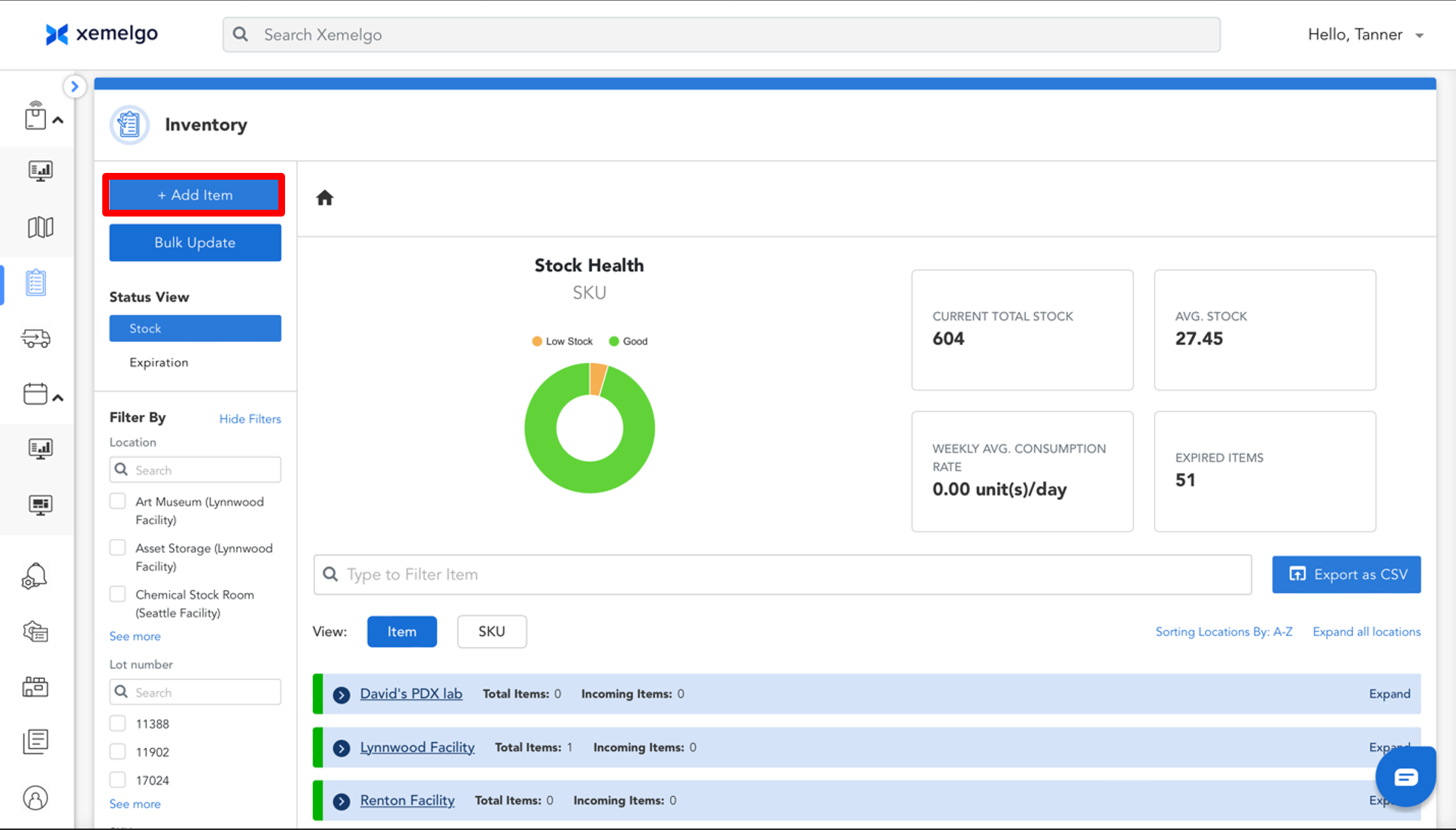
To begin adding your inventory, click + Add Item.
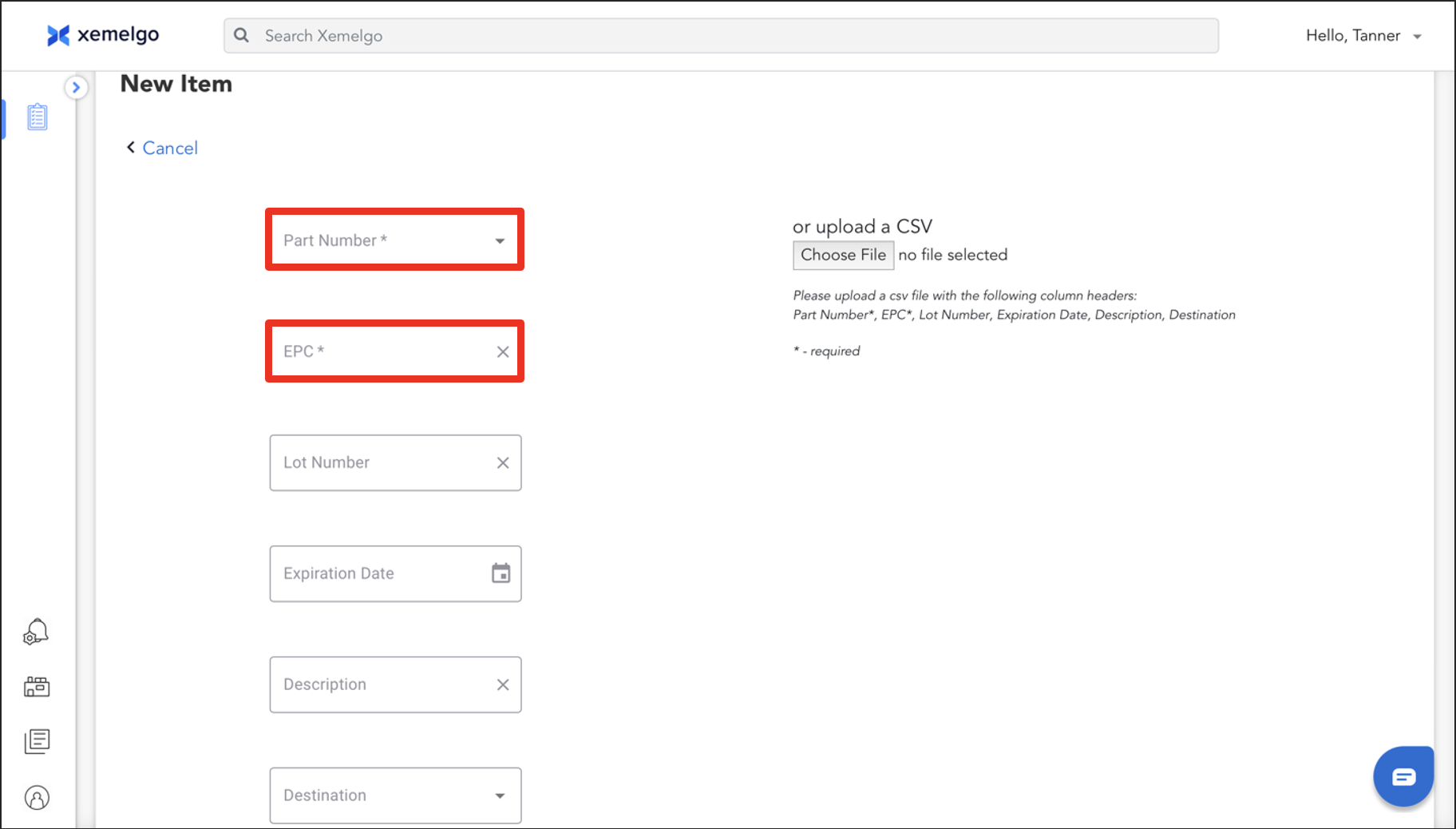
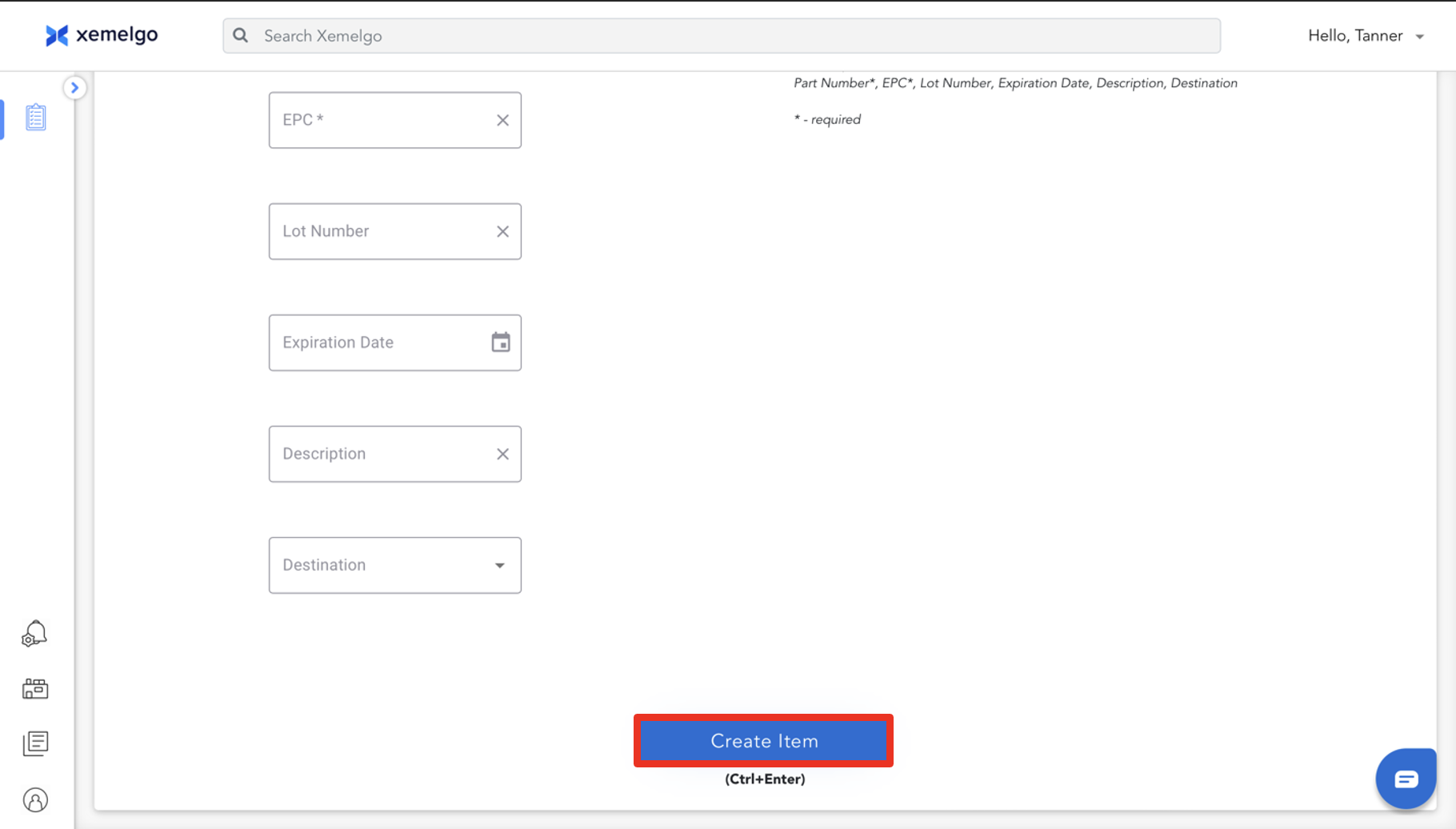
Next, enter the required information of Part Number from the Dropdown, and EPC.
Part Number and EPC are **Customer Specific.
If you have Lot Number, Expiration Date, Description, and Destination information available for the item with the given EPC, please provide it
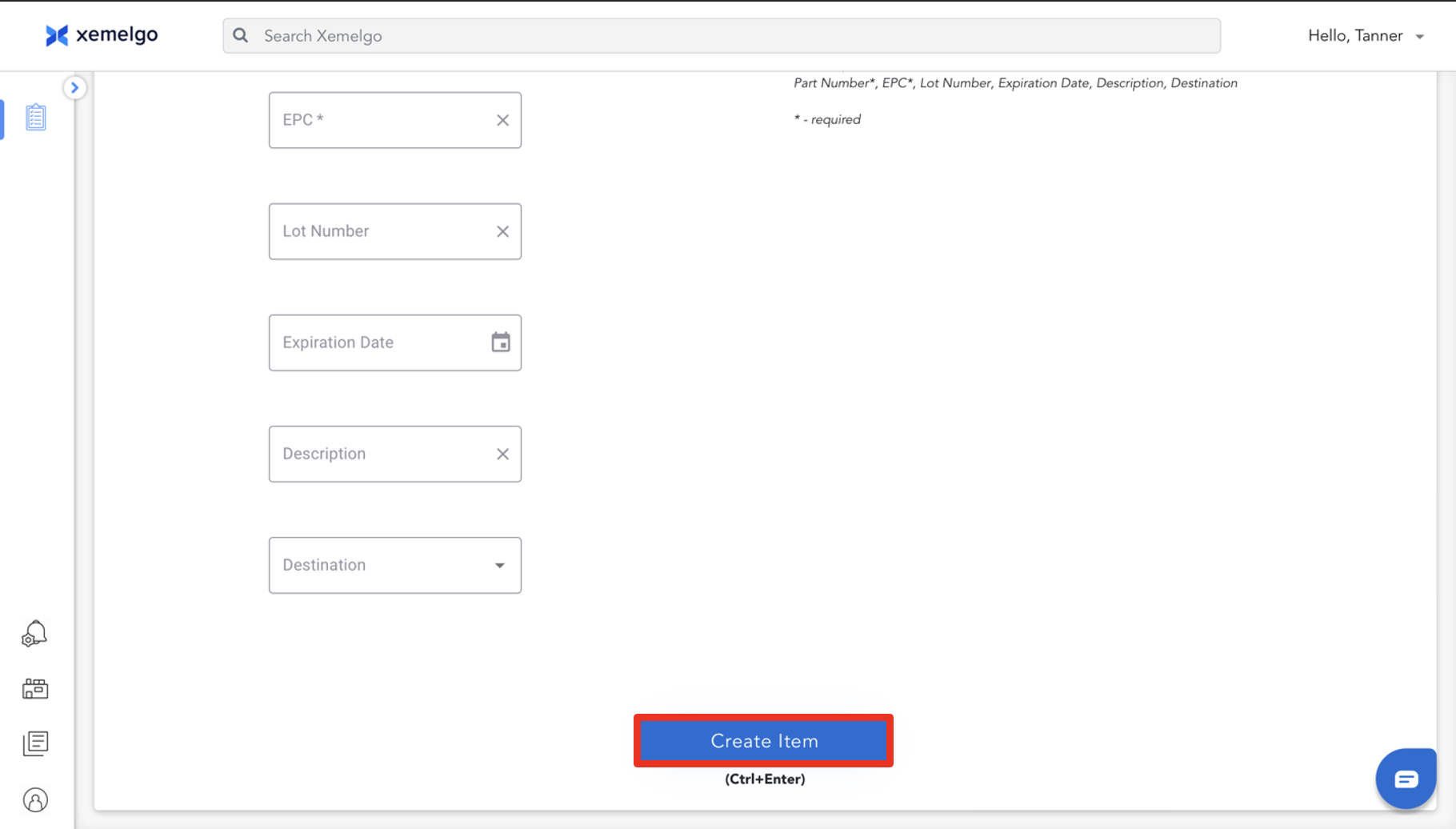
Once all the information has been entered, click Create Item.
Alternatively, if you have a CSV with the Column Headers of Part Number (required), EPC (required), Lot Number, Expiration Date, Description, and Destination, you can upload it to the Xemelgo system by clicking Choose File.
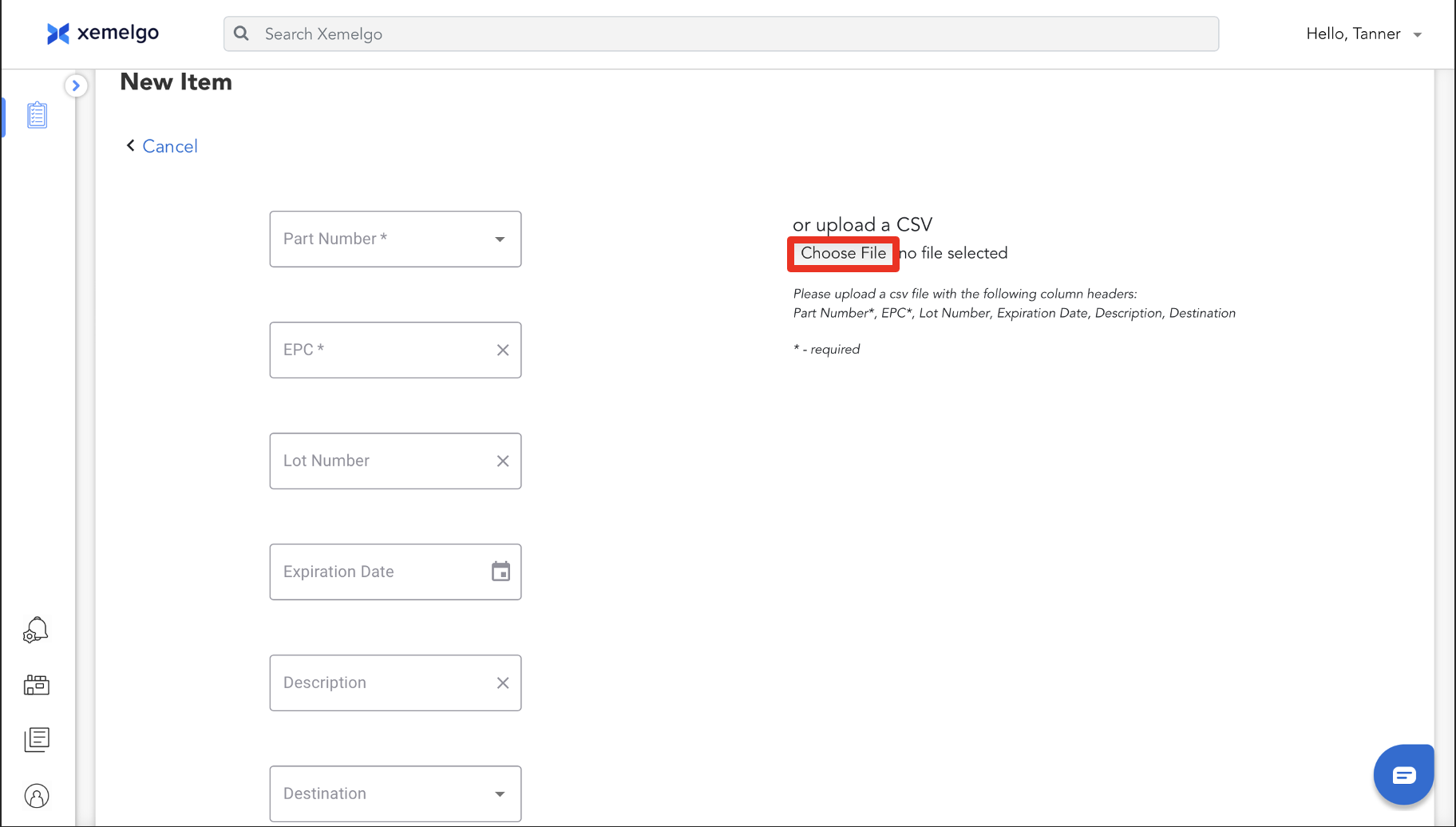
Once the file has been uploaded, click Create Item.
Inventory Consumption
In addition to adding items, you can also track how inventory is consumed over time by utilizing our Cycle Count and Consume features on our mobile application.
Performing Audits
Regular audits are crucial to maintaining inventory accuracy. To learn how to perform an audit, refer to our article on How to Perform an Audit on our mobile application.
Bulk Update Inventory
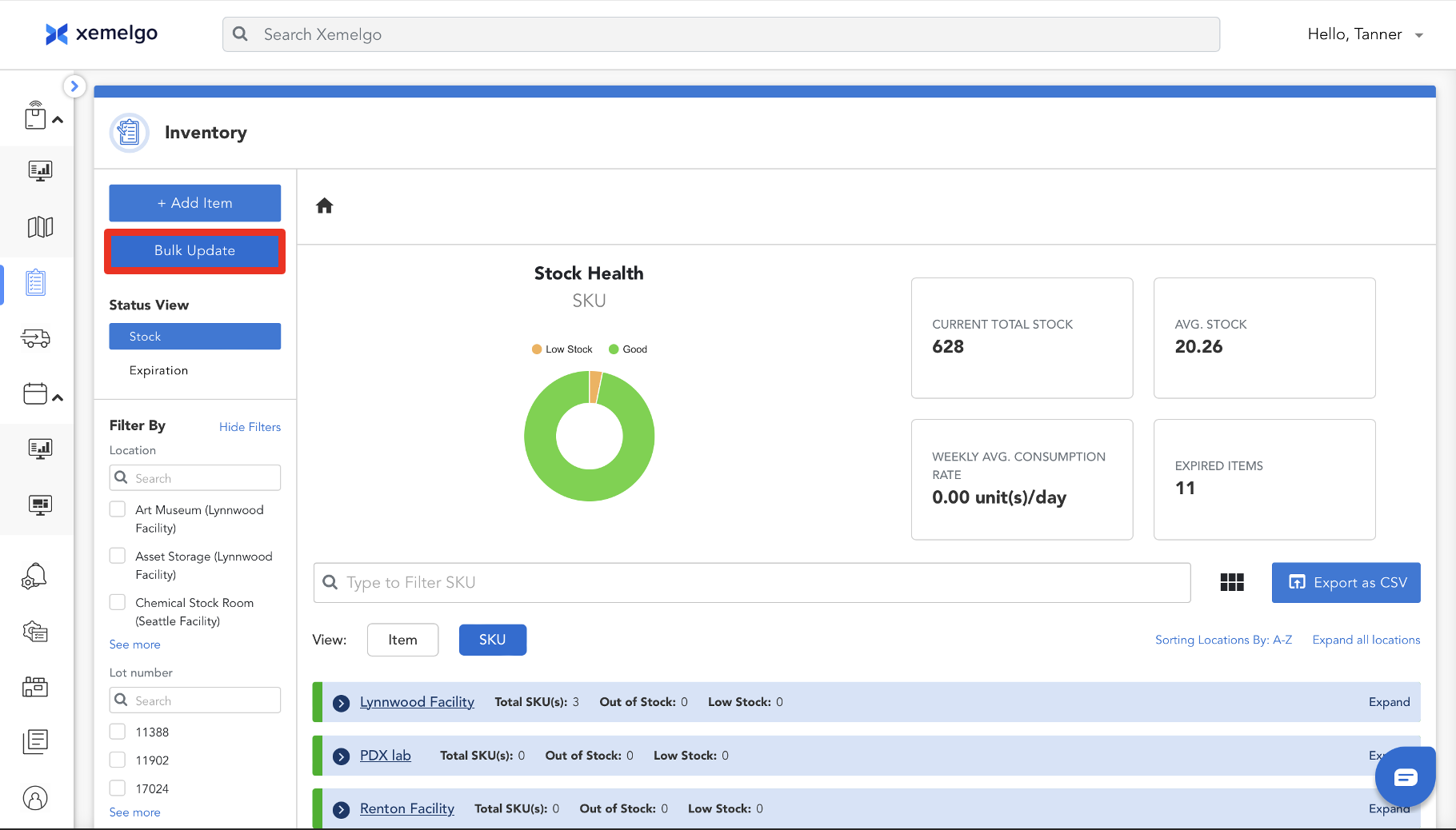
To bulk update your inventory, click Bulk Update.
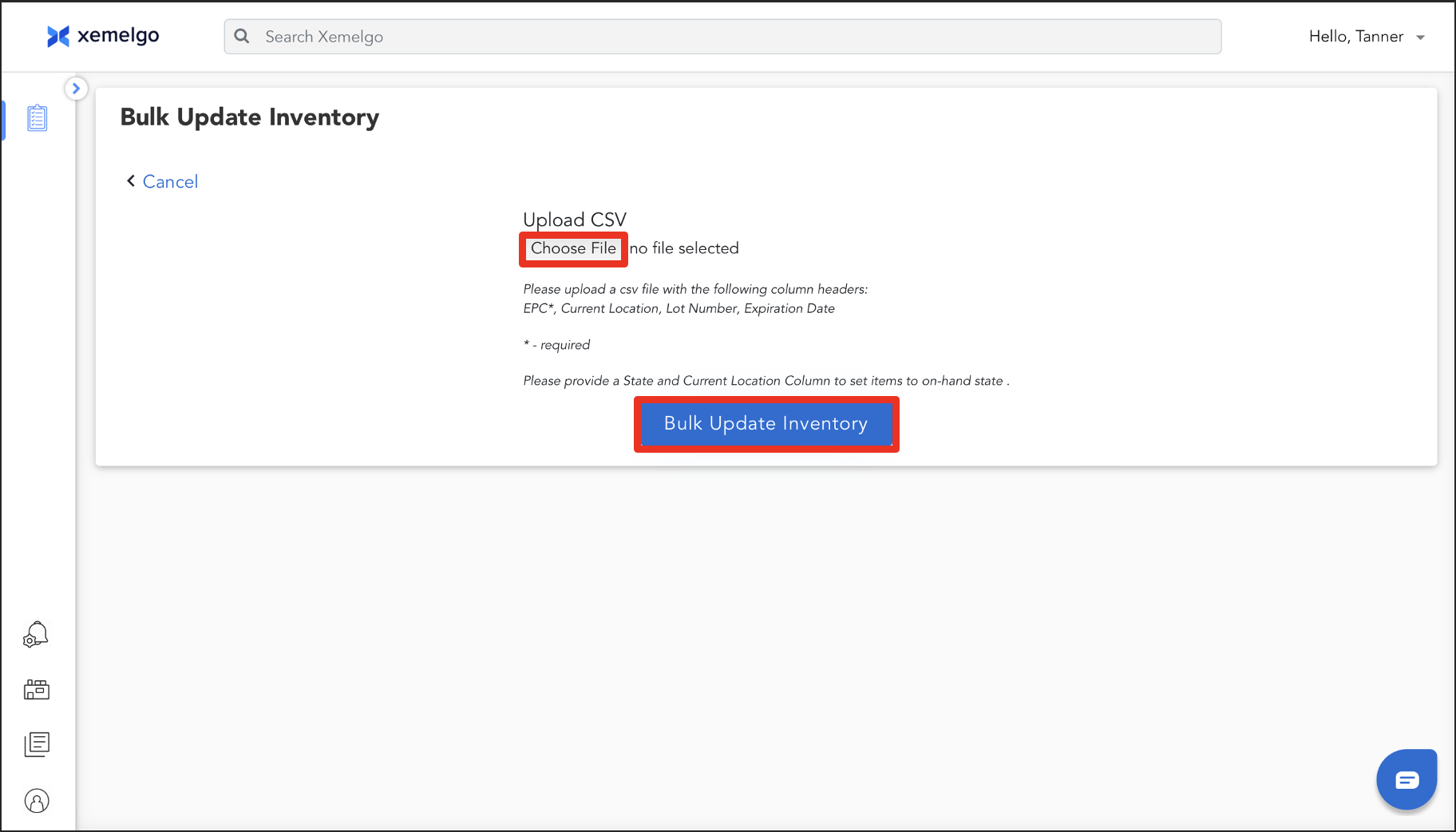
Next, upload a CSV file with the Column Headers of EPC (required), Current Location, Lot Number, and Expiration Date.
Once the file has been uploaded, click Bulk Update Inventory.
Need further assistance?
The article above couldn't resolve your issue? Use the chat button in the bottom-right corner to contact the support team.