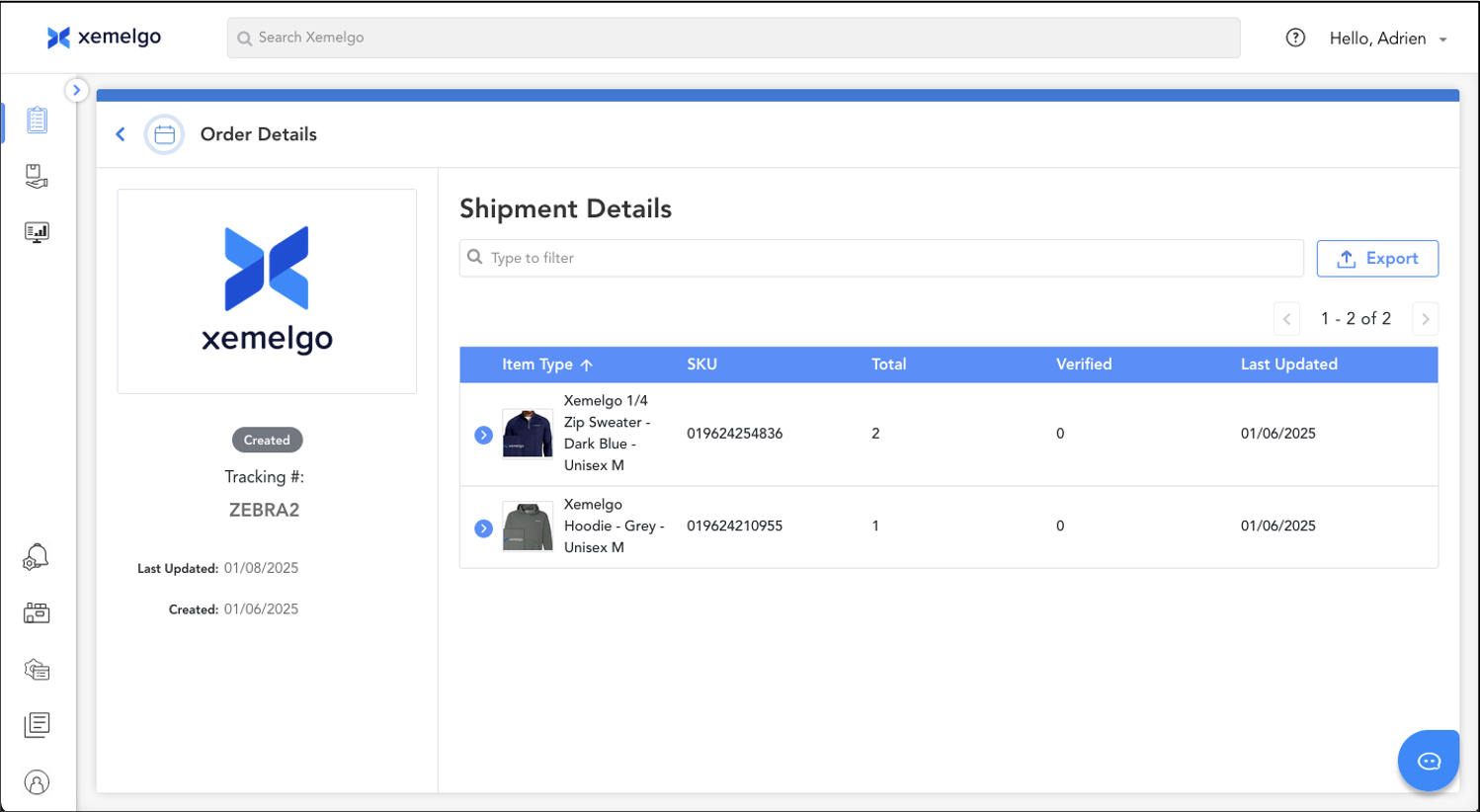
Transfer Order Details Page
Transfer Order Details Page
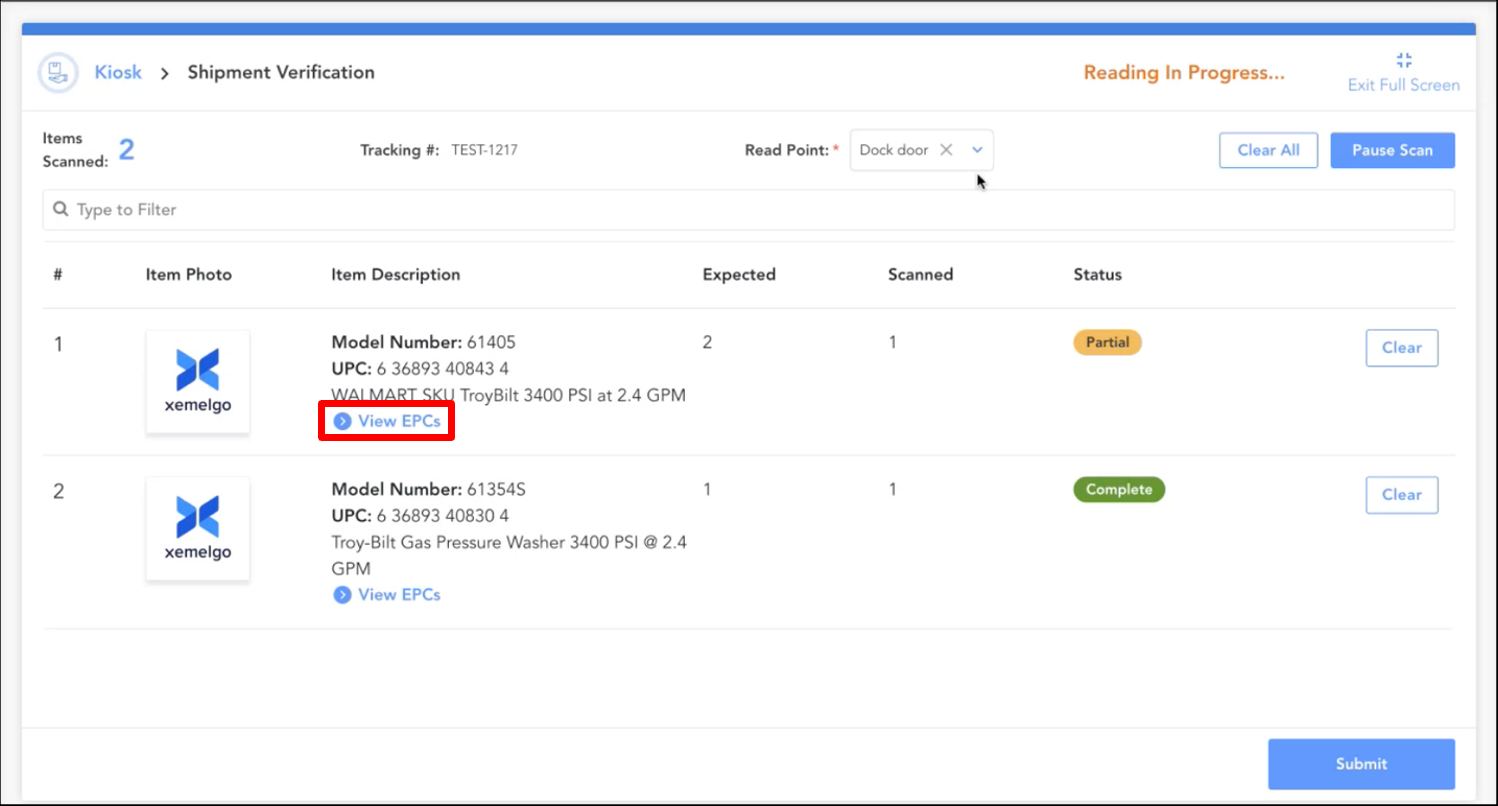
If you want to view the details of a specific EPC you have scanned, click View EPCs.
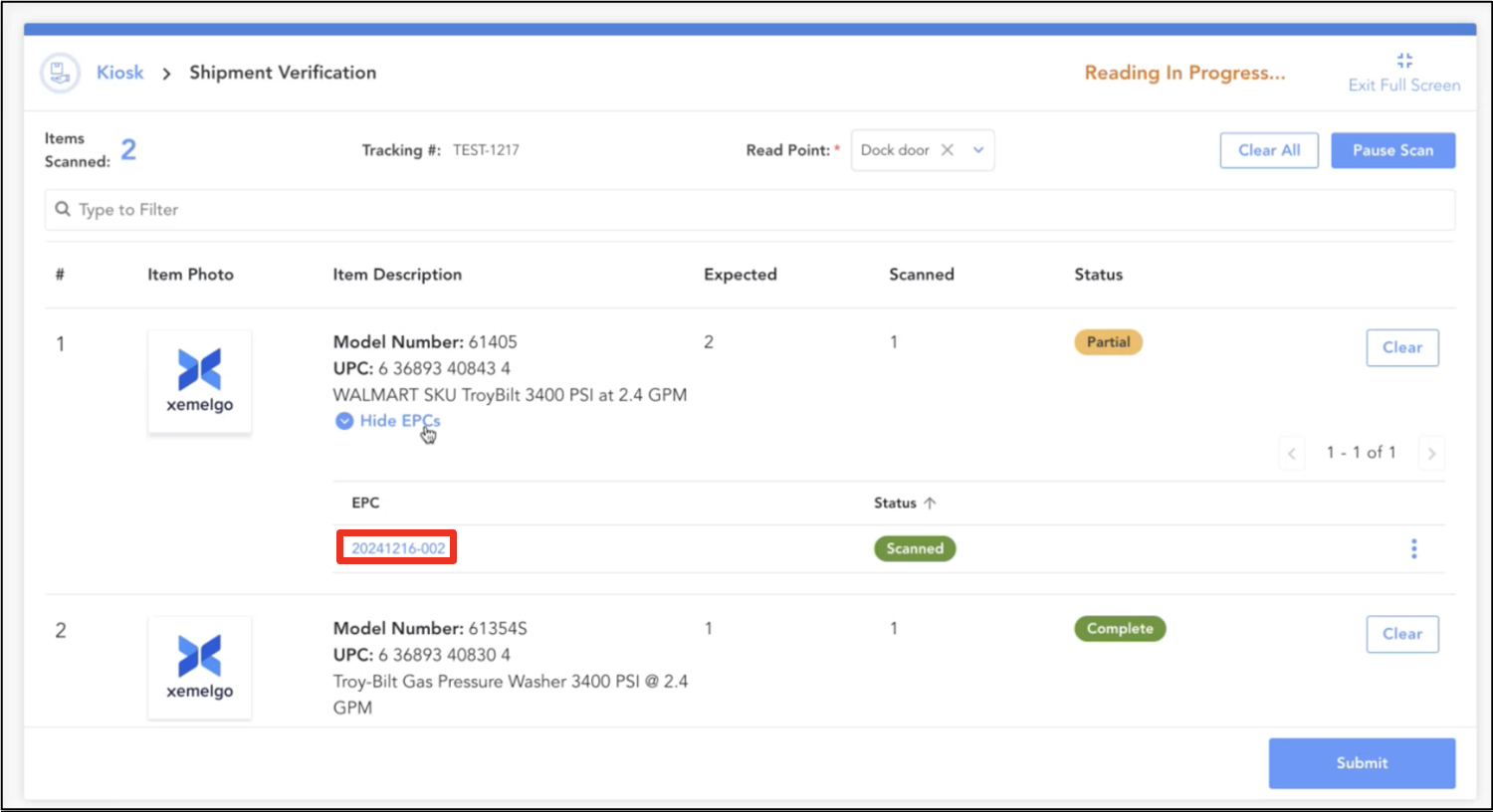
Next, click on the EPC.
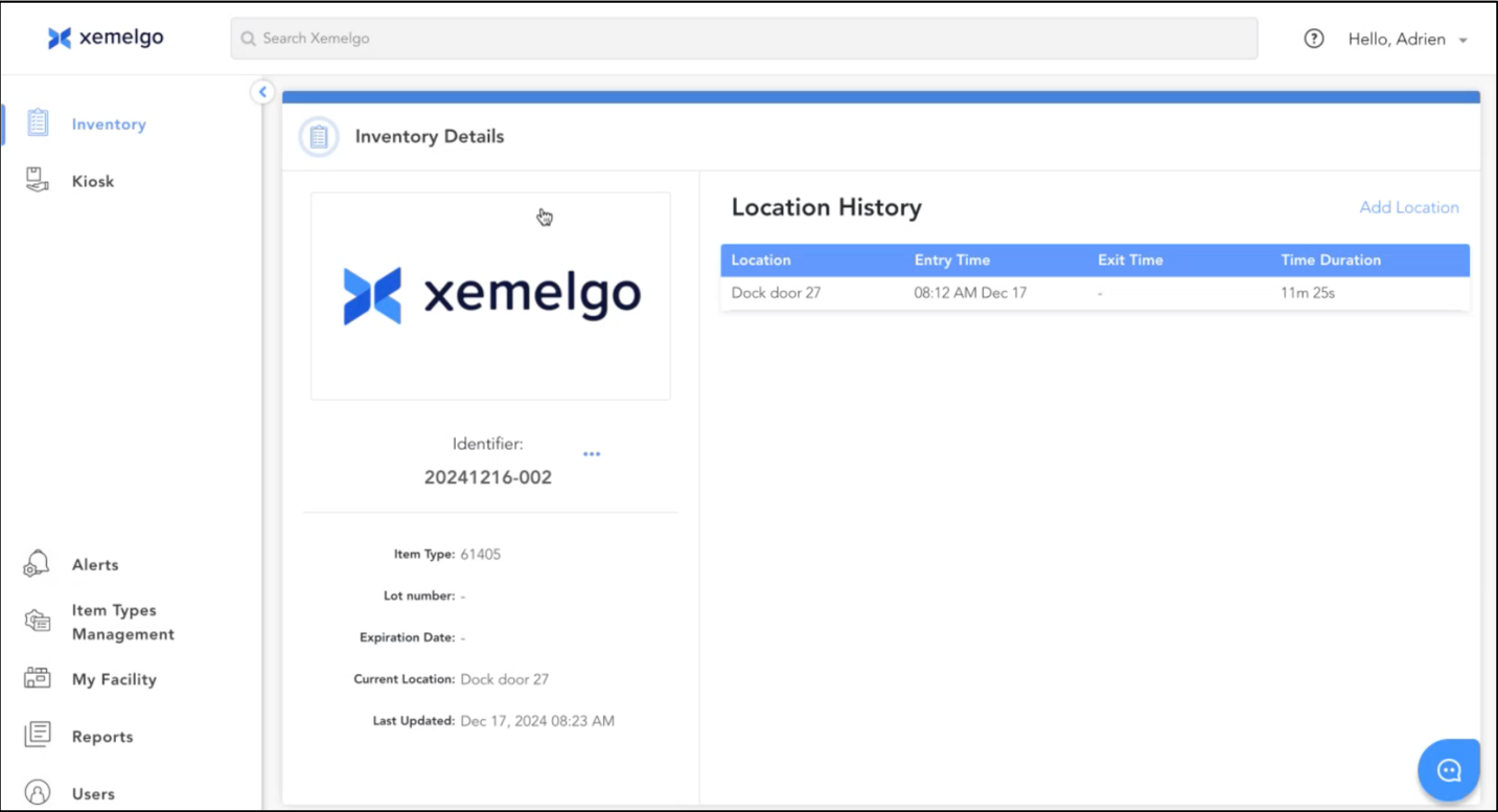
Then, the item's Location History will be displayed, which shows the Location and Time the item was detected at.
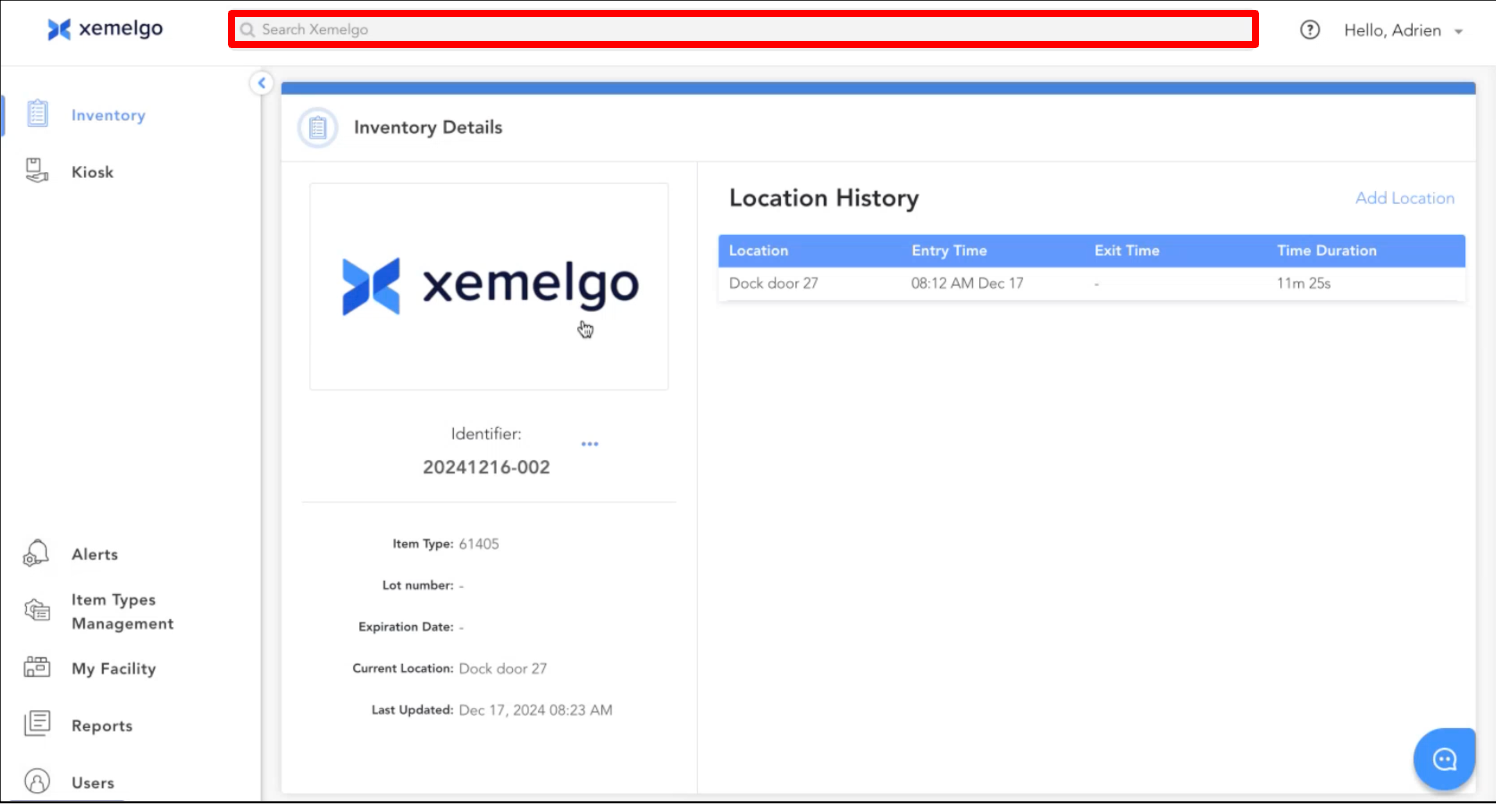
To look up details of the transfer order, type the transfer order number into the Global Search text field.
Searching for the transfer order using global search will direct you to the Order Details page.
Here you will see the Item Types associated with the order, their SKUs, the Total of each item, the number of each item that has been scanned and Verified as being with the order, and the time the item associated with the order was Last Updated.
Need further assistance?
The article above couldn't resolve your issue? Use the chat button in the bottom-right corner to contact the support team.