Viewing Transfer Order Details
Viewing Transfer Order Details
Overview
This article explains how to view details of a transfer order.
Instructions
To view the details of a transfer order, click the Order #.
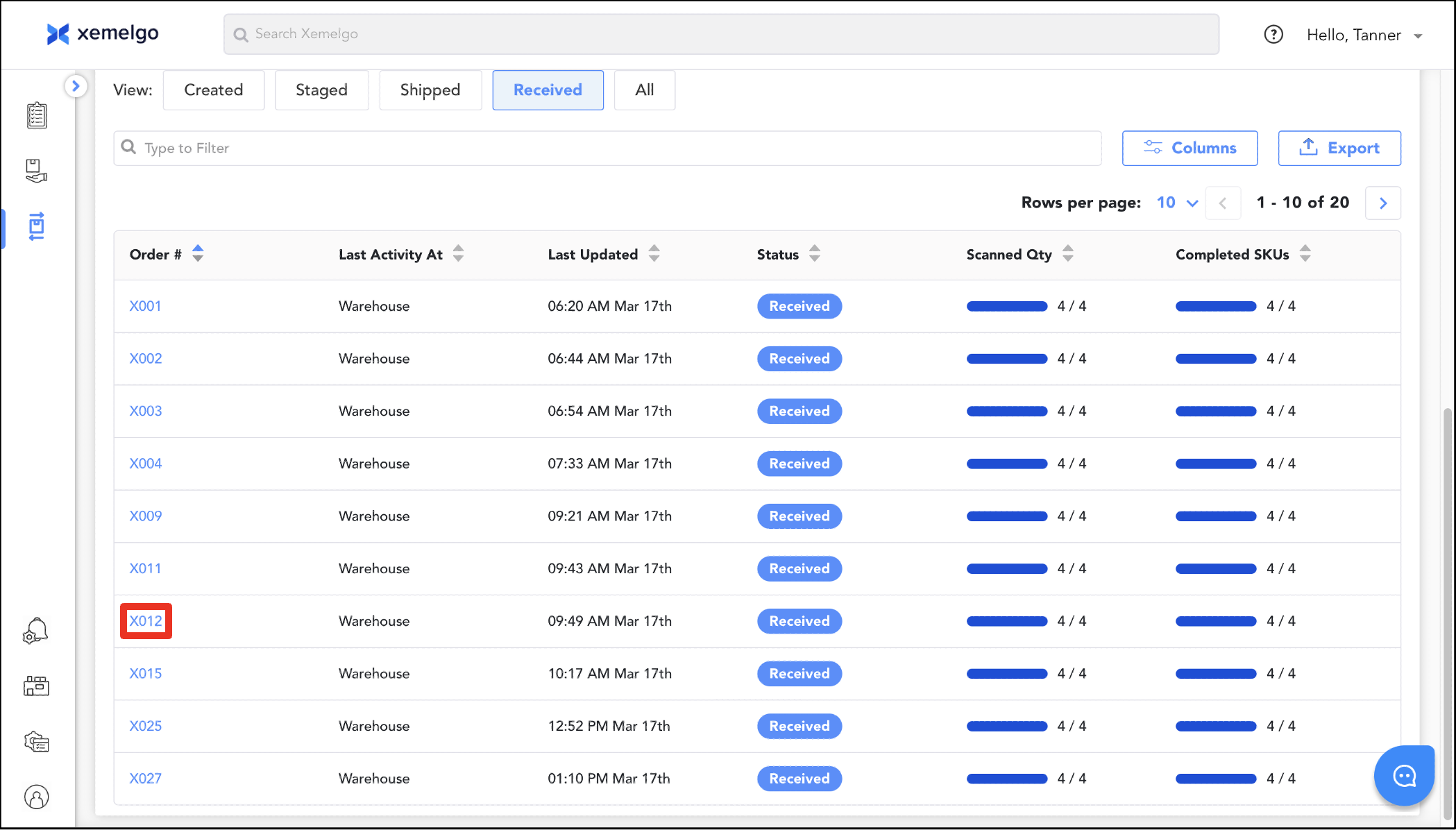
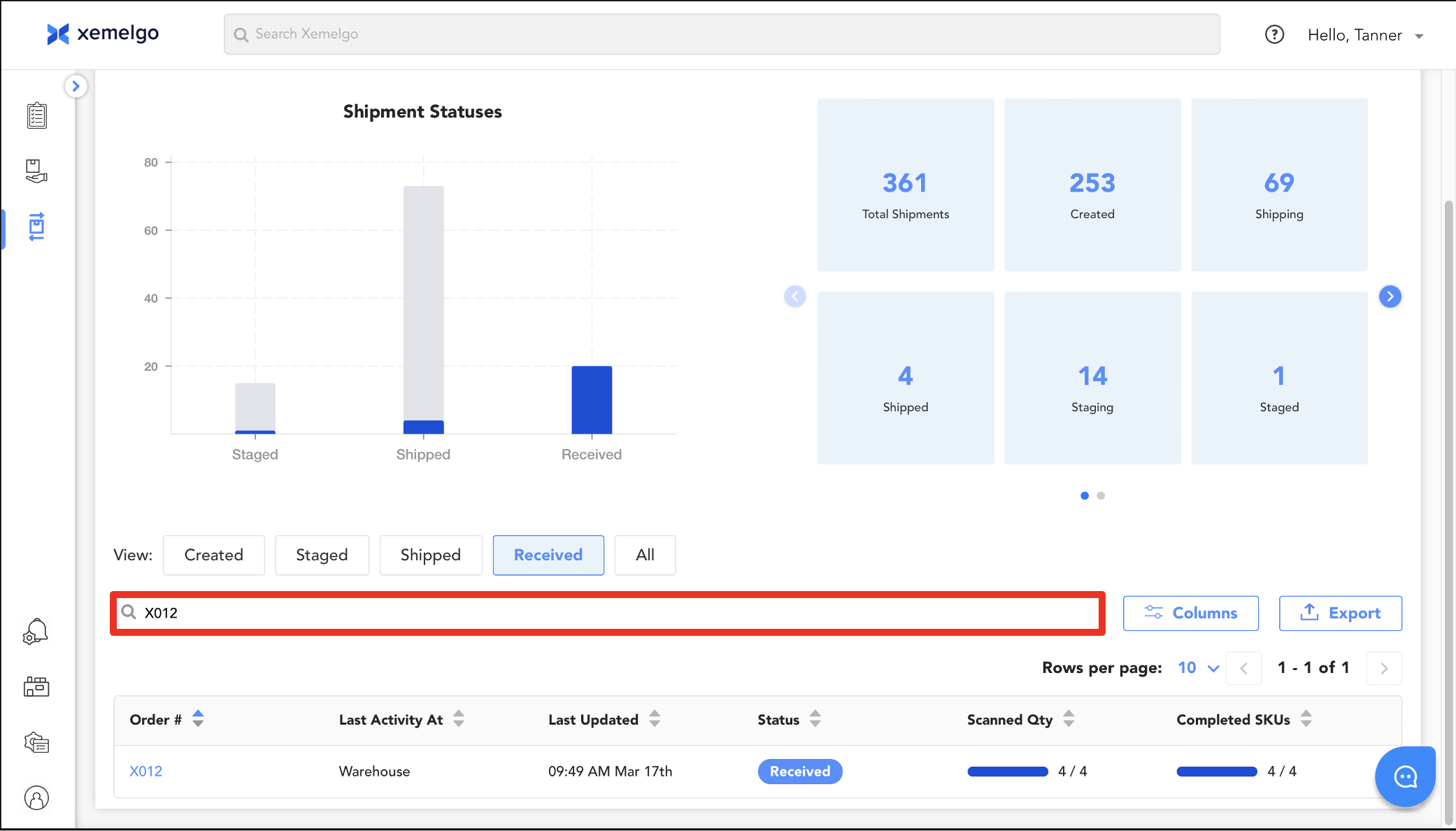
Alternatively, you can search for an individual order using the text field or **Global Search.
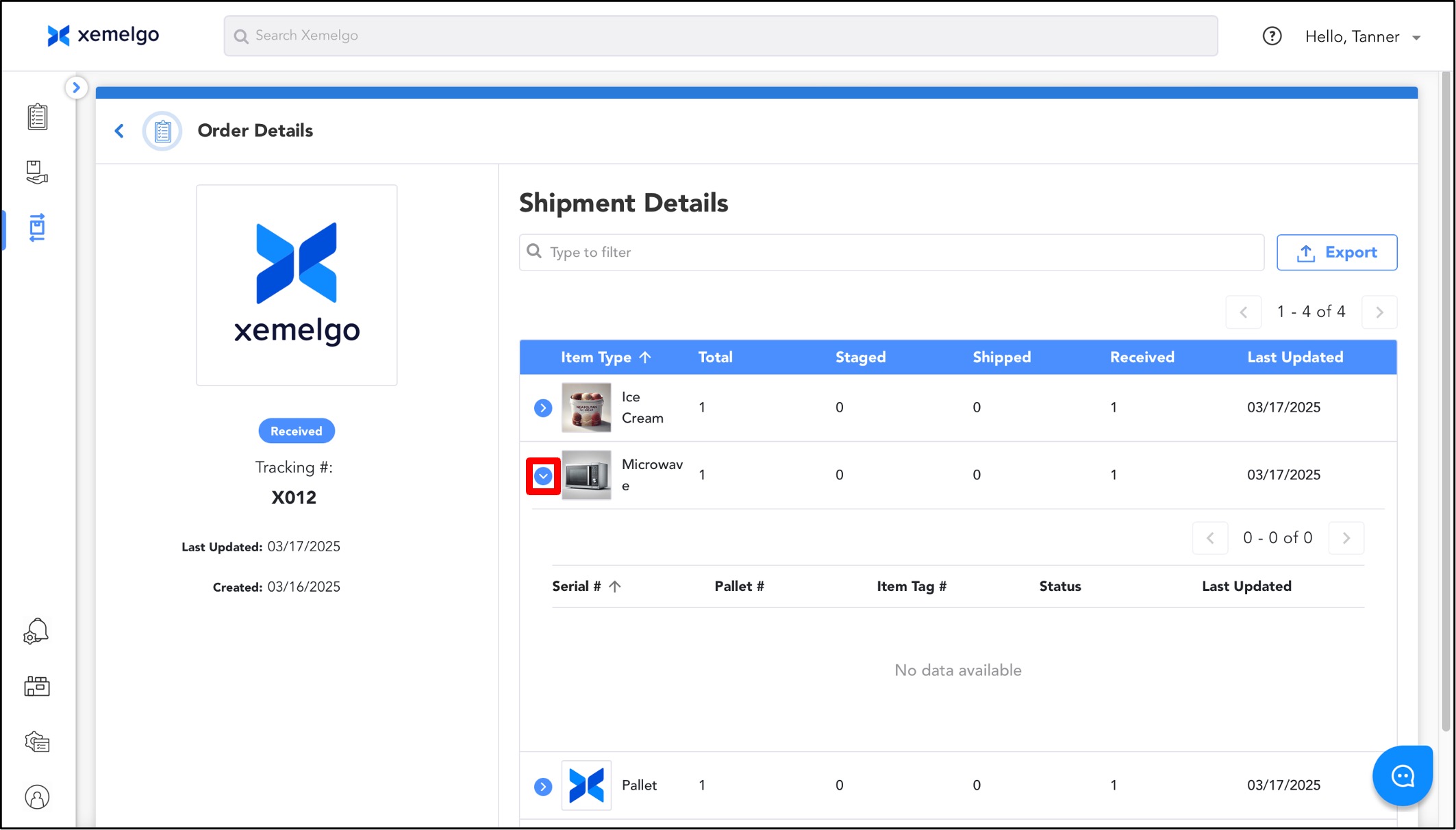
On the details page, the Item Type, Total count, Staged count, Shipped count, Received count, and Last Updated information will be displayed.
If you click the dropdown next to the Item Type, the Serial #, Pallet #, Item Tag #, Status, and Last Updated information of the items will be displayed.
Y**ou can navigate to the pallet details page or the item details page by clicking on either the item or pallet.
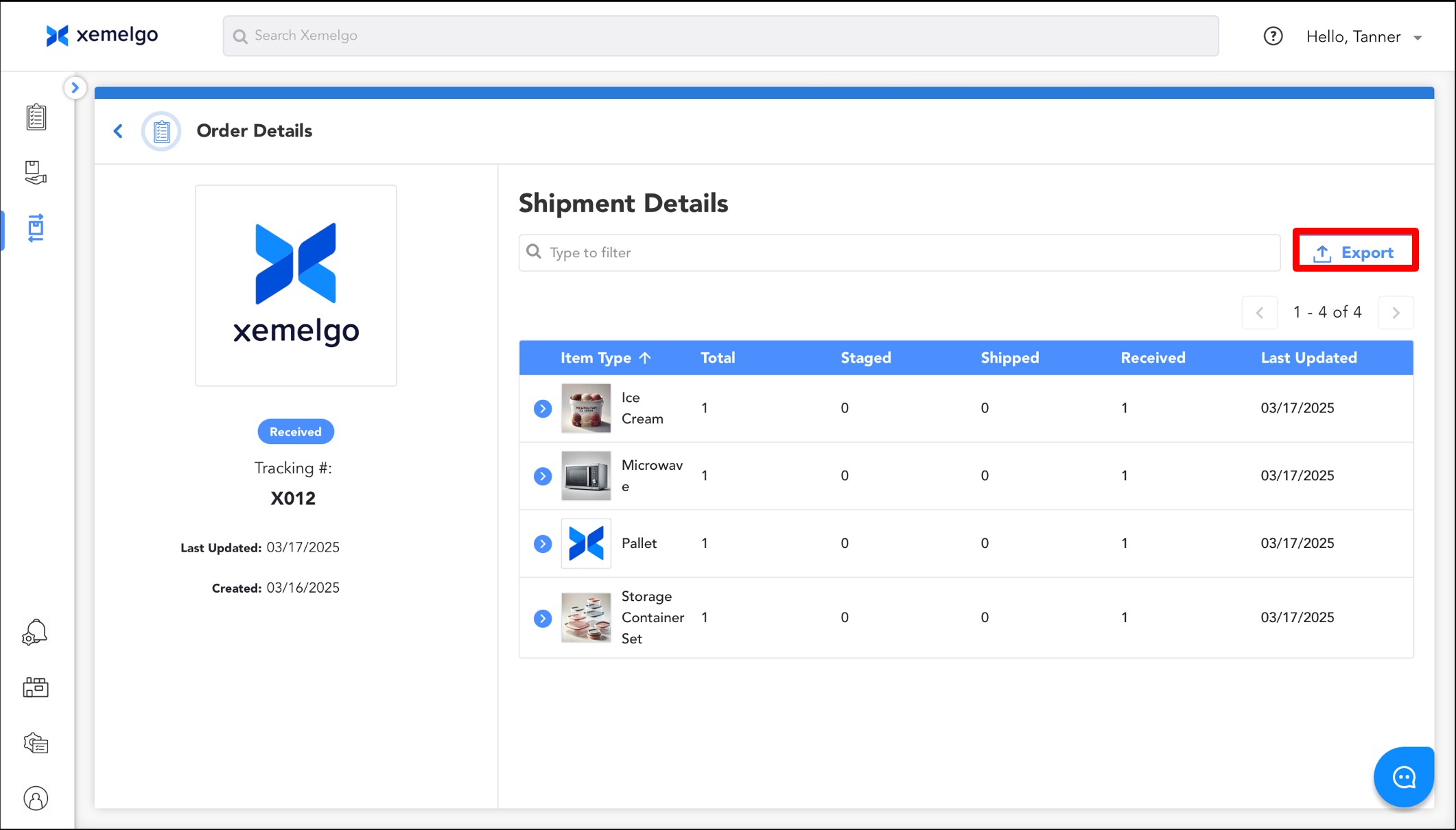
If you want to save the data associated with the transfer order details, click Export to generate a CSV file containing all the displayed information.
Need further assistance?
The article above couldn't resolve your issue? Use the chat button in the bottom-right corner to contact the support team.