QR Scan
QR Scan
Overview
This article covers using QR Scan in Xemelgo app, connecting RFID devices, and scanning QR codes for quick access.
Instructions
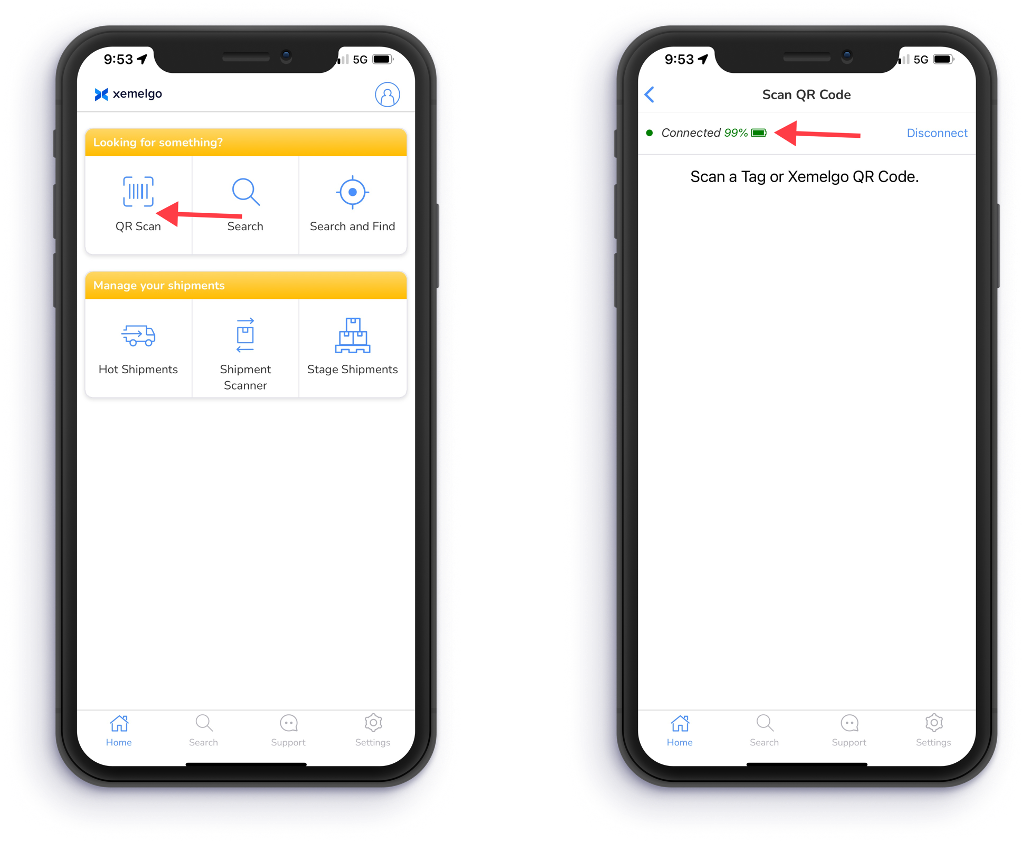
To utilize the QR Scan feature, tap QR Scan under the Looking for something? section of the Shipments user interface.
Next, the Xemelgo app will automatically establish a connection to the RFID handheld device you are using.
note
If the RFID handheld device you are attempting to use has not been onboarded to the Xemelgo app before, please consult the Onboarding an RFID Device section of the Xemelgo Help Center.
Then simply scan a Tag or Xemelgo QR code.
Need further assistance?
The article above couldn't resolve your issue? Use the chat button in the bottom-right corner to contact the support team.
Was this article helpful?