Onboarding a TC22R
Onboarding a TC22R
Overview
This article explains how to onboard a TC22R to Xemelgo.
Instructions
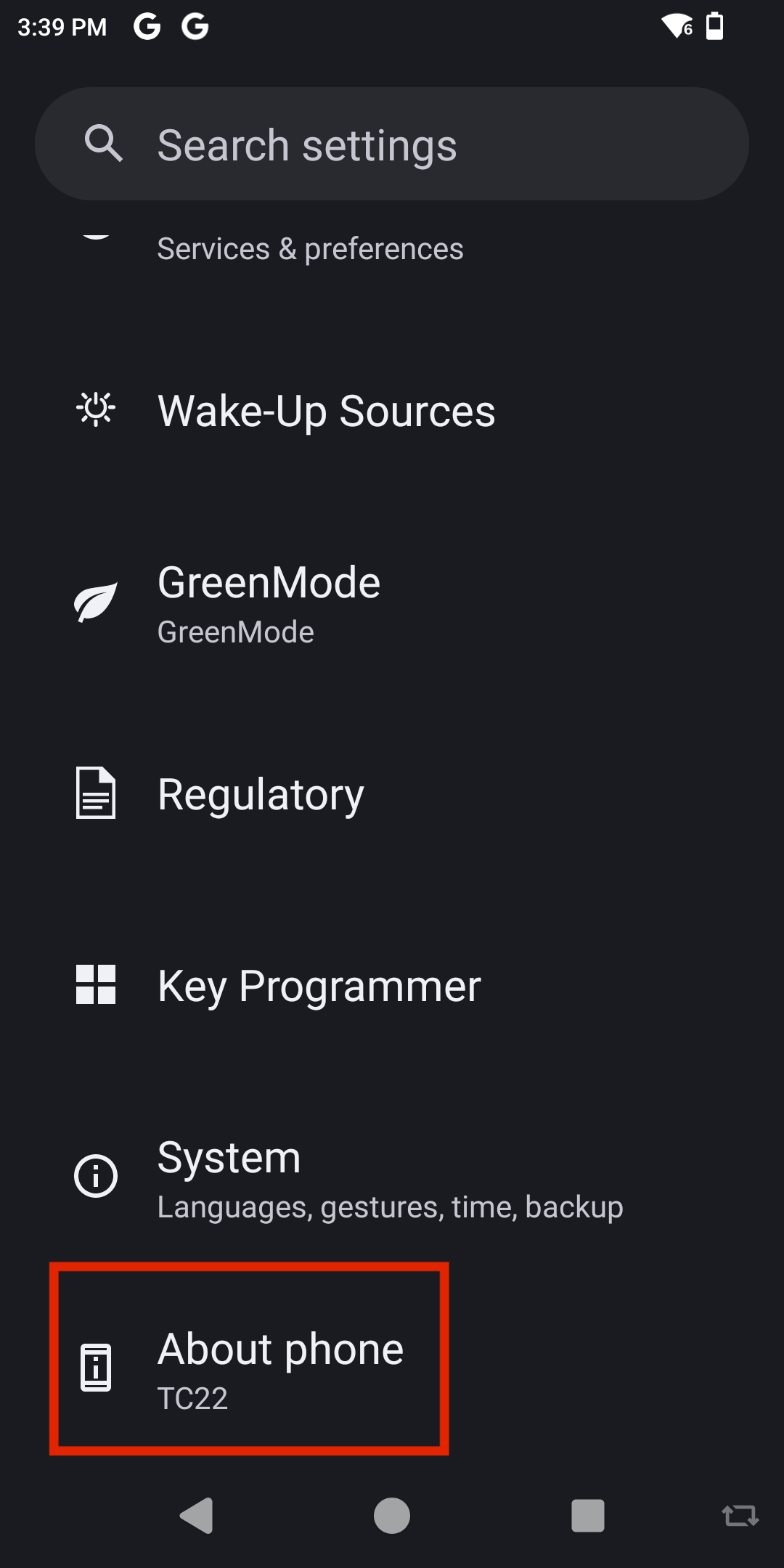
To begin, go to your device settings and tap About Phone.
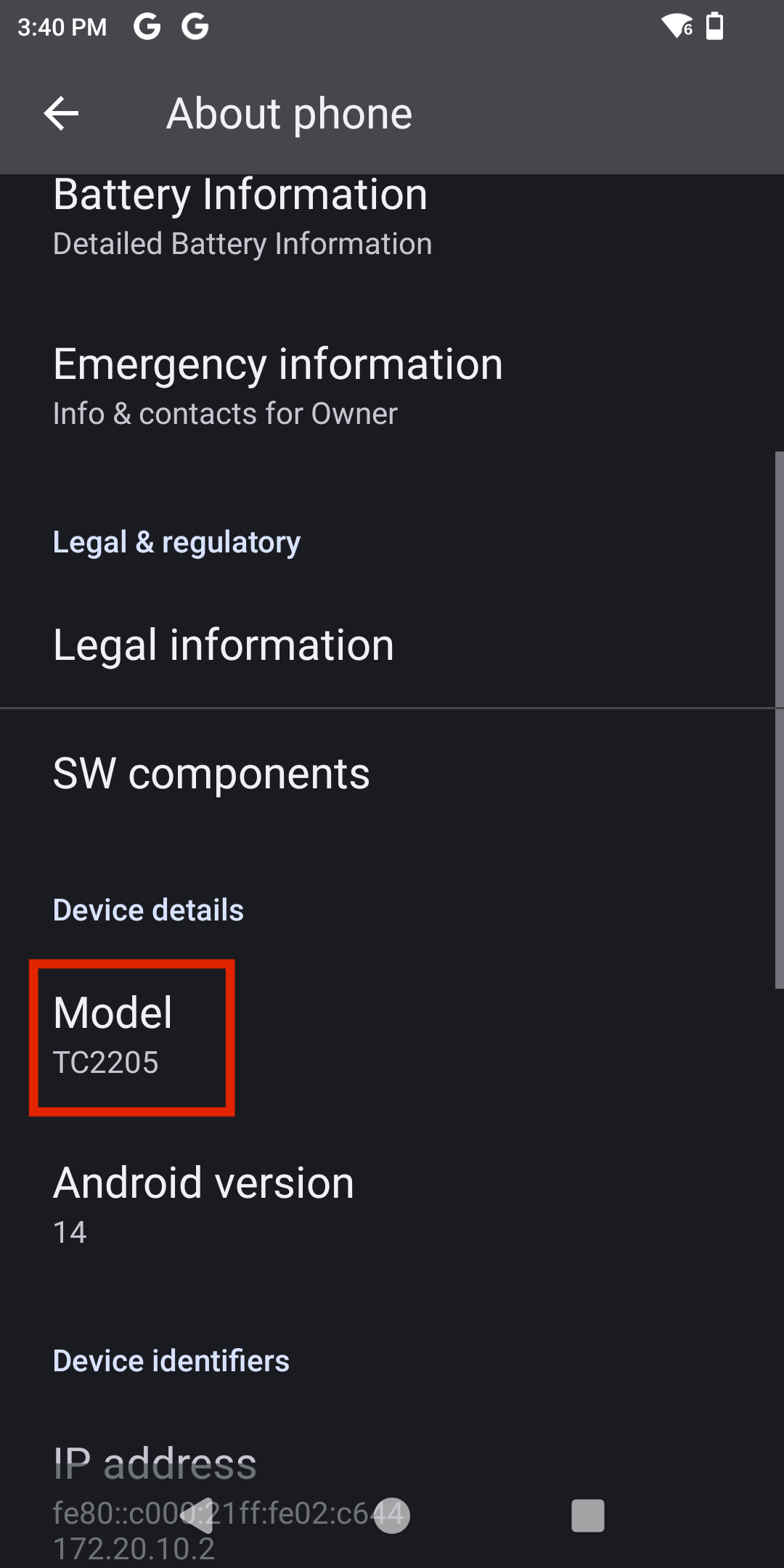
Next, scroll down to the Model section and tap it.
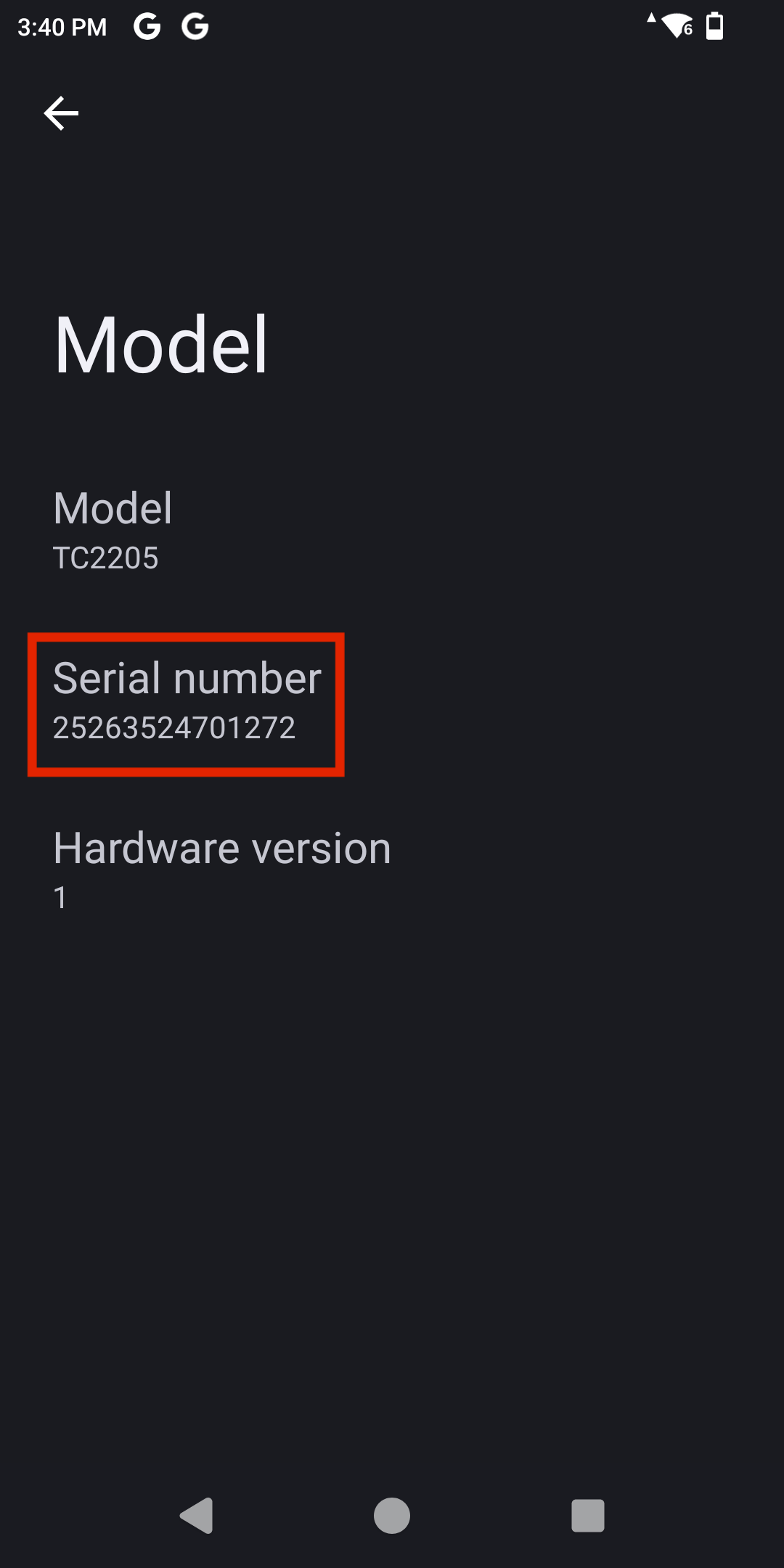
You will then see the RFID Reader Serial Number displayed.
To onboard your TC22R to the Xemelgo system, view our documentation on Onboarding an RFID Device.
note
When viewing our Onboarding an RFID Device documentation remember that:
| Detector # | Serial Number |
|---|---|
| Vendor | Zebra |
| Detector Type | Handheld |
Need further assistance?
The article above couldn't resolve your issue? Use the chat button in the bottom-right corner to contact the support team.
Was this article helpful?