Creating a New Customer Account
Creating a New Customer Account
Overview
This article covers the process of creating a new customer account.
Instructions
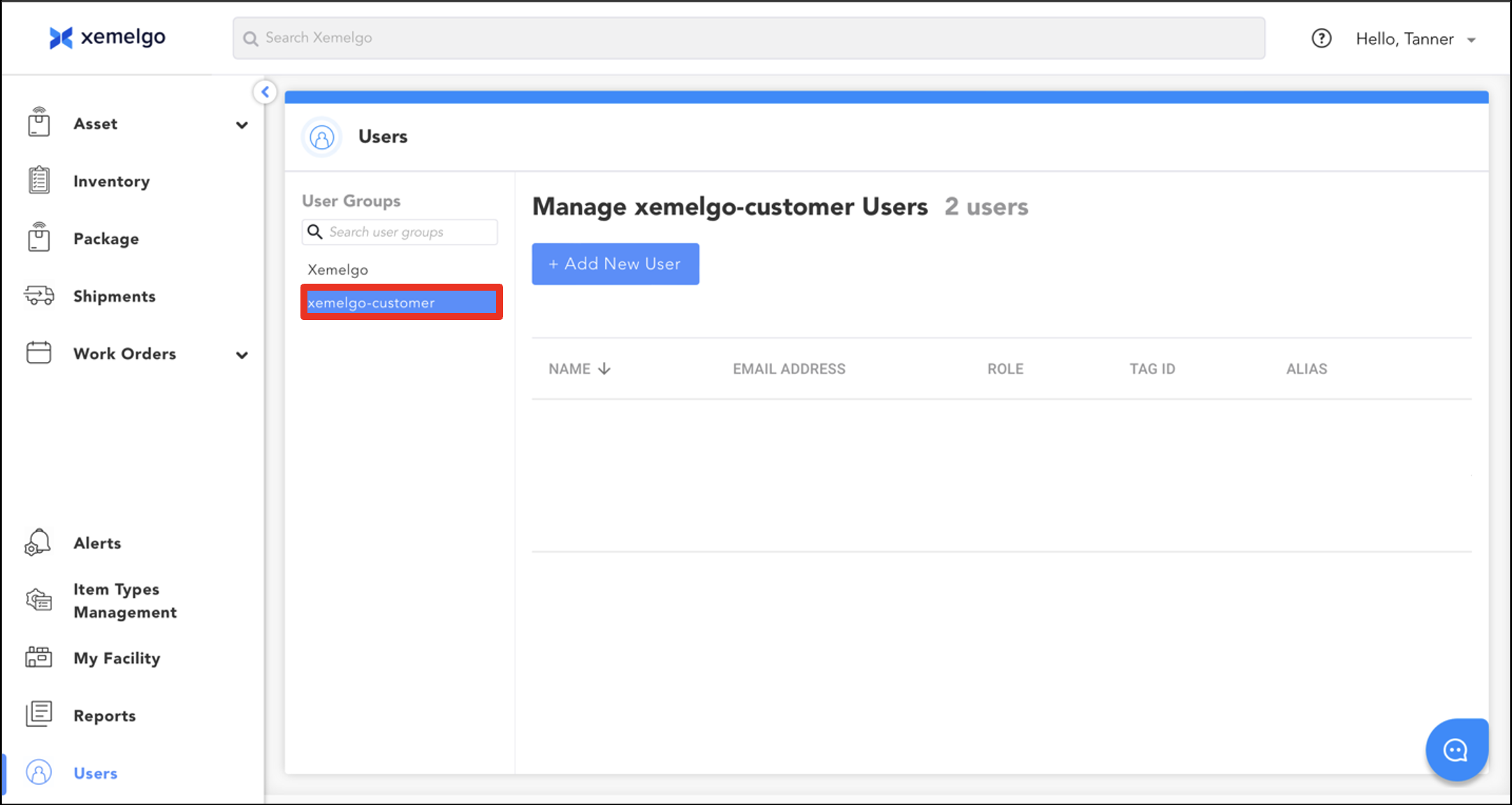
To begin creating a new customer account, ensure xemelgo-customer is selected.
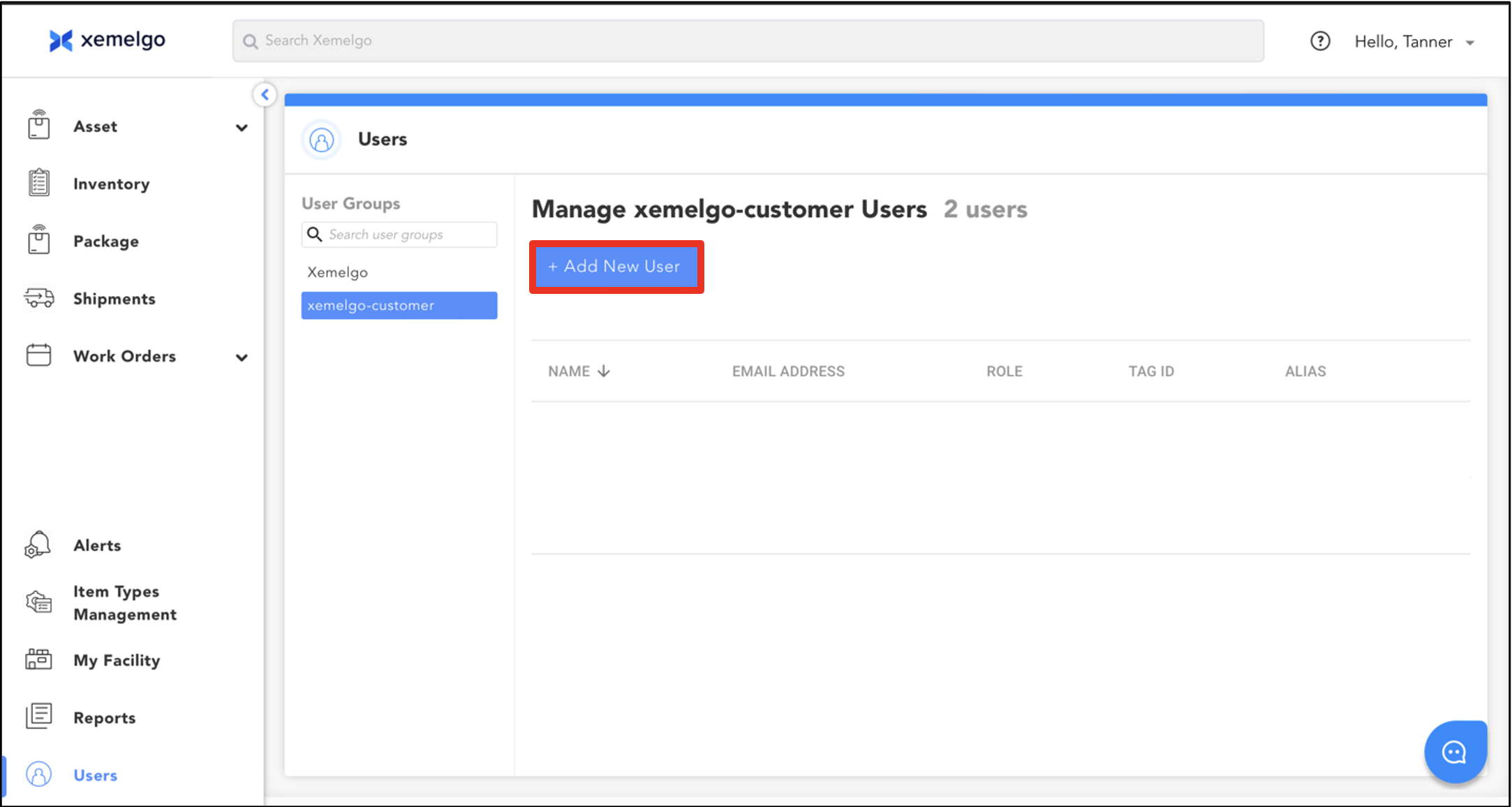
Next, click + Add New User.
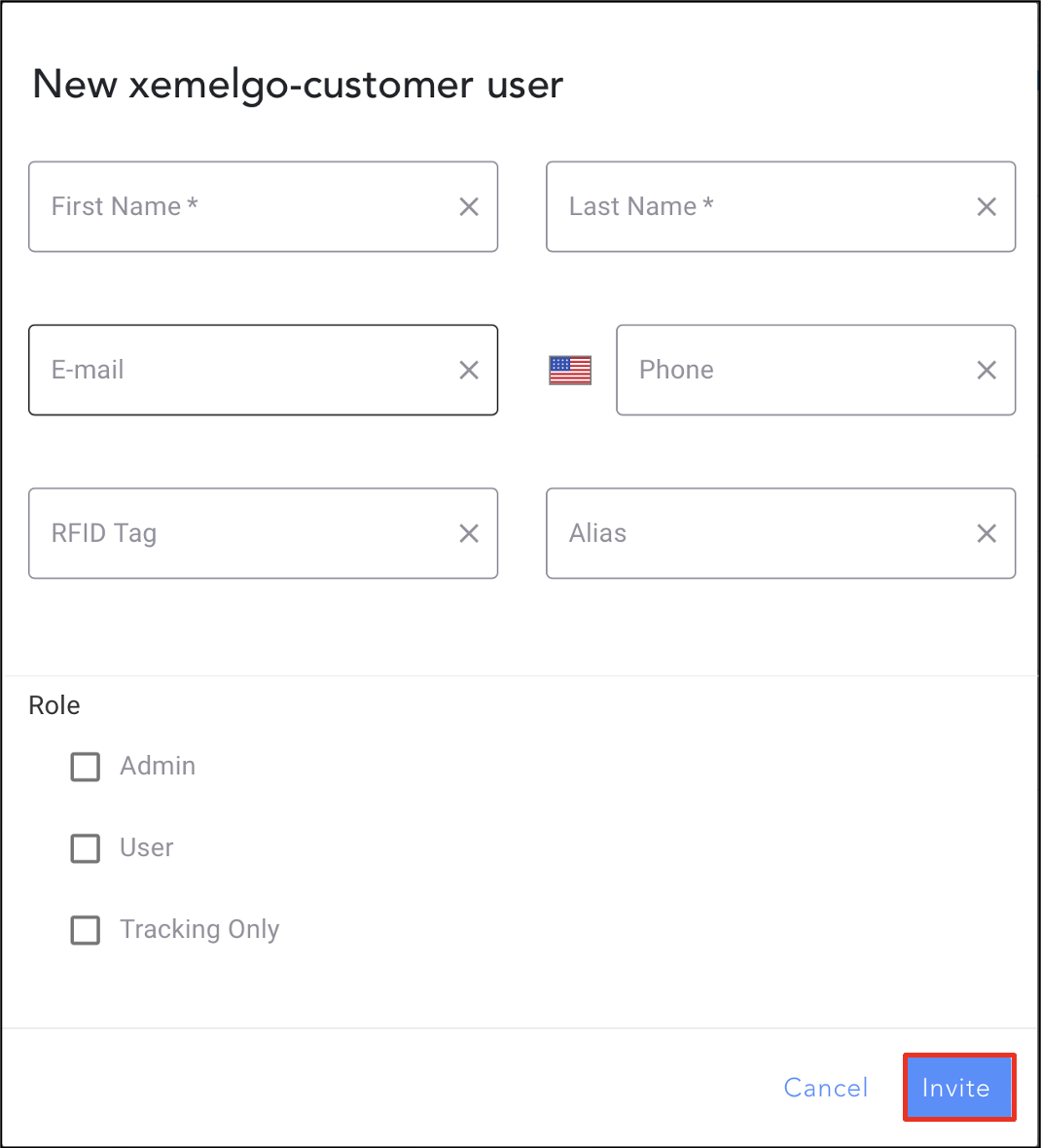
To finish adding the new customer account, enter their First Name, Last Name, E-mail, and Phone Number.
Then, click Invite.
Need further assistance?
The article above couldn't resolve your issue? Use the chat button in the bottom-right corner to contact the support team.
Was this article helpful?