Managing Locations within the Facility
Managing Locations within the Facility
Overview
This article covers adding various location types such as facilities, departments, zones, stock areas, and workstations, along with instructions for editing and deleting locations.
Adding a Facility
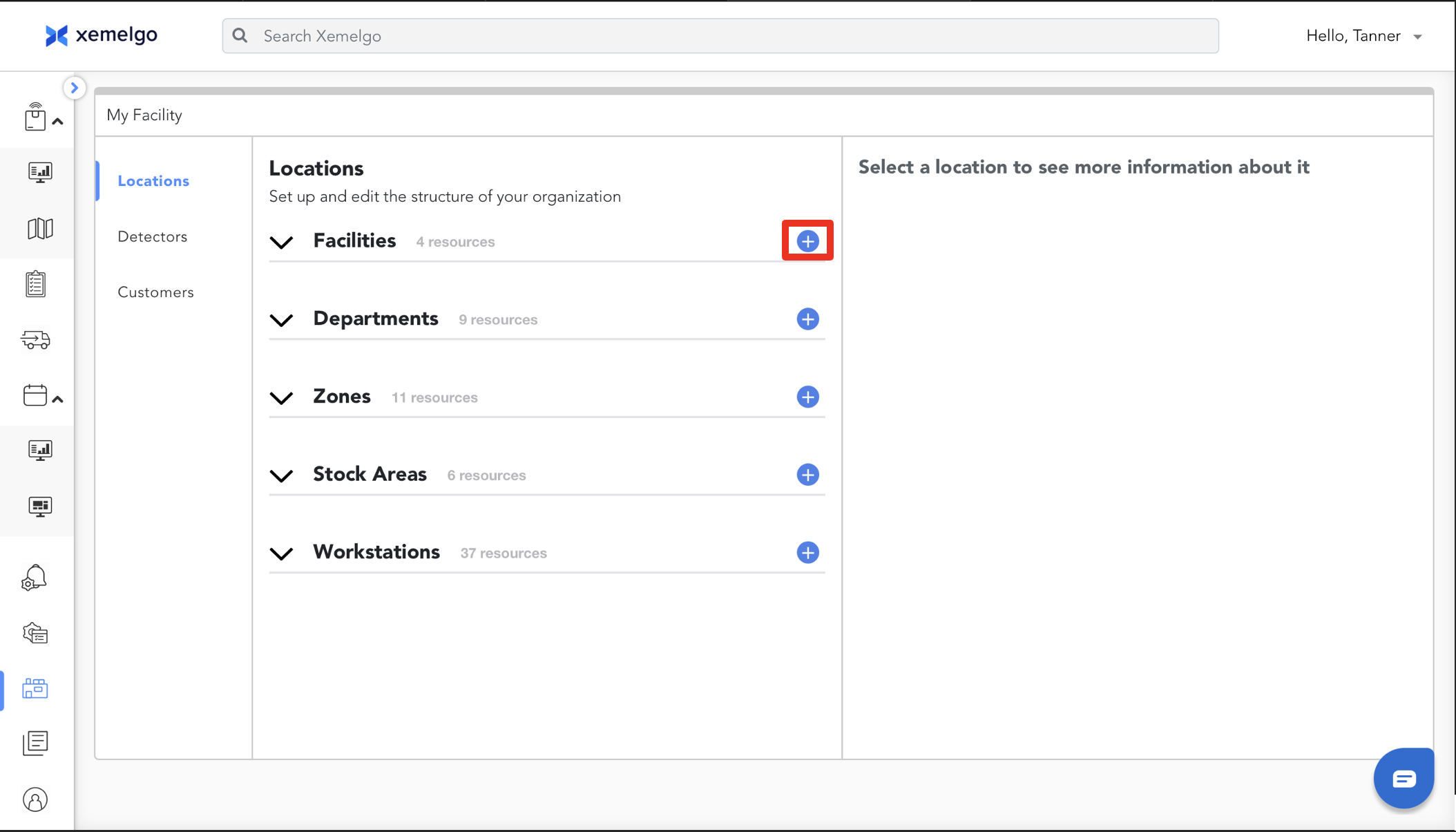
To add a facility, start by clicking the Blue plus sign icon.
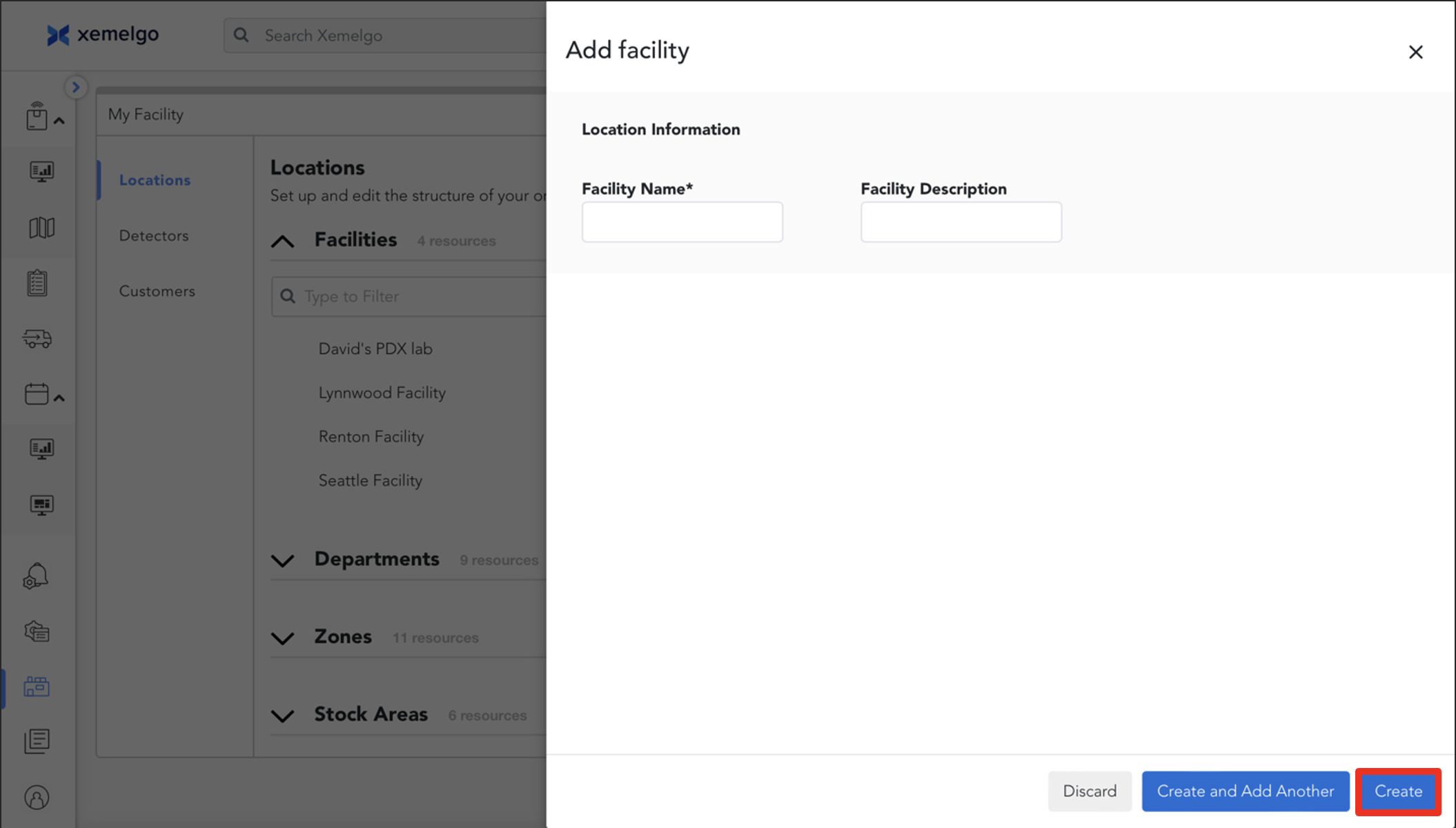
Next, add the Facility Name.
Click Create when finished.
Adding a Department for WIP
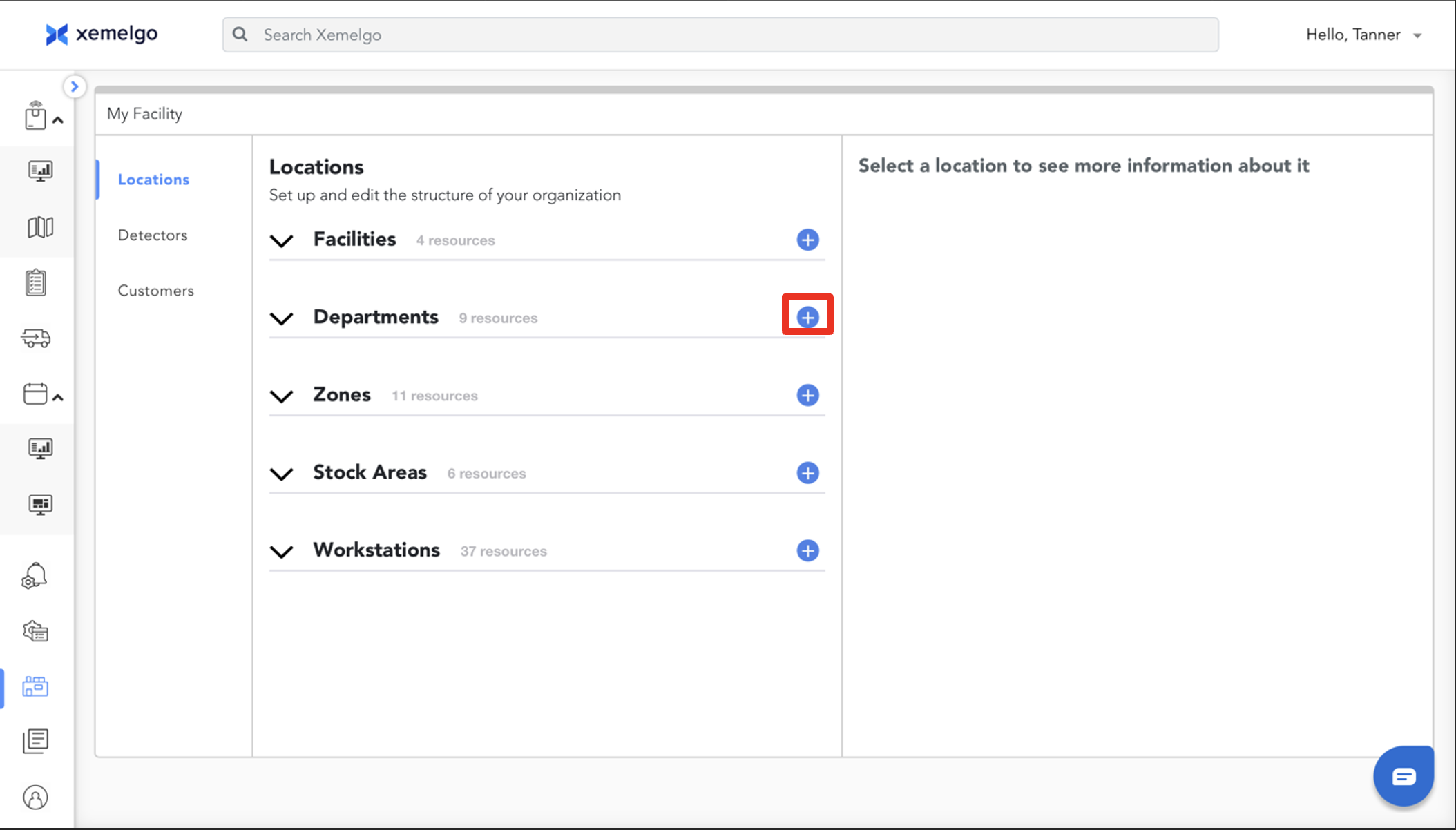
To add a department, start by clicking the Blue plus sign icon.
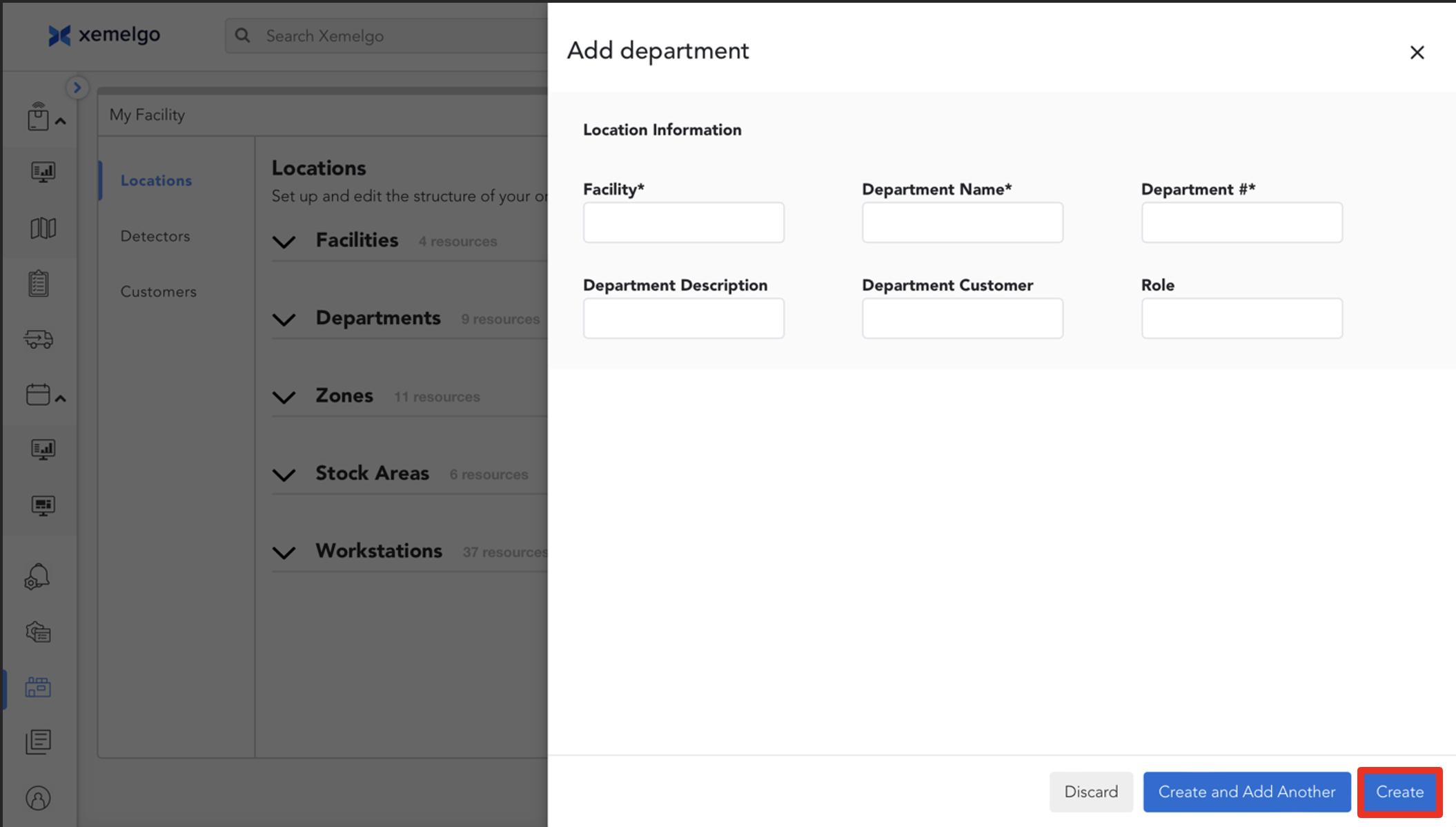
Next, add the Facility, Department Name, and Department Number.
Click Create when finished.
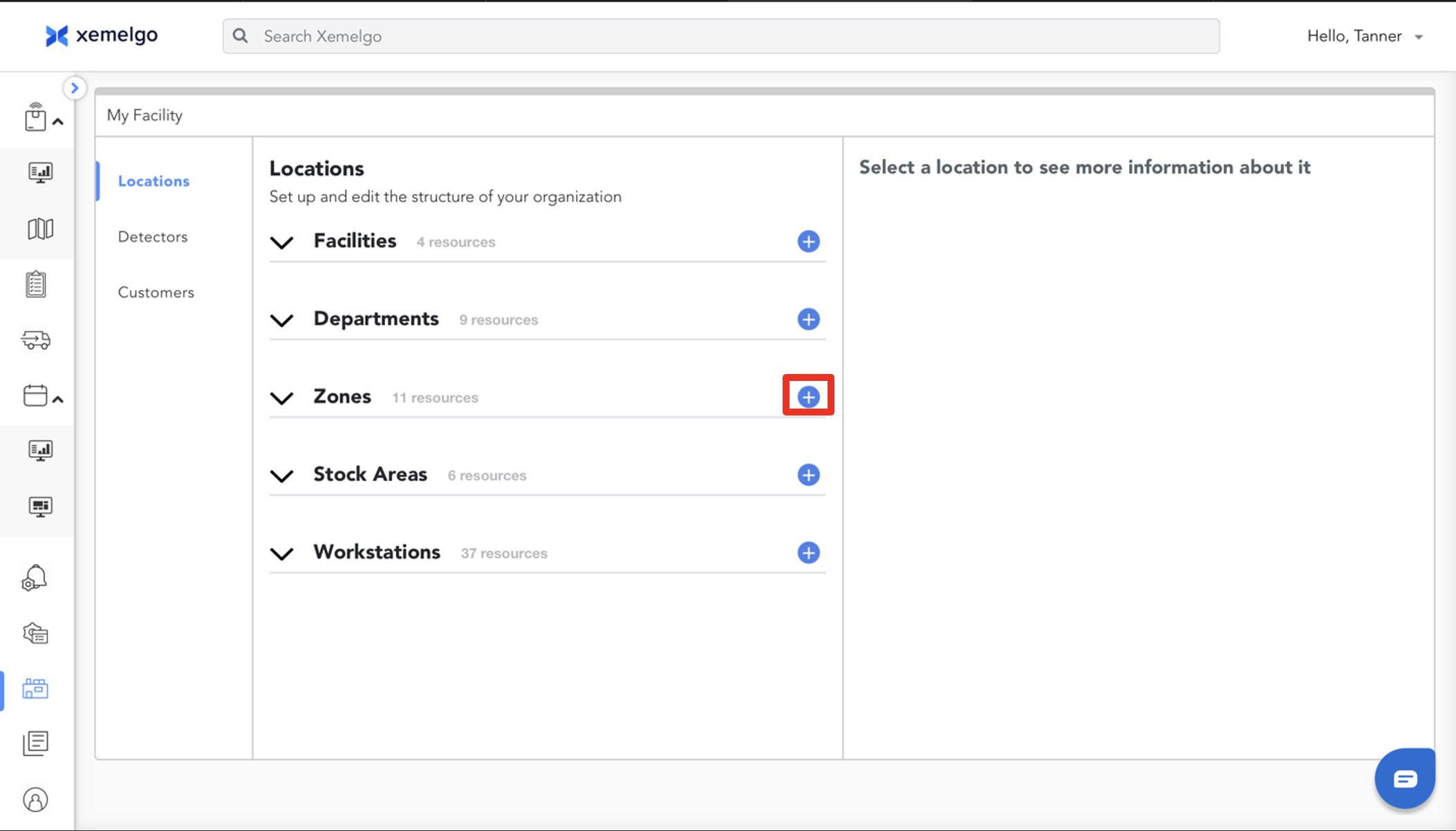
Adding a Zone for Asset Tracking
To add a zone for asset tracking, start by clicking the Blue plus sign icon.
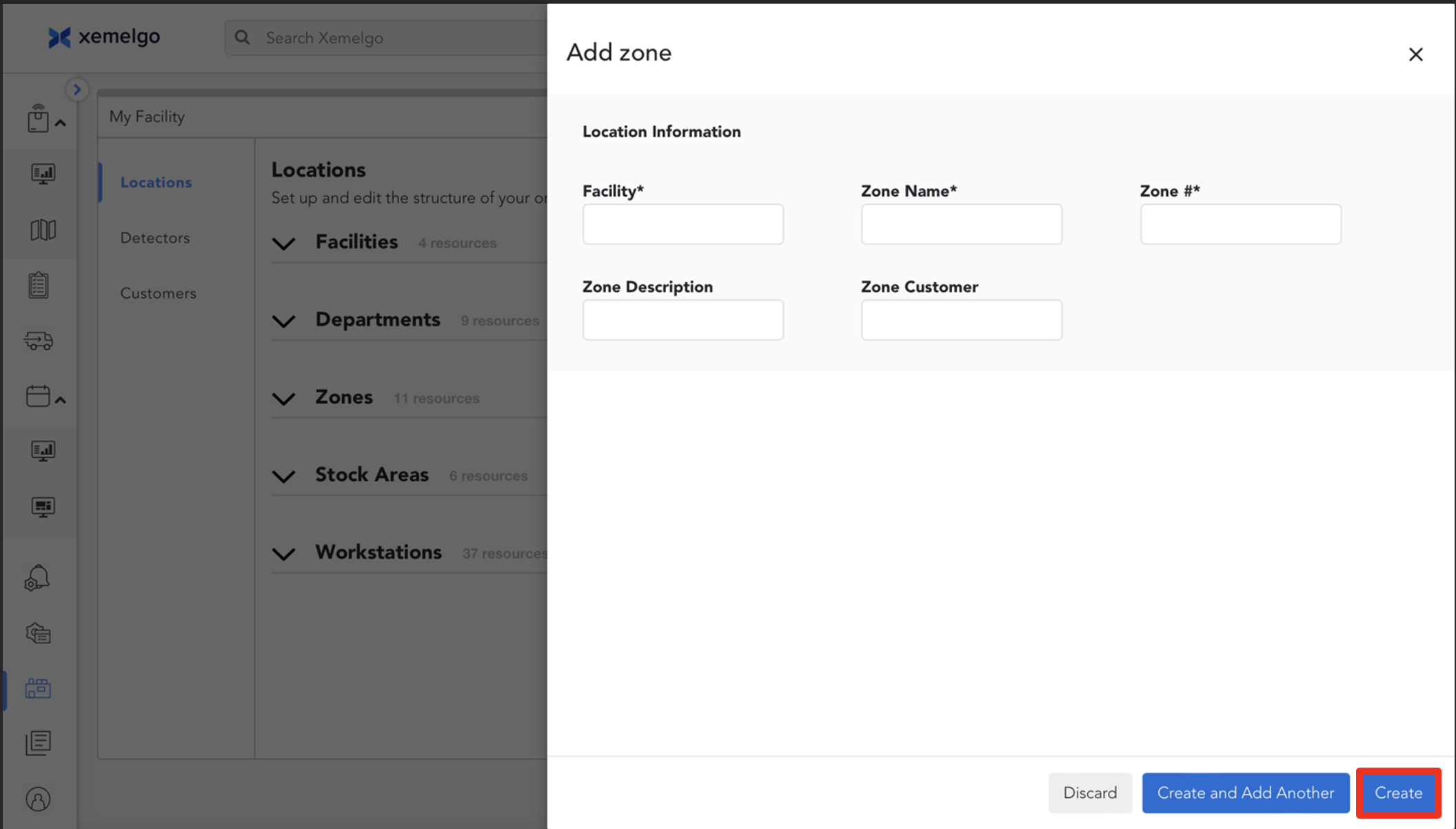
Next, add the Facility, Zone Name, and Zone Number.
Click Create when finished.
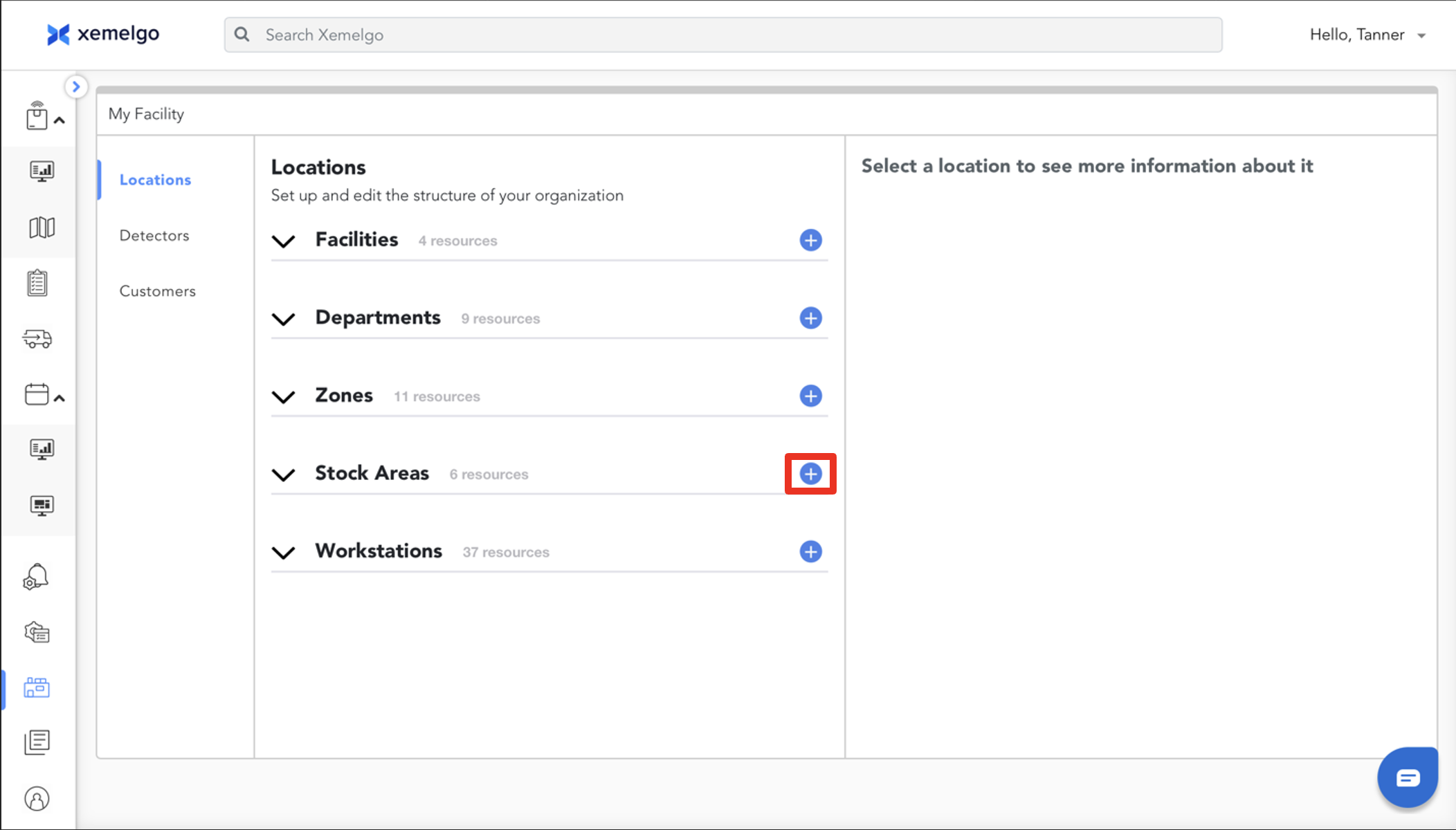
Adding a Stock Area for Inventory Tracking
To add a stock area for inventory tracking, start by clicking the Blue plus sign icon.
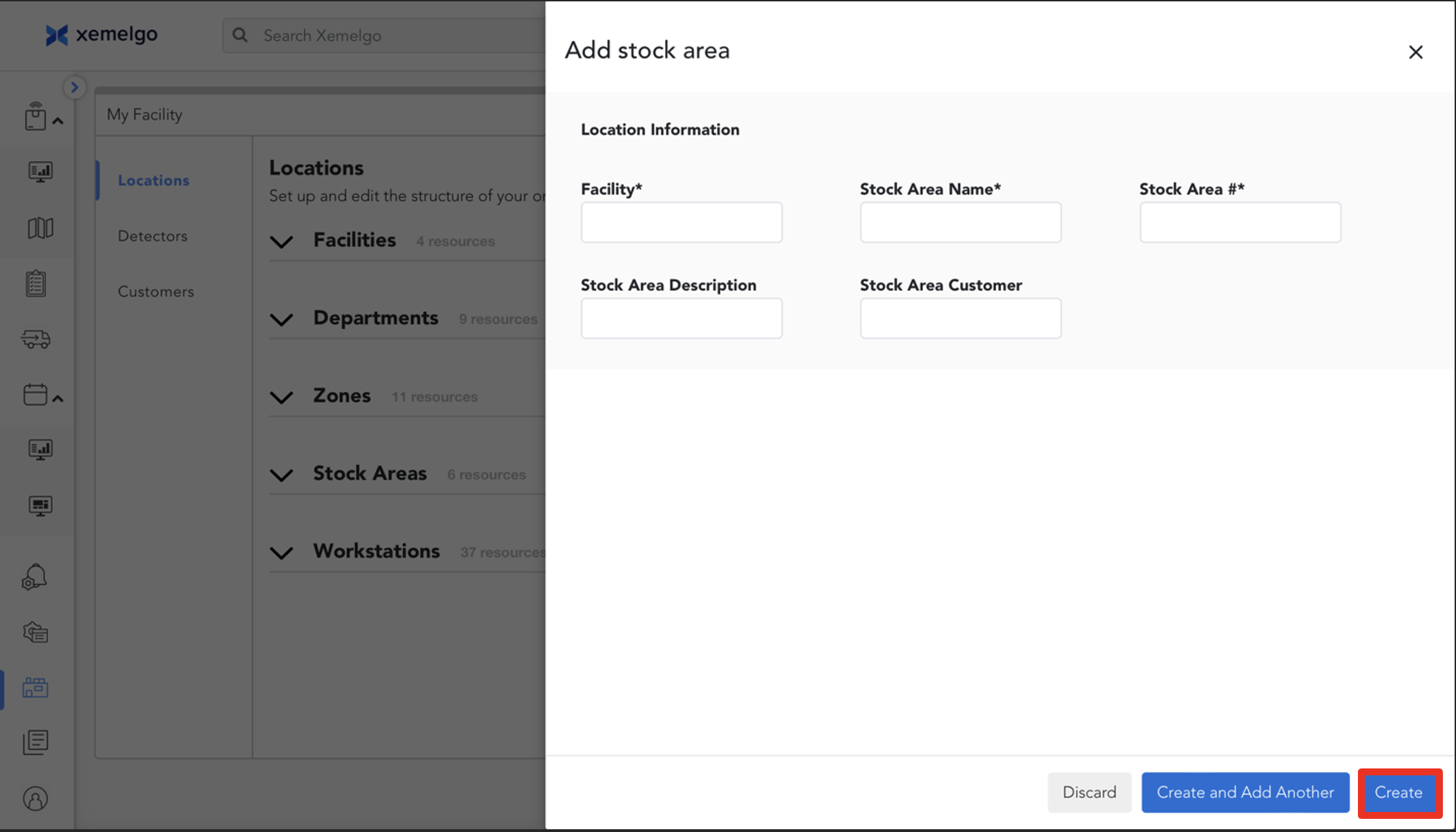
Next, add the Facility, Stock Area Name, and Stock Area Number.
Click Create when finished.
Adding a Workstation for Work-in-Progress
To add a workstation for WIP, start by clicking the Blue plus sign icon.
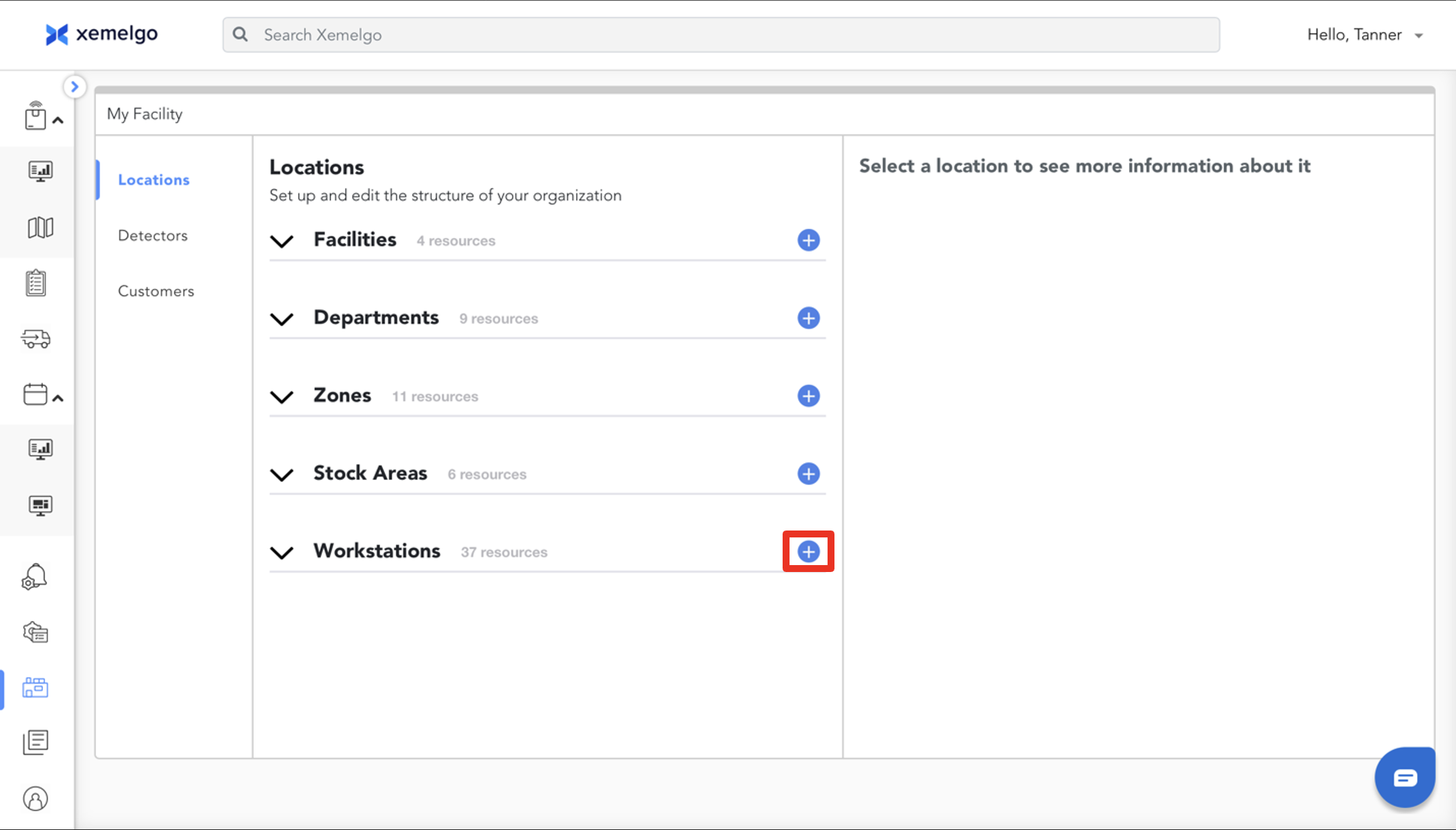
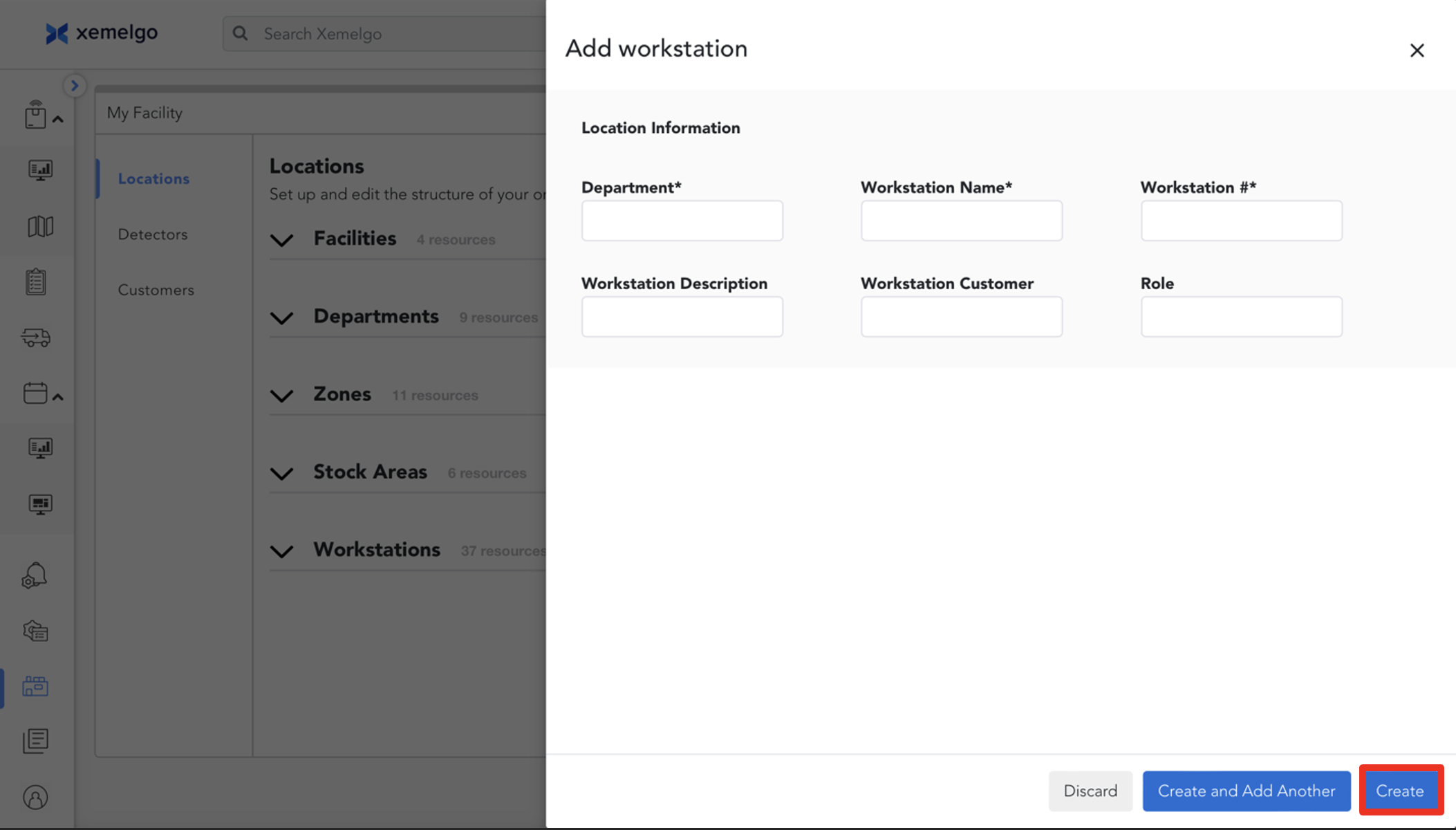
Next, add the Department, Workstation Name, and Workstation Number.
Click Create when finished.
Edit/Delete Locations
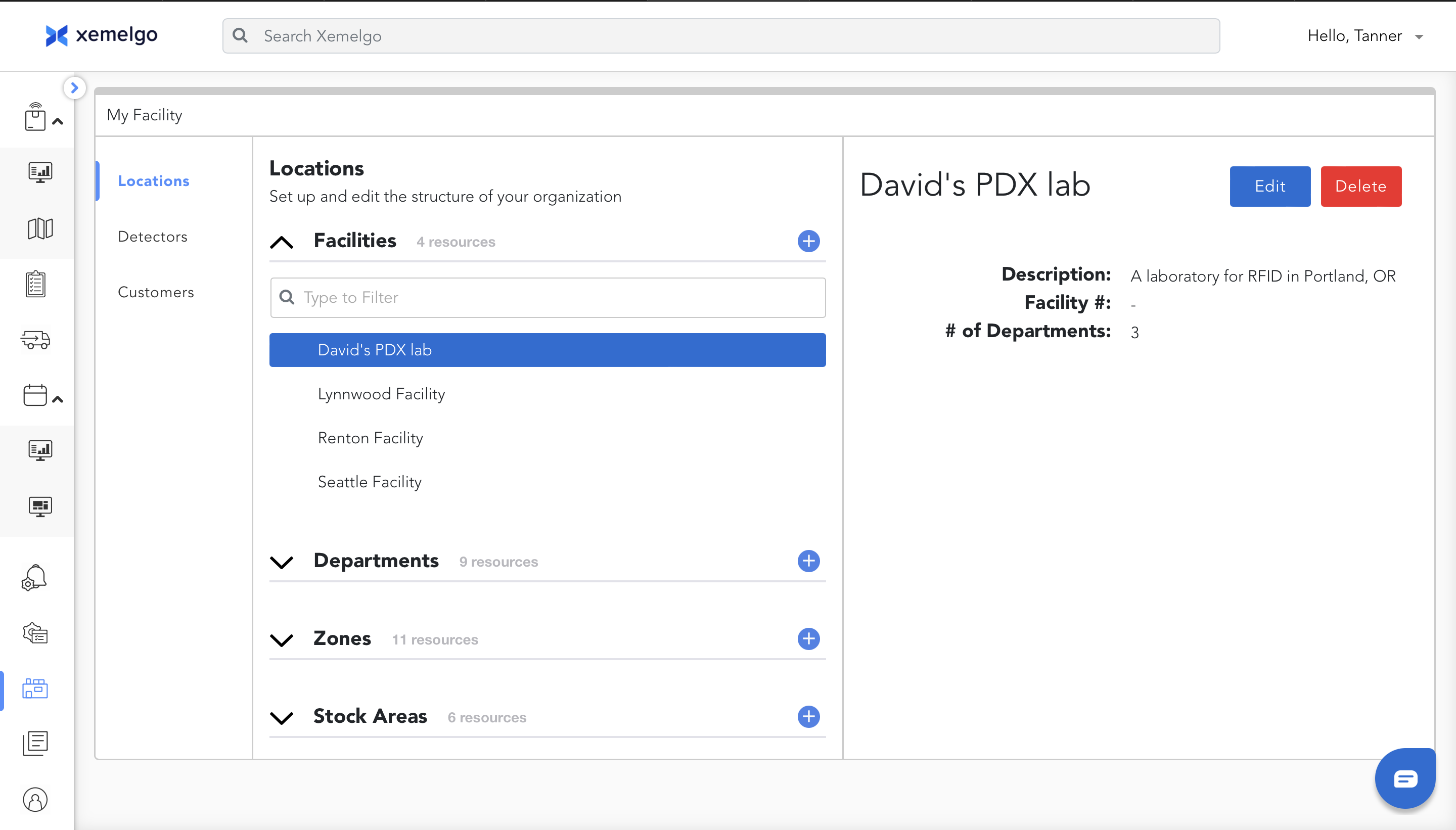
To edit or delete a location, first click the Location.
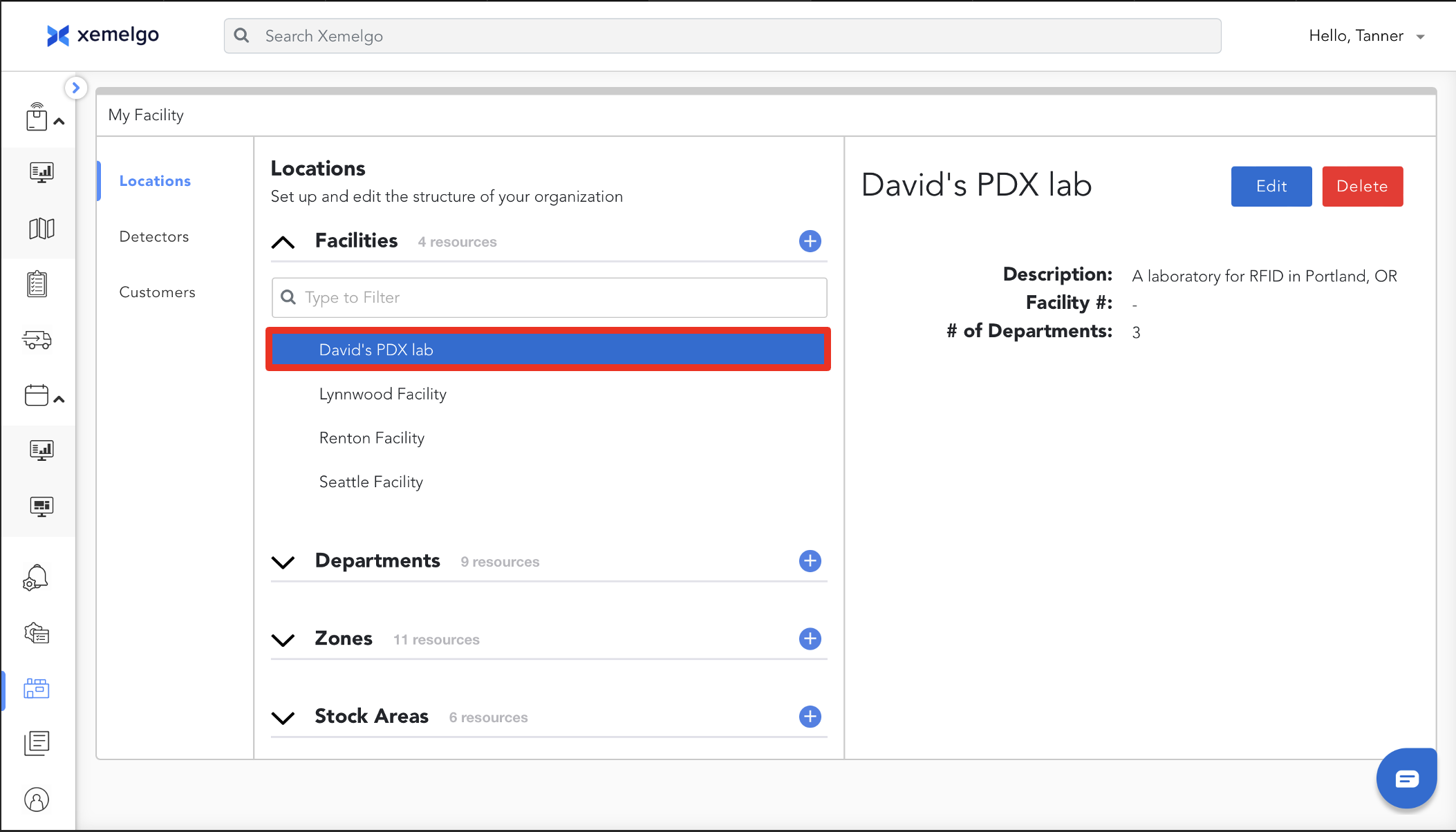
To edit the location details, click Edit.
To delete a location, click Delete.
Need further assistance?
The article above couldn't resolve your issue? Use the chat button in the bottom-right corner to contact the support team.