Bulk Update Item Types
Bulk Update Item Types
Overview
This article covers bulk updating item types using CSV file uploads.
Instructions
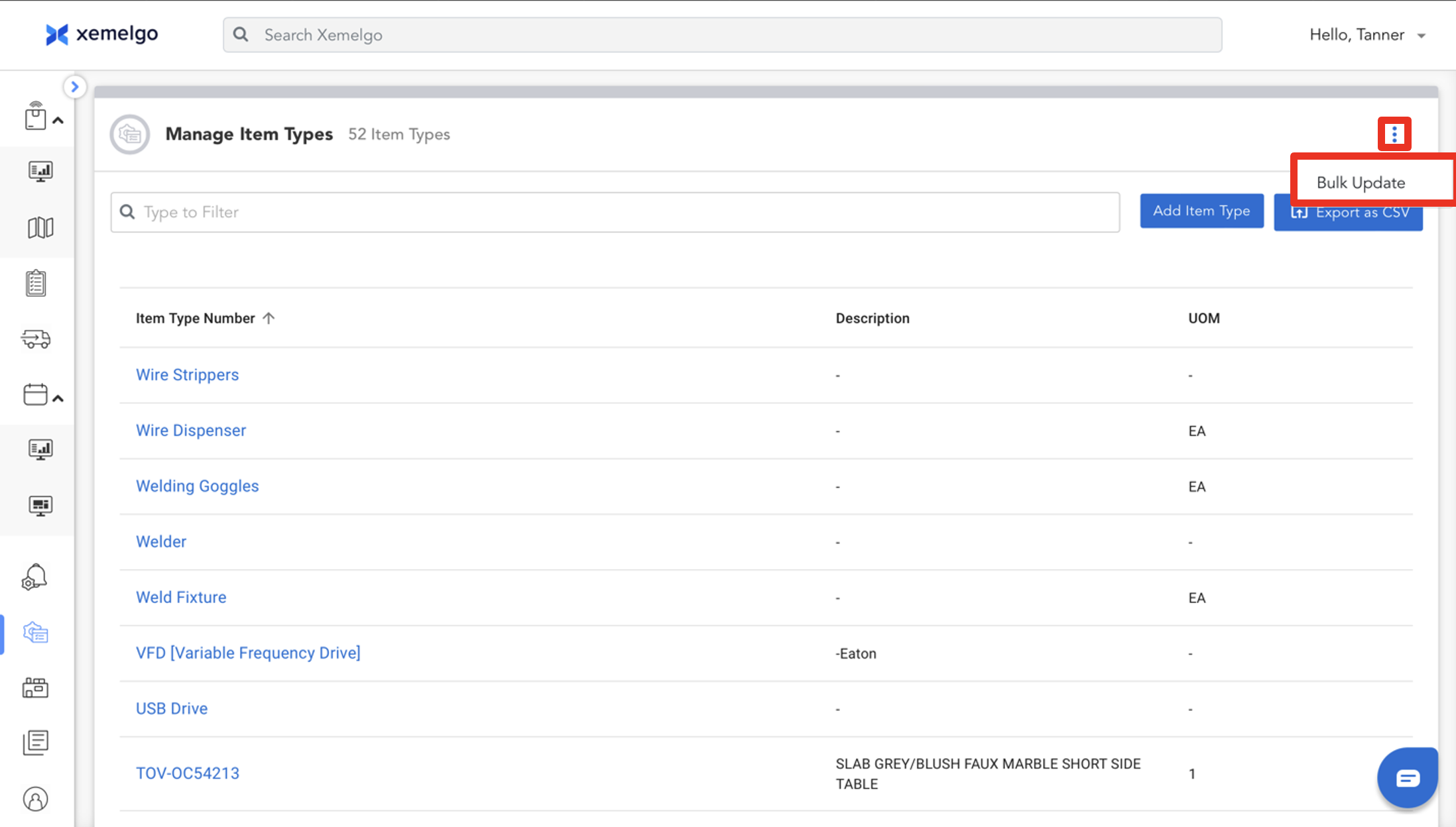
To begin the process of bulk updating item types, start by clicking the icon.
Then click Bulk Update.
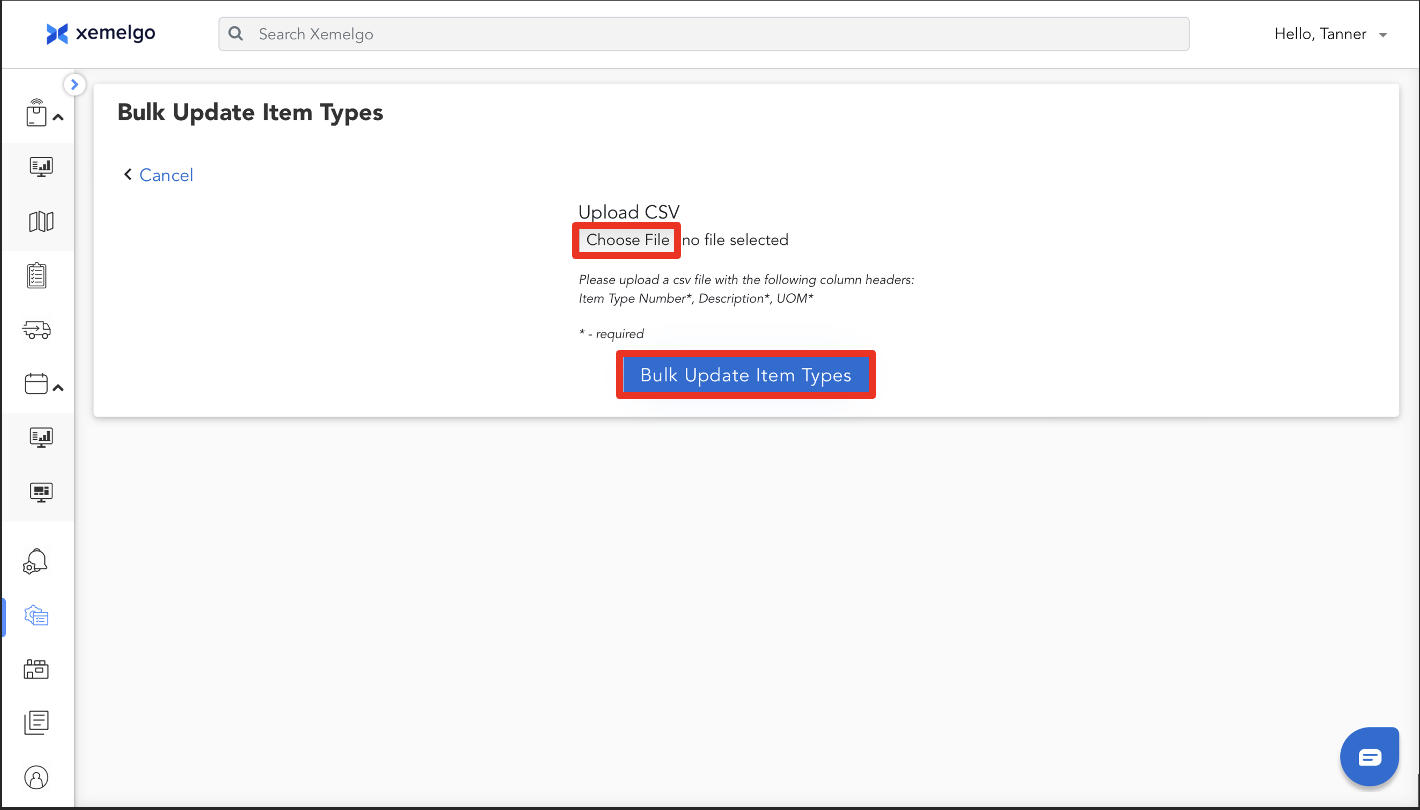
Next, upload a CSV file that contains the Item Type Number, Description, and UOM associated with each item type by clicking Choose File.
Once the file is uploaded, click Bulk Update Item Types.
Need further assistance?
The article above couldn't resolve your issue? Use the chat button in the bottom-right corner to contact the support team.
Was this article helpful?