Viewing Shipment History for an Individual Item
Viewing Shipment History for an Individual Item
Overview:
This article explains how to view the shipment history for an individual item, report issues with a shipment, and subscribe to Shipment Issue Alerts for notification of shipment-related problems.
Instructions
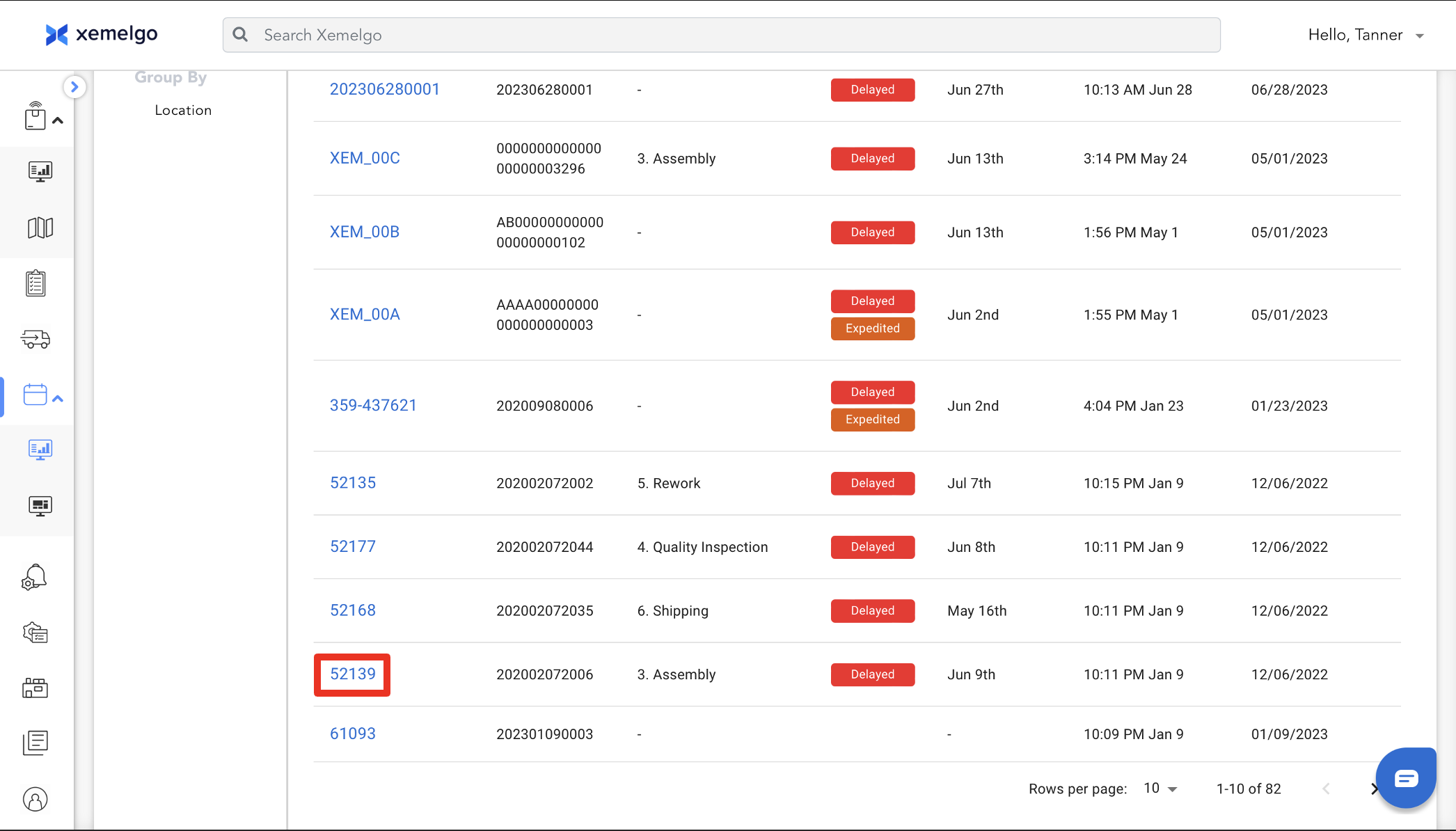
To view shipment history for an individual item, first click on the item.
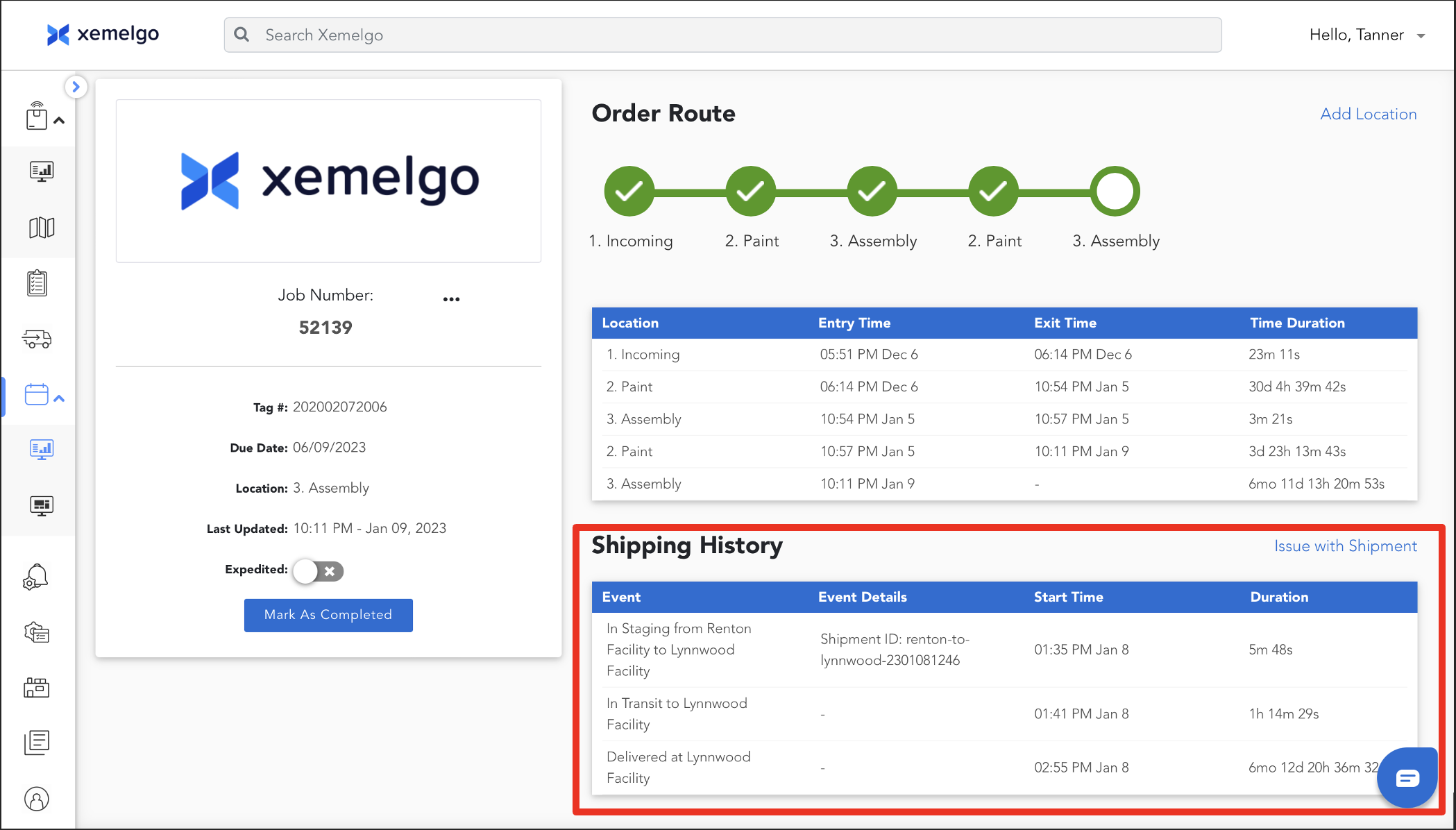
This table displays the Shipment History. It displays the Event, Event Details, Start Time, and Duration.
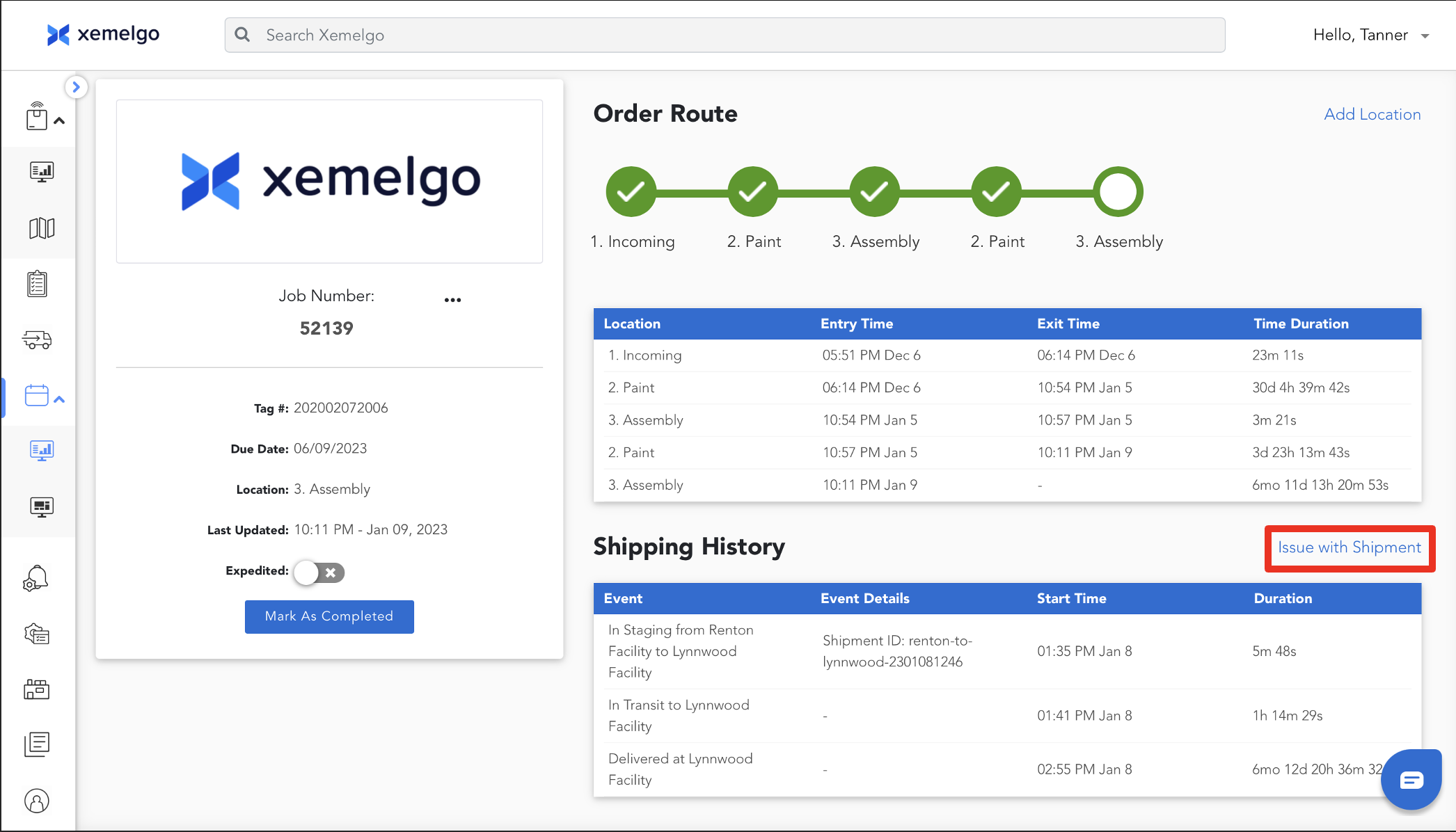
Reporting an Issue with a Shipment
To report an issue with a shipment, click Issue with Shipment.
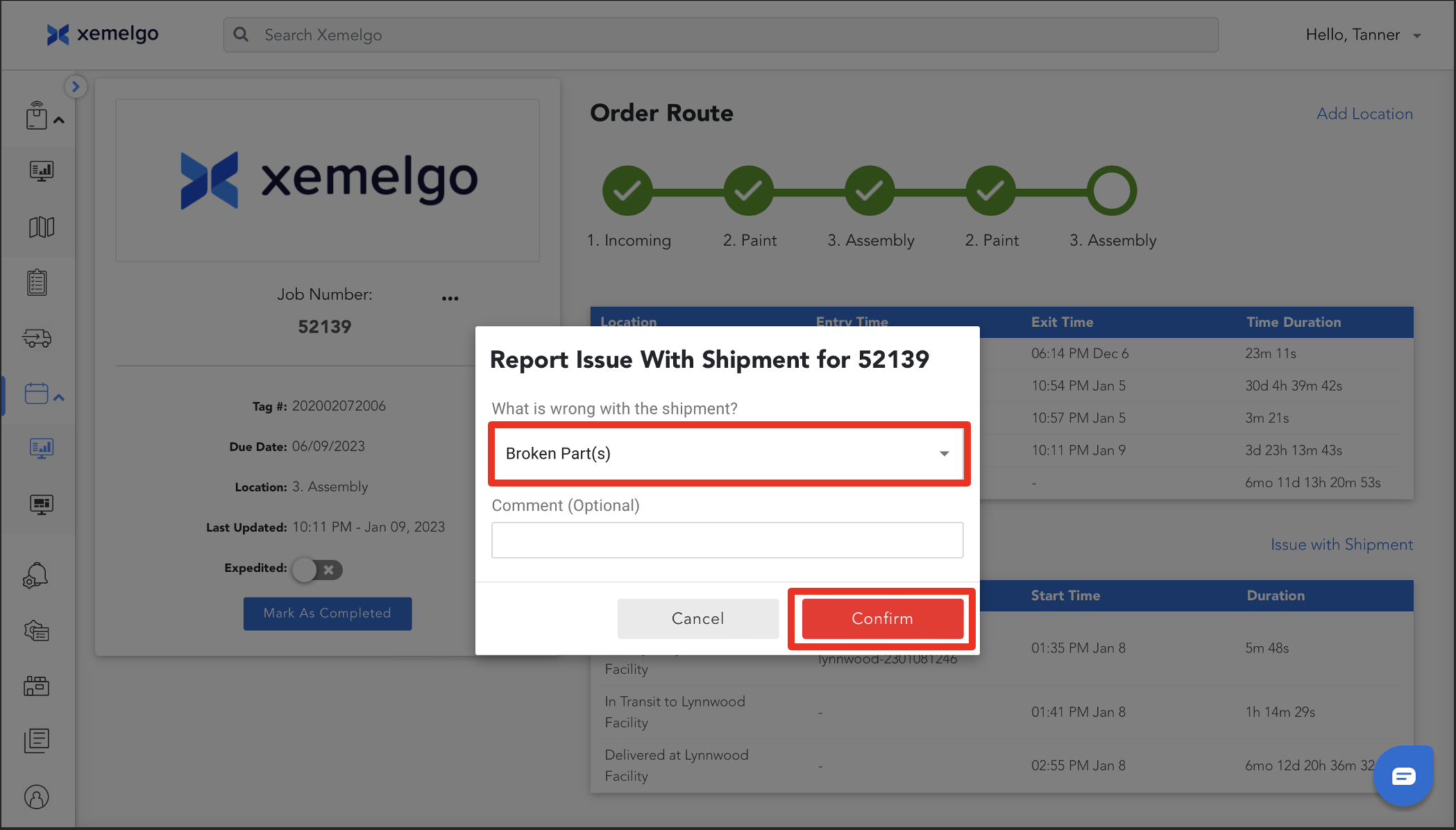
Next, select what was wrong with the shipment from the options provided in the dropdown.
Once you have selected an option, click Confirm.
Users can subscribe to Shipment Issue Alerts to be notified every time an item is marked with a shipment issue.
Need further assistance?
The article above couldn't resolve your issue? Use the chat button in the bottom-right corner to contact the support team.