Time Exceeded Alert
Time Exceeded Alert
Instructions
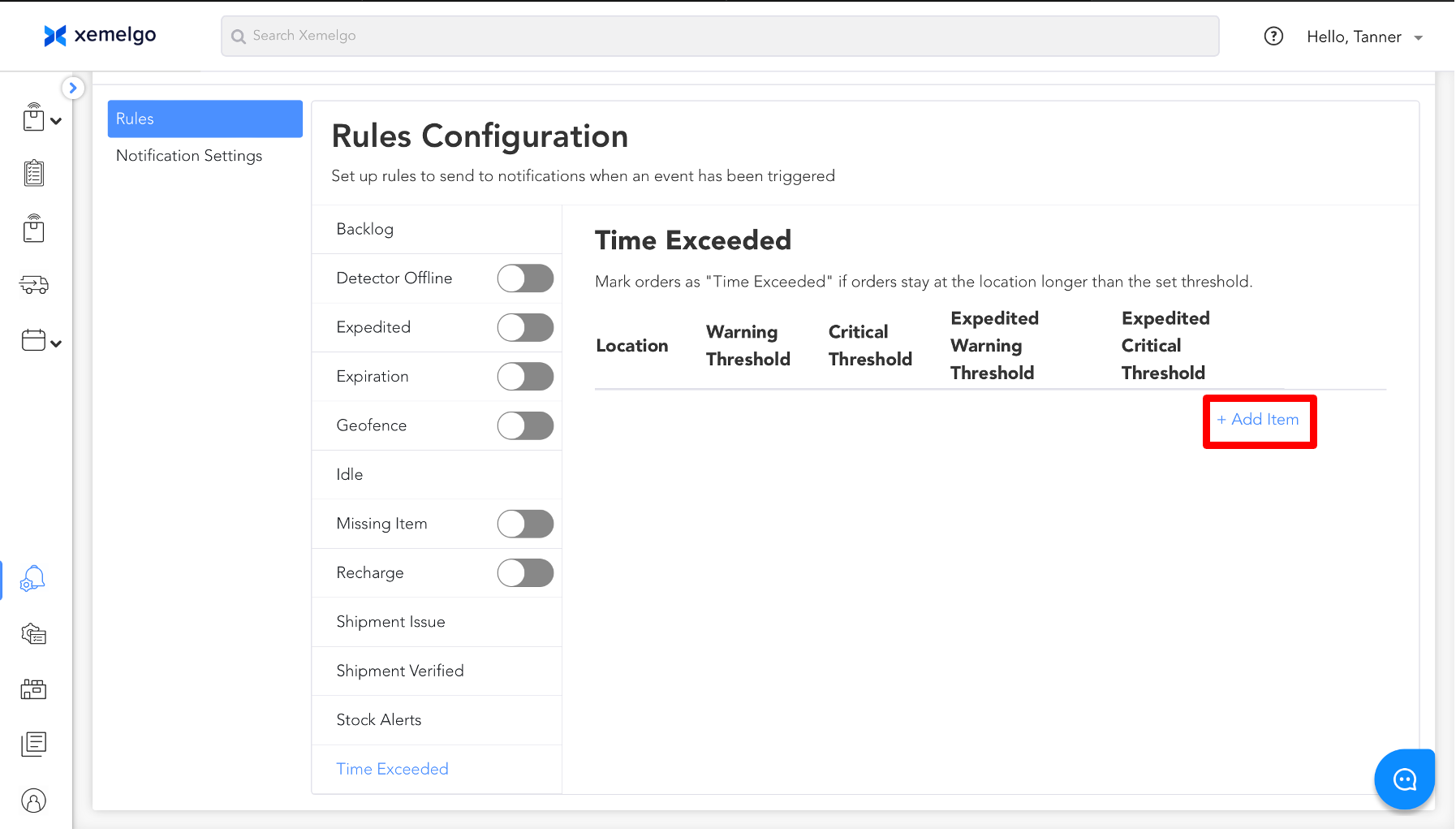
In Time Exceeded Alert, there are 4 different types of warning thresholds that can be set:
- Warning - order with standard priority has reached warning time exceeded
- Critical - order with standard priority has reached critical time exceeded
- Expedited Warning - order with “expedited” priority has reached warning time exceeded, i.e.
- Expedited Critical - order with “expedited” priority has reached critical time exceeded
To set up a Time Exceeded Alert, click + Add Item.
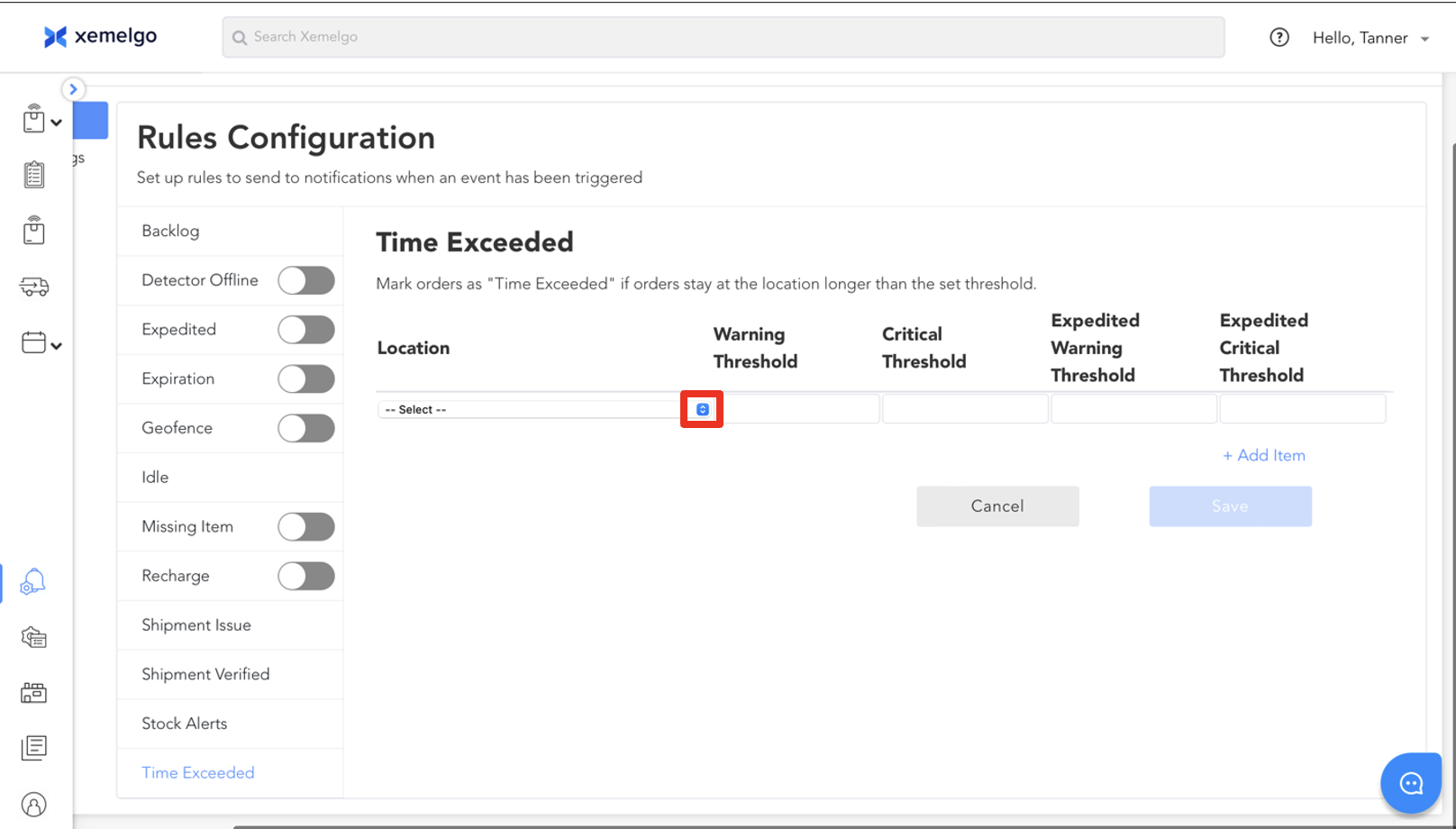
Next, select a Location from the dropdown.
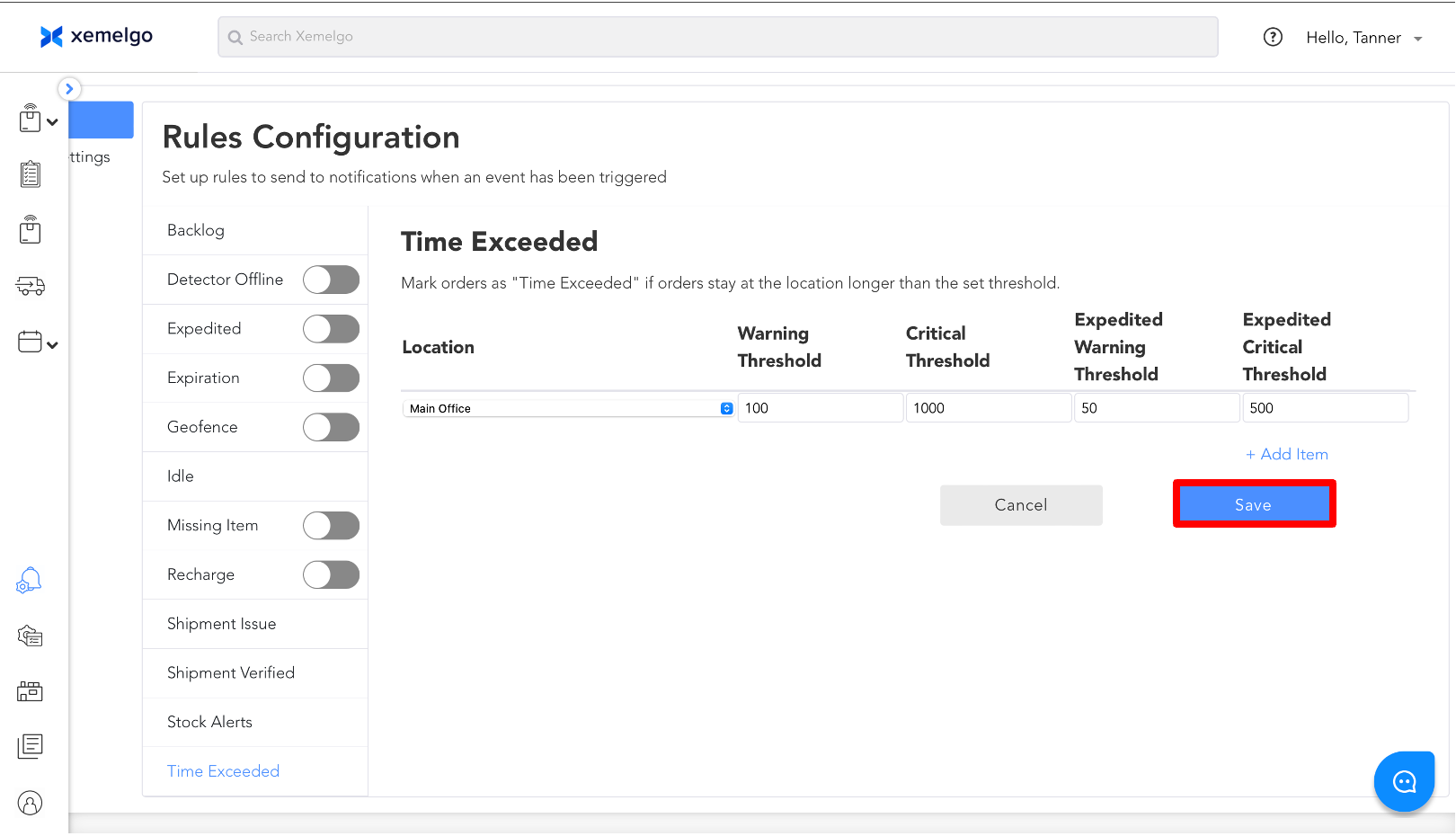
Then, enter the number of Minutes you want to set for the Warning Threshold, Critical Threshold, Expedited Warning Threshold, and Expedited Critical Threshold.
note
You can use this tool to help convert from days to **minutes.
Once the information has been entered, click Save.
Need further assistance?
The article above couldn't resolve your issue? Use the chat button in the bottom-right corner to contact the support team.
Was this article helpful?