Change Password
Change Password
Overview
This article explains how to change your password in the Xemelgo app.
Instructions
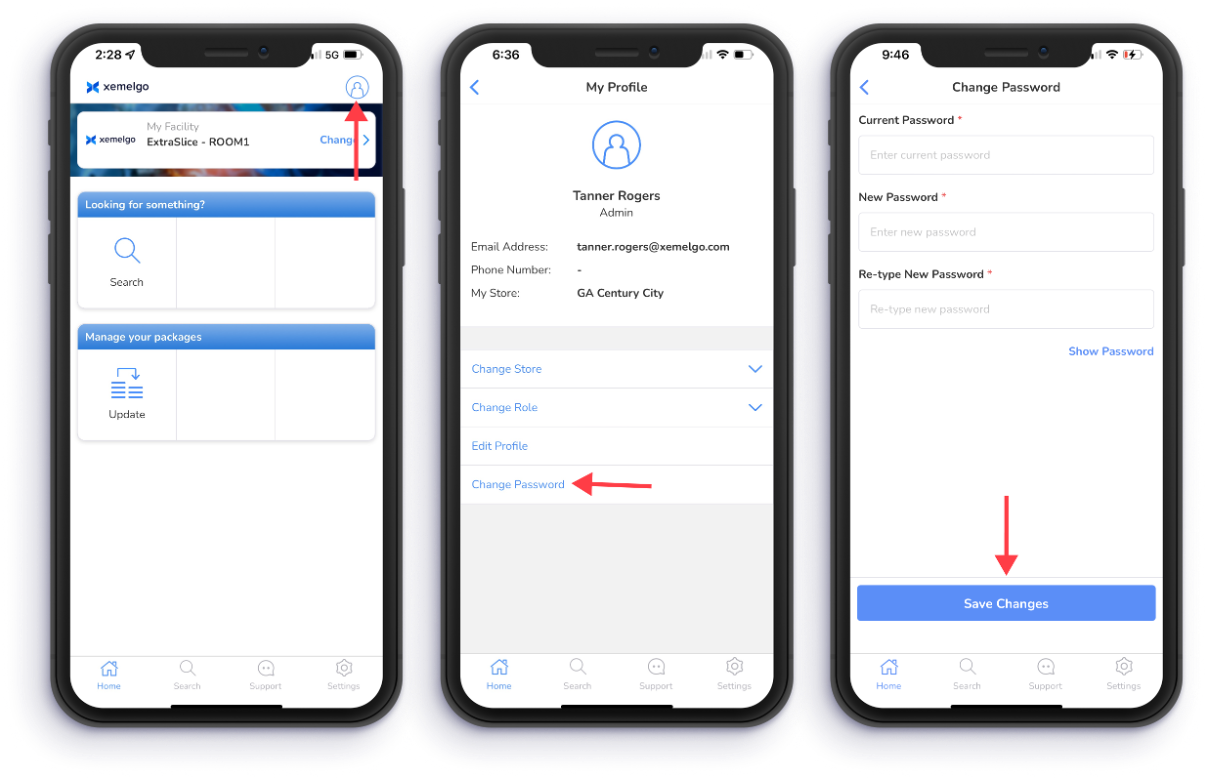
To change your customer, tap your Profile icon.
Next, tap Change Password.
Once you have finished changing your password, tap Save Changes.
Need further assistance?
The article above couldn't resolve your issue? Use the chat button in the bottom-right corner to contact the support team.
Was this article helpful?