Viewing Expedited Work Orders
Viewing Expedited Work Orders
Overviews
This article explains how to access expedited work orders in Expedited View, and how to set up Expedited Alerts for notifications on marked expedited orders in work-in-progress tracking.
Instructions
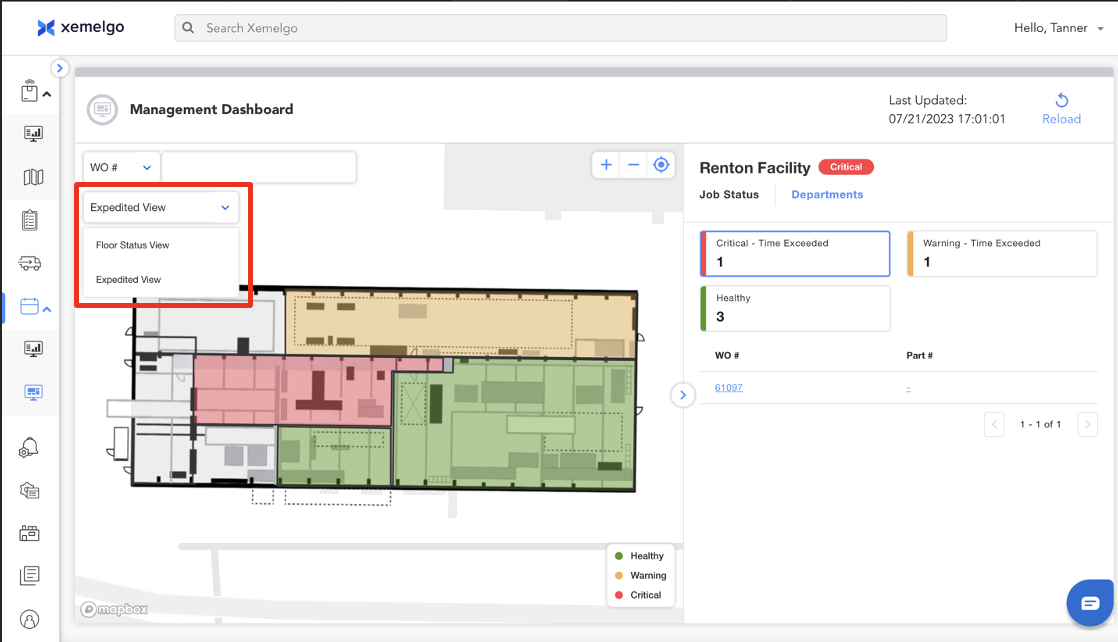
Users can view expedited work orders by selecting the dropdown and switching from Floor Status View to Expedited View.
note
Users can subscribe to Expedited Alerts to receive a notification every time an order has been marked as expedited.
Need further assistance?
The article above couldn't resolve your issue? Use the chat button in the bottom-right corner to contact the support team.
Was this article helpful?