Live Queues
Live Queues
Overview
Live queues automatically prioritize work for each department, enabling front-line teams to work on the most important jobs first. This article highlights how to locate live queues for a certain department and how to customize them.
Instructions
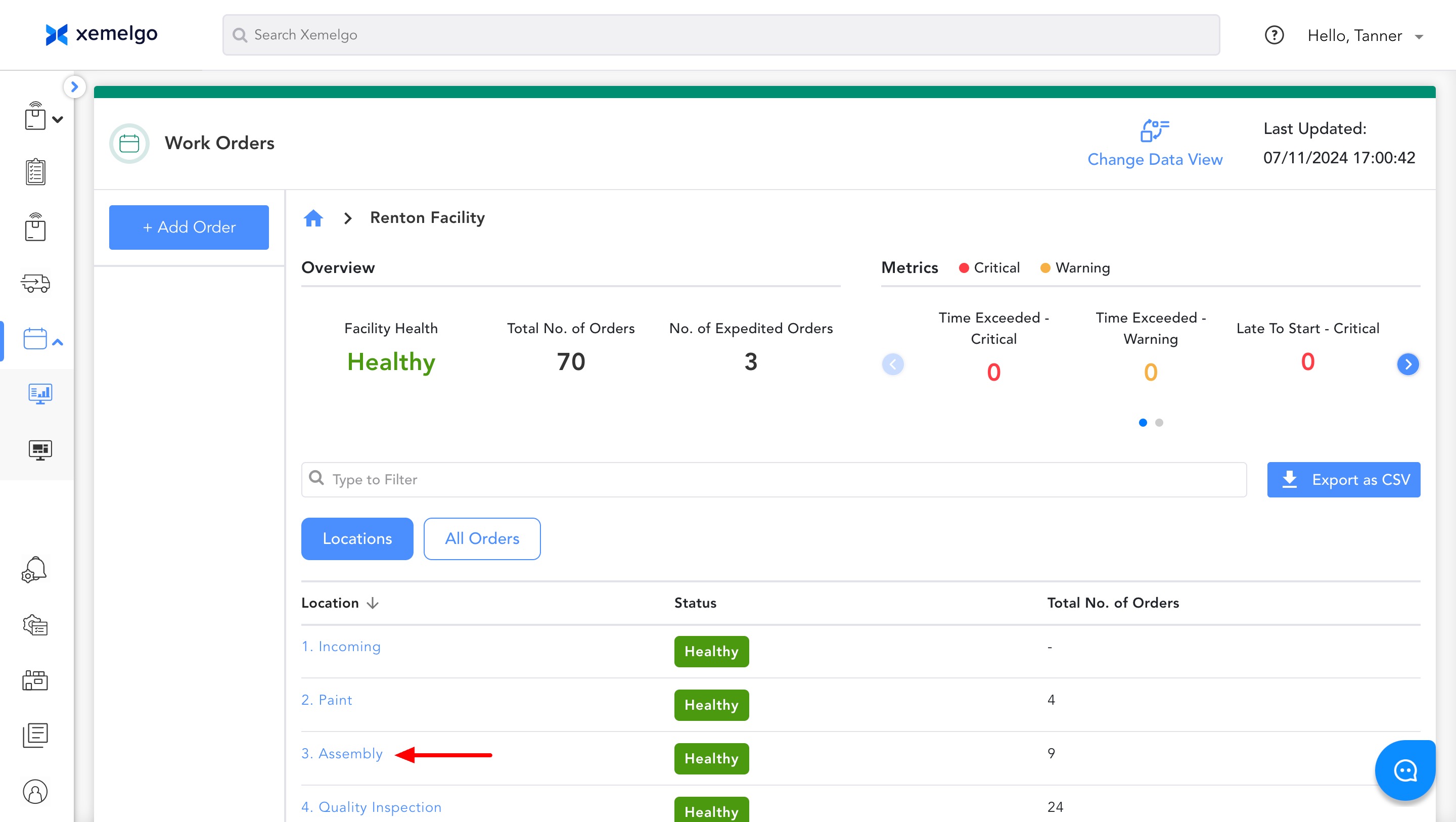
To locate live queues for a certain department, click the associated Location.
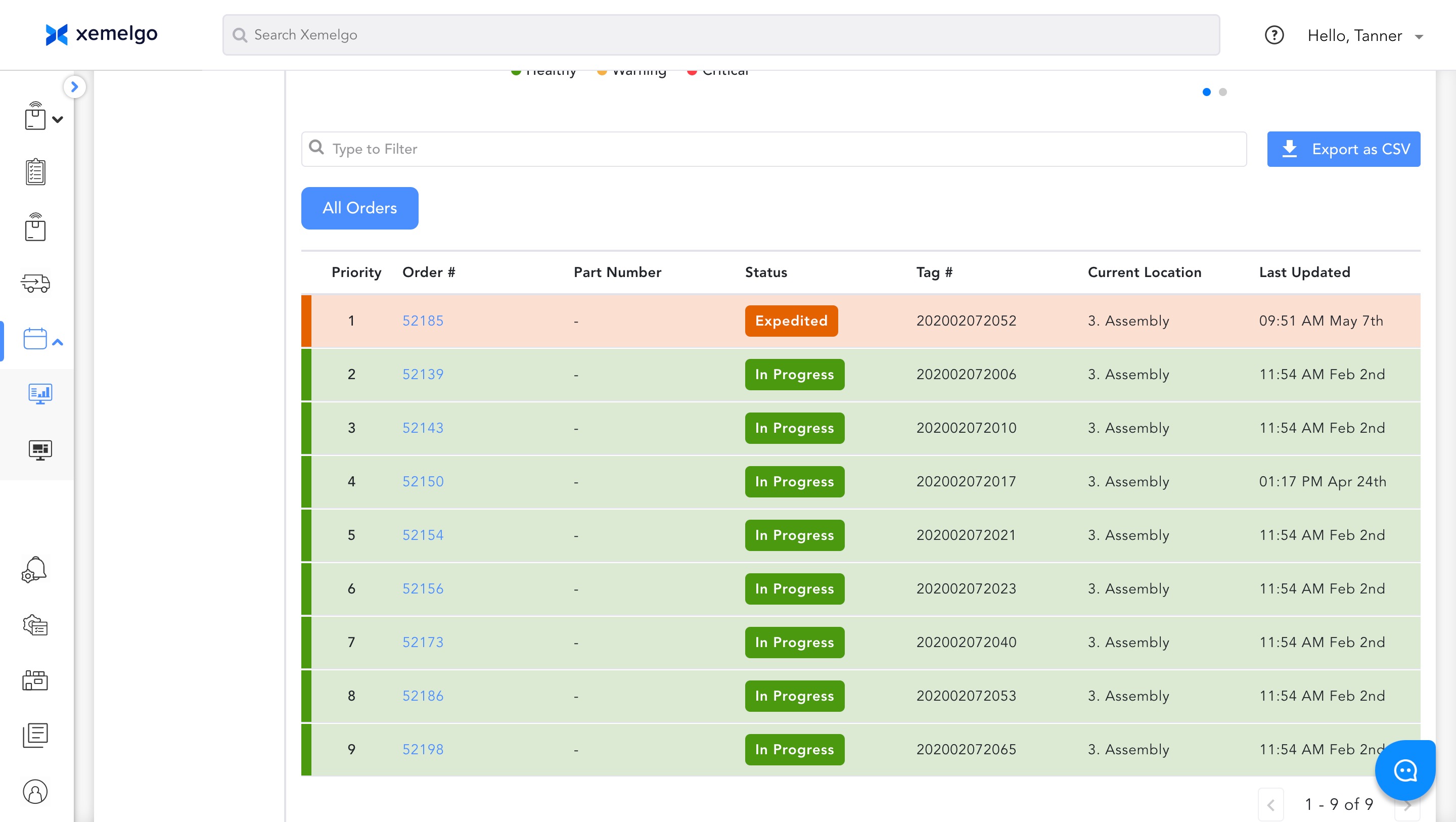
Then, scroll down to see the priority in which work orders should be completed.
If you want to customize the prioritization of work orders, scroll up and click Settings.
Then, click Edit Sort Preference.

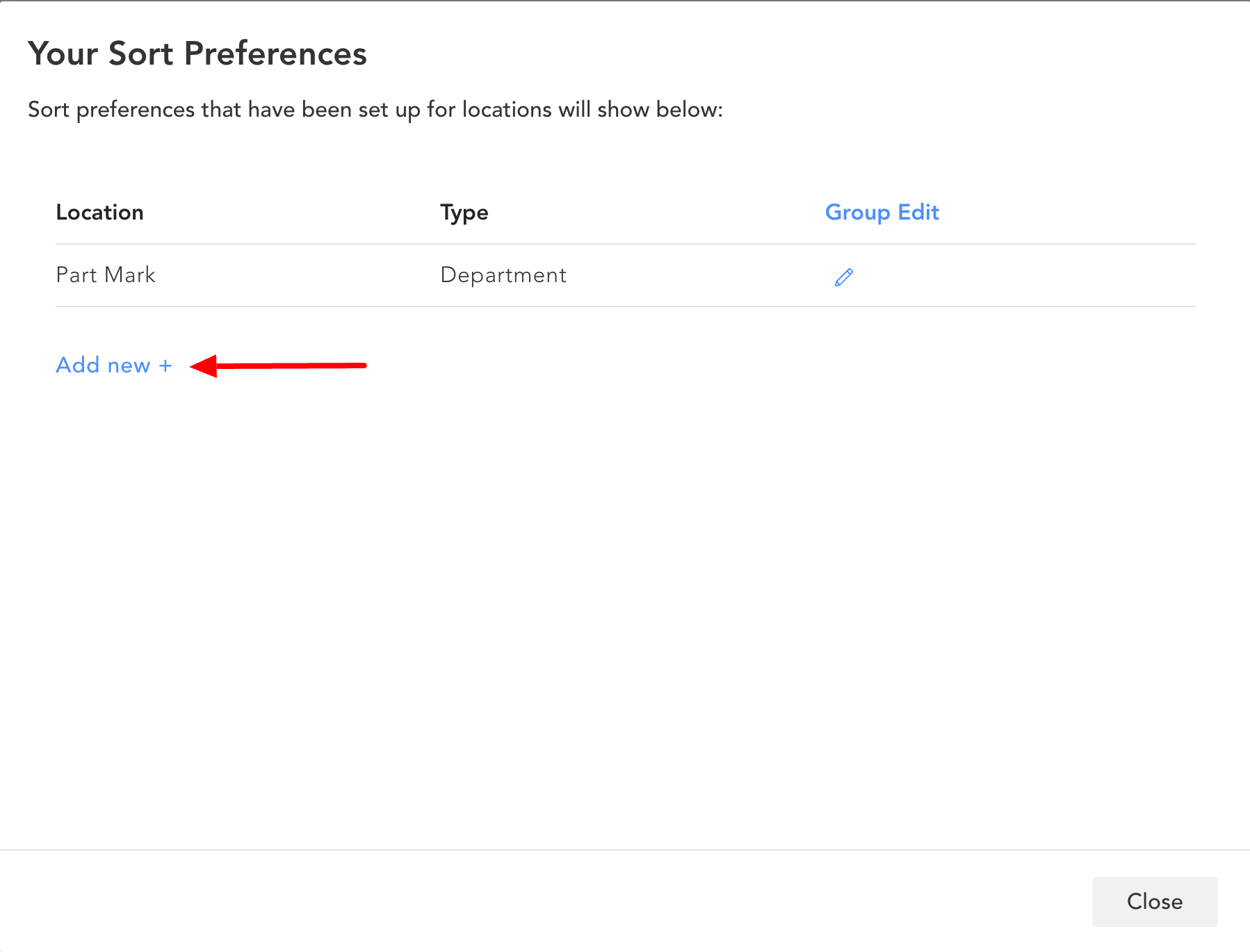
To begin creating a new sort preference, click Add new +.
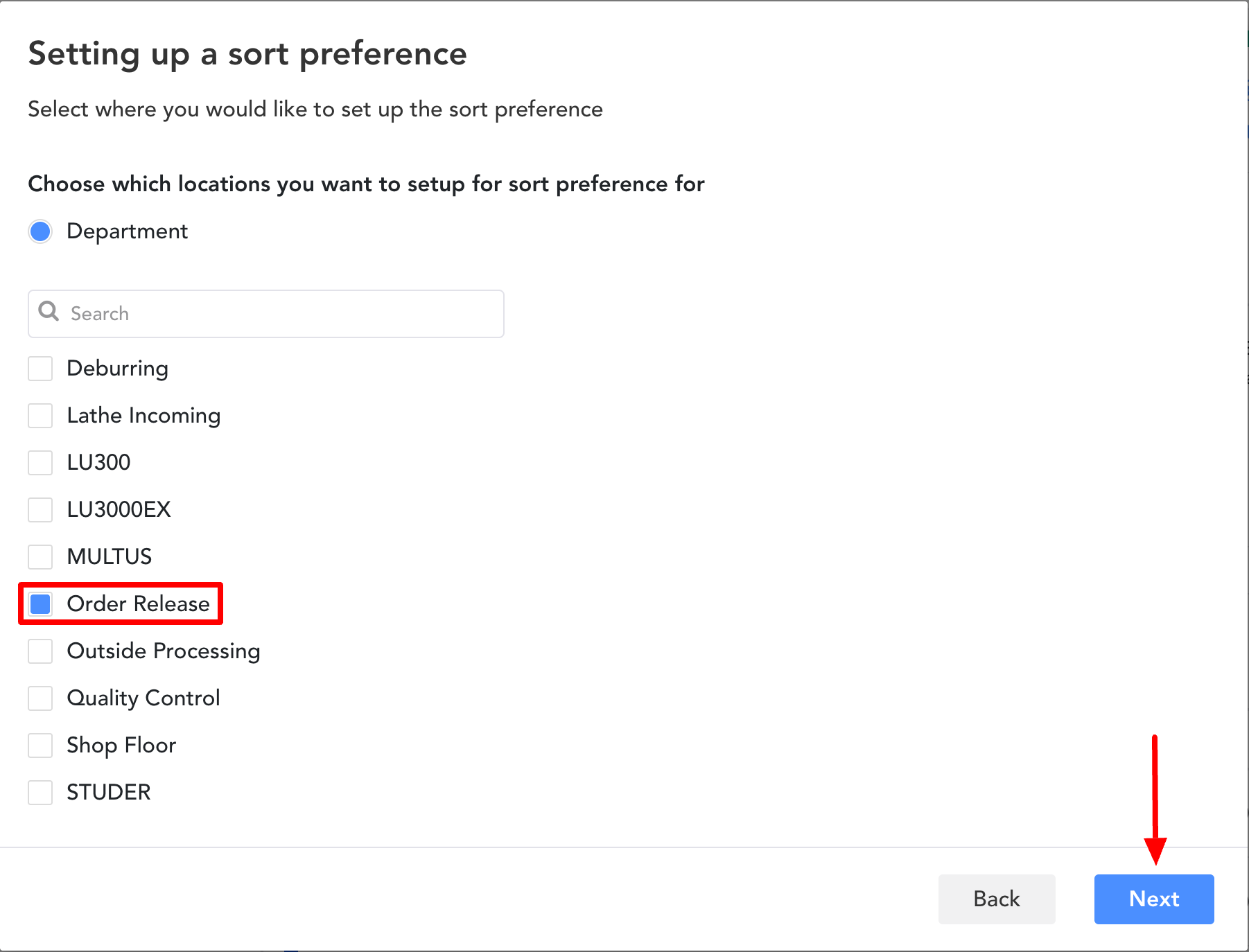
Next, choose which locations you want to set up a sort preference for.
Users have the ability to set up the same sort preference for multiple locations.
Then, click Next.
Choose the Data Points you want your work orders to be prioritized by.
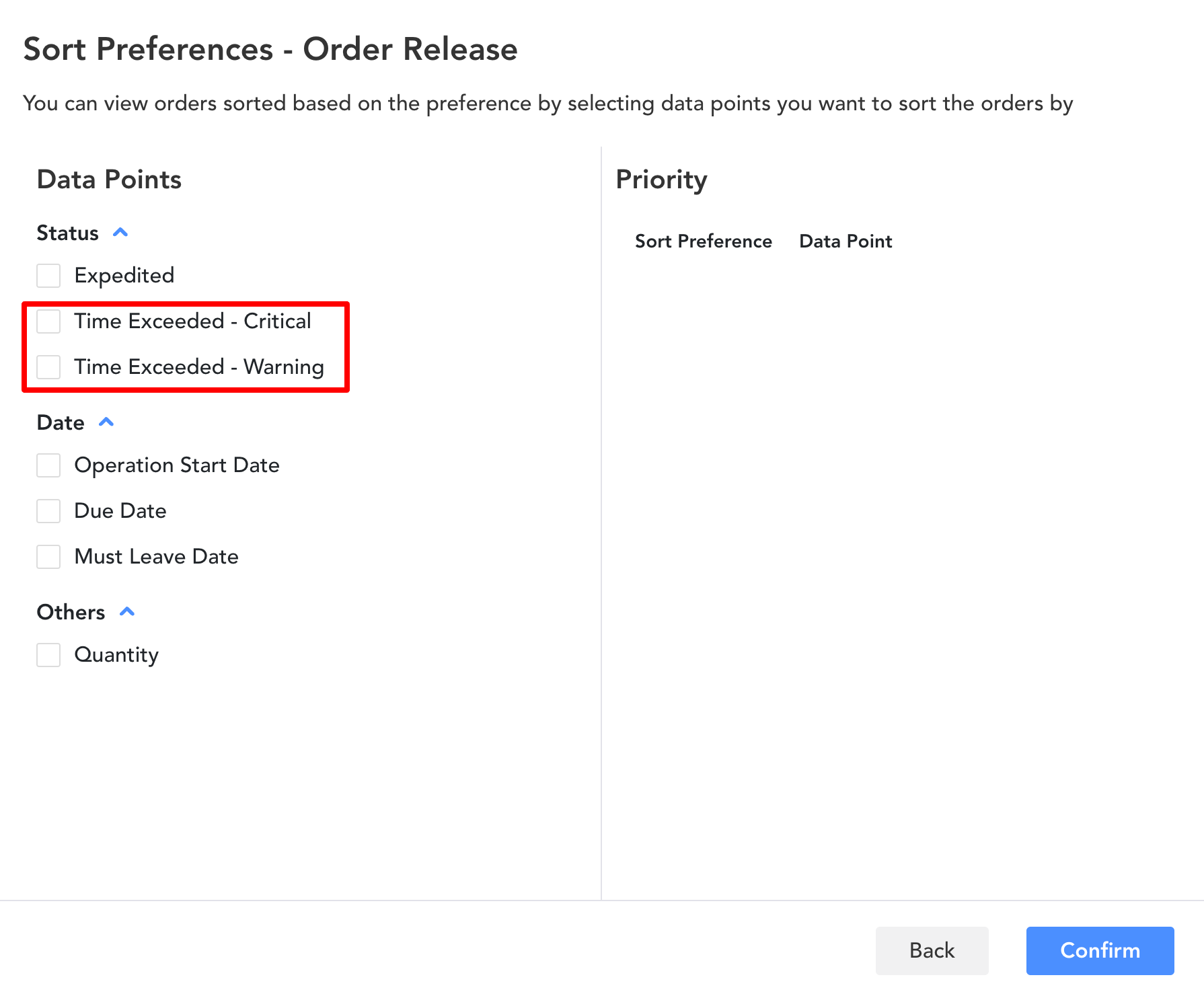
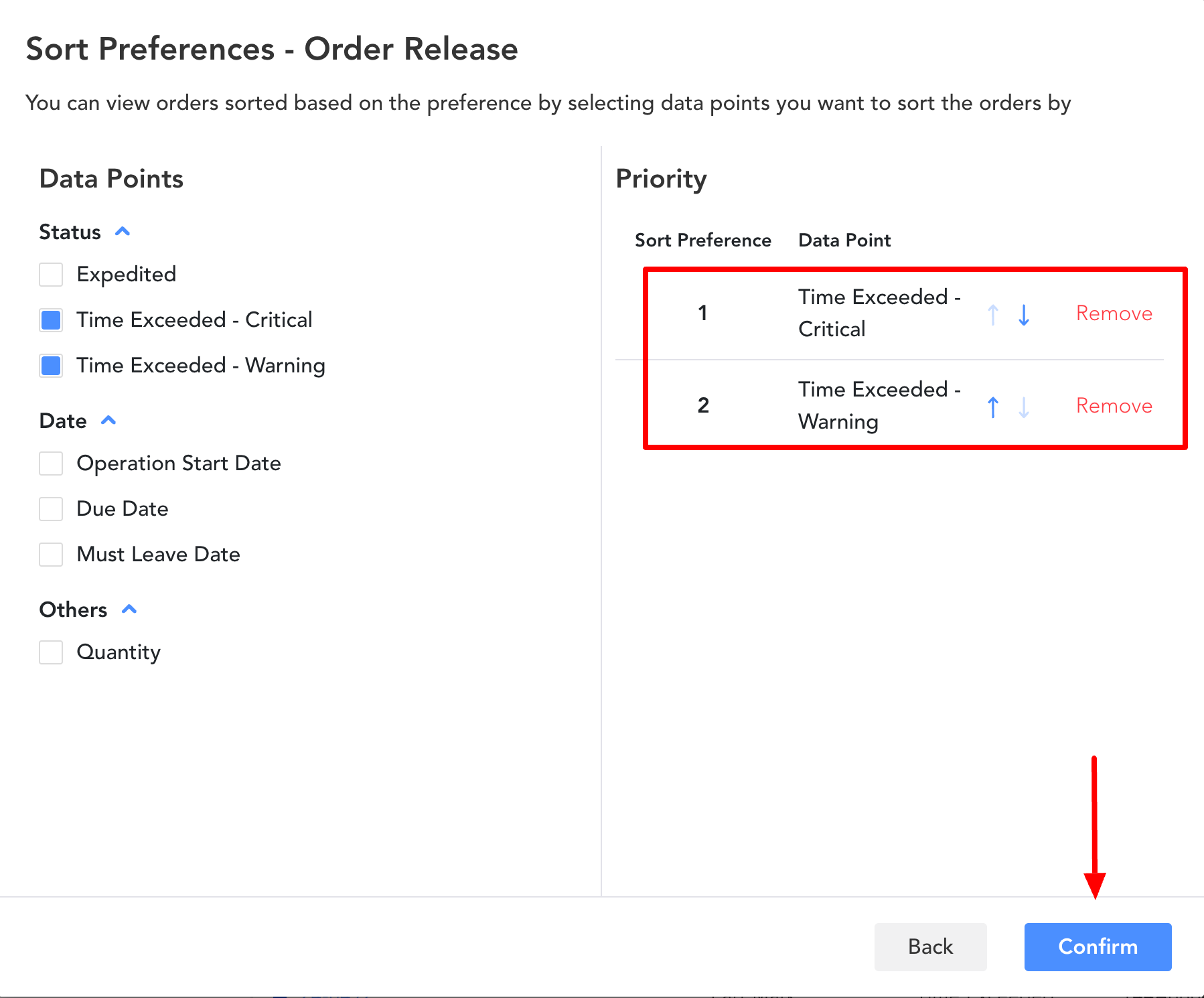
Then, use the Arrows to sort the data points.
The top is the highest priority and the bottom is the lowest priority.
If you no longer want to include a data point you chose to prioritize by, click Remove.
Finally, click Confirm to save your sort preferences for these locations.
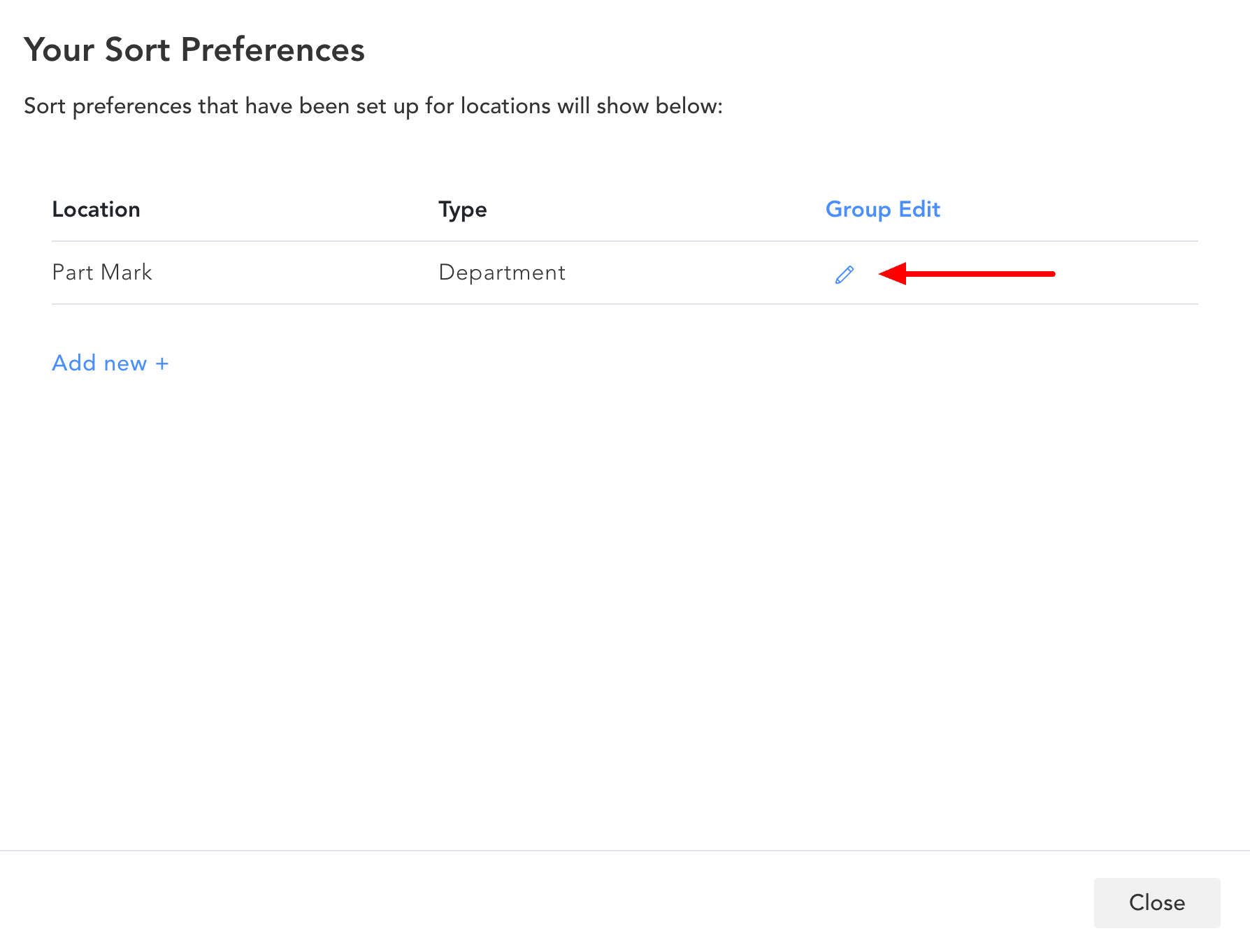
Users can edit sort preferences by clicking the Pencil icon.
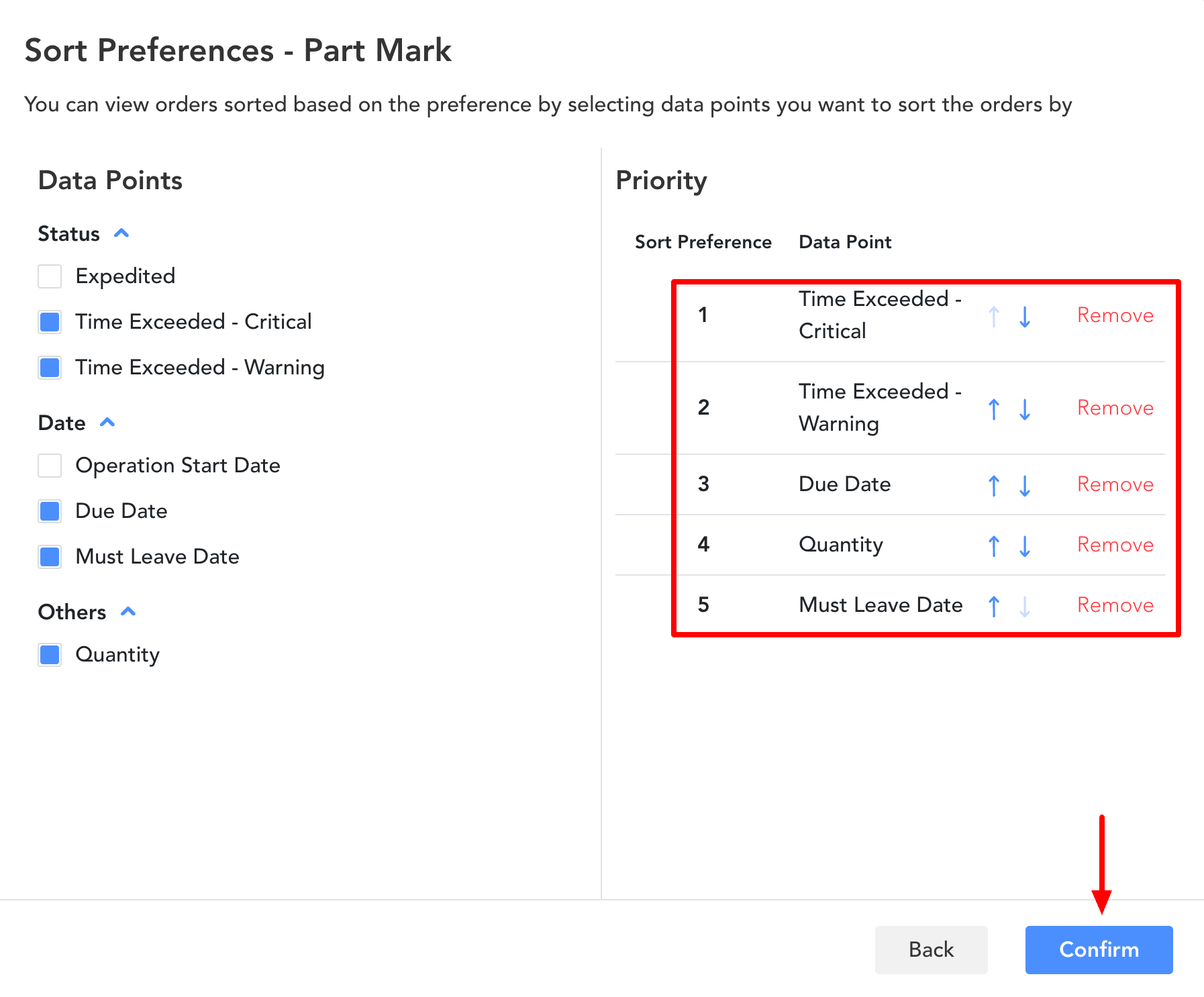
Then, use the Arrows to sort the data points.
The top is the highest priority and the bottom is the lowest priority.
If you no longer want to include a data point you chose to prioritize by, click Remove.
If you want to include additional data points, select them under Data Points.
Finally, click Confirm to save your changes.
Need further assistance?
The article above couldn't resolve your issue? Use the chat button in the bottom-right corner to contact the support team.