Delete Work Order
Delete Work Order
Overview
This article explains how to delete a work order from the web application. Deleting a work order will permanently remove it from the system, and all the historical records associated with it.
Instructions
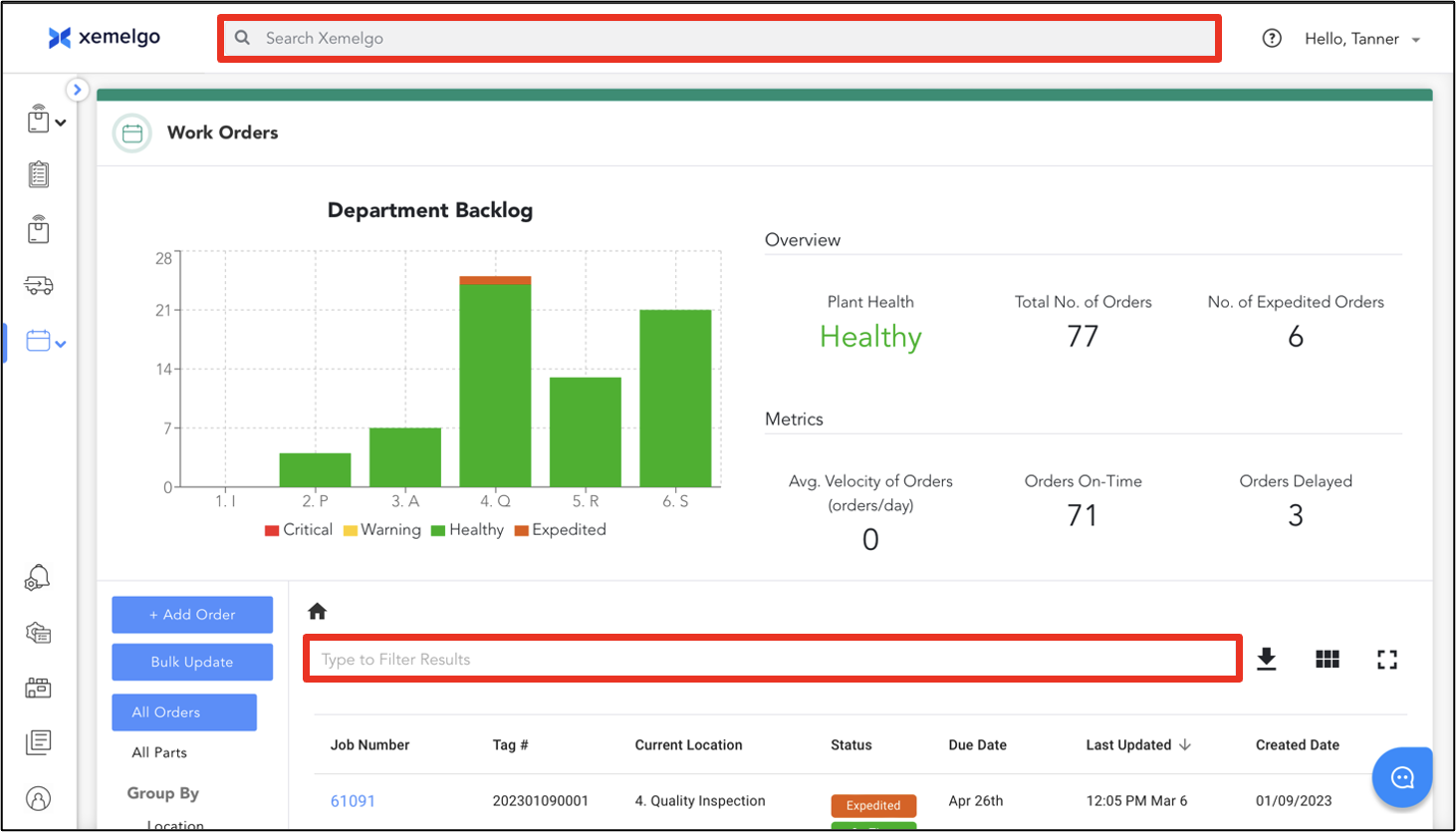
To delete a work order from the web application, search for the work order you want to delete using either the Global Search or Filter Input fields.
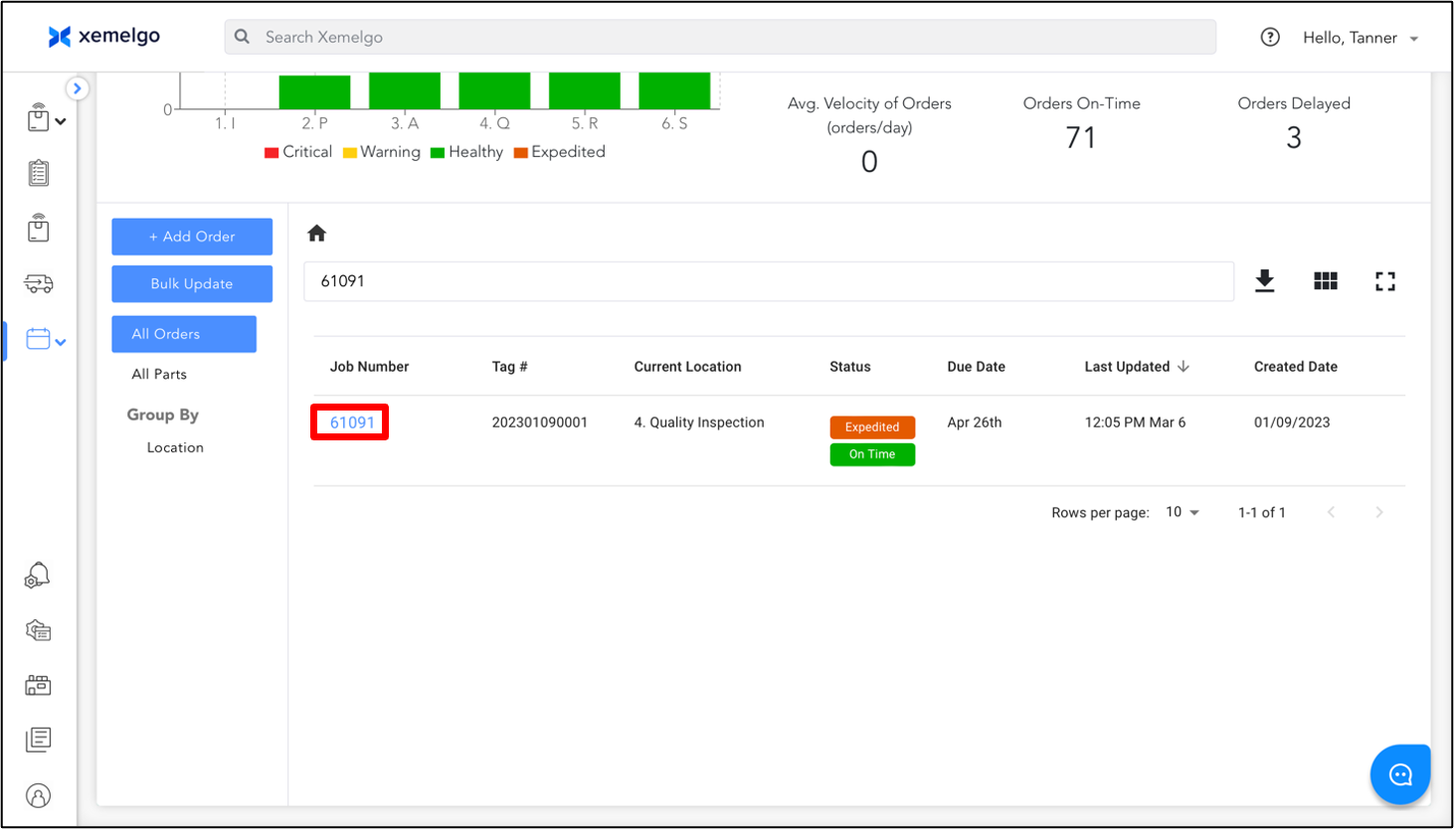
Next, click the work order you wish to delete.
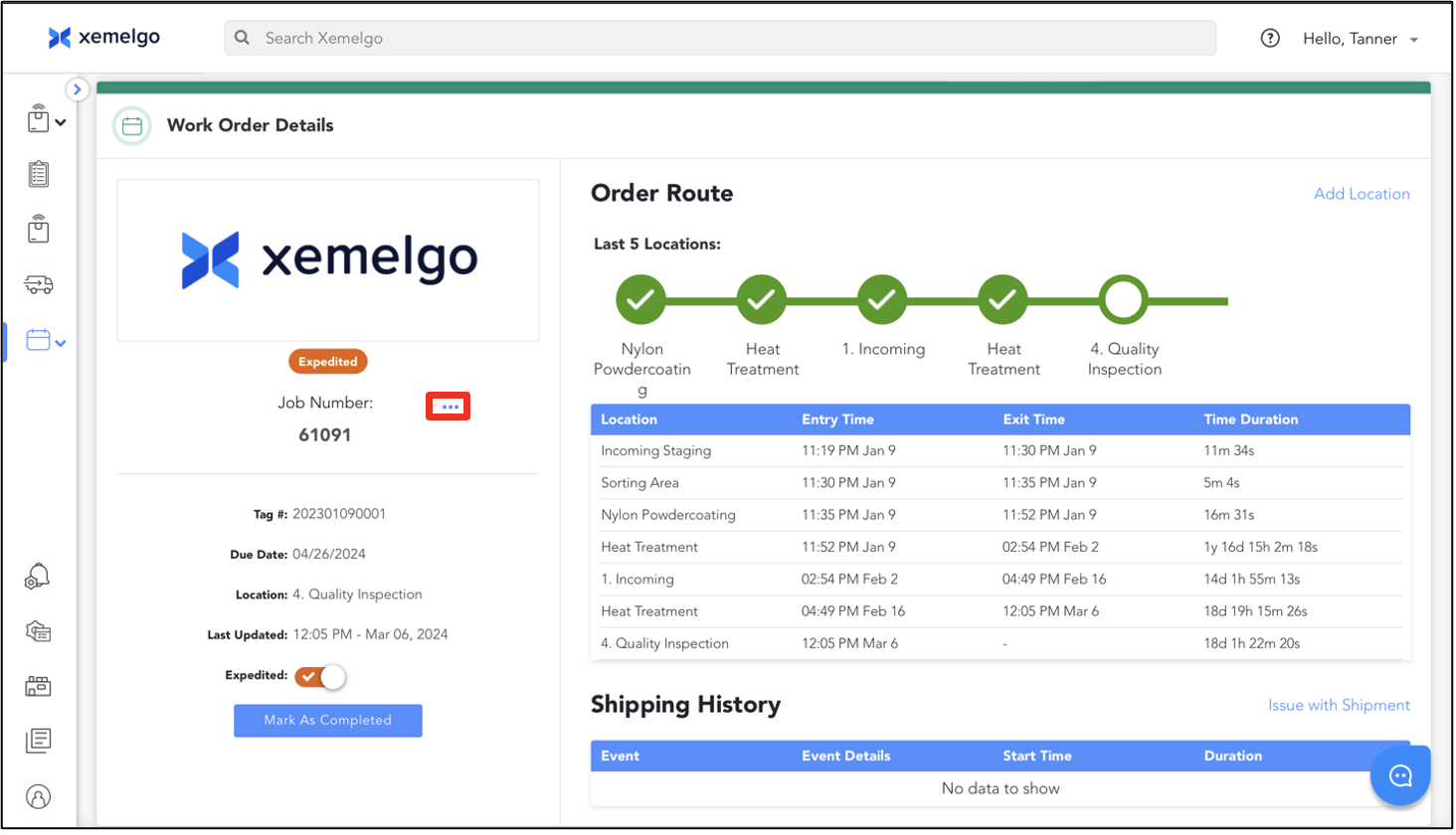
Then, click ...
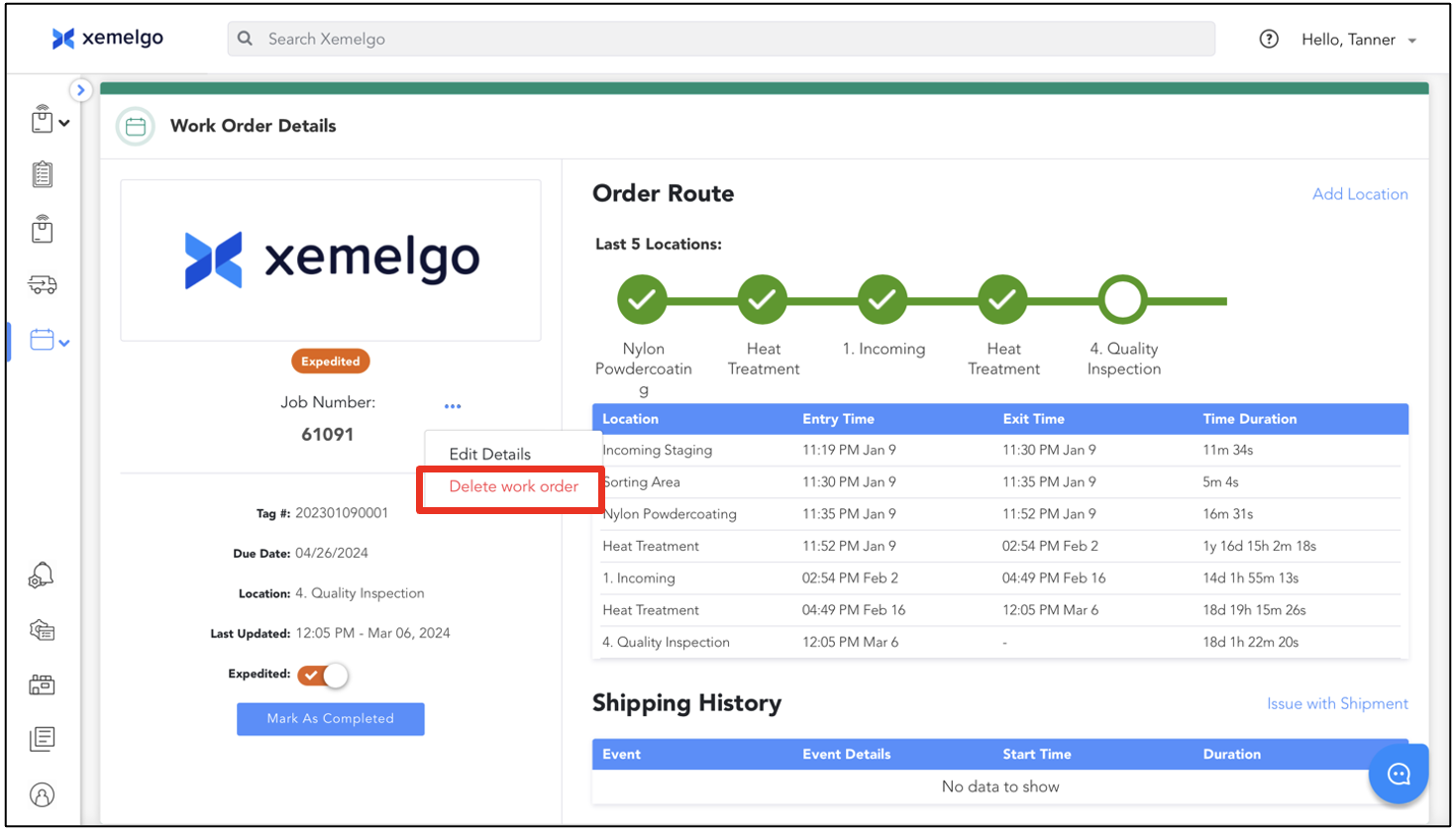
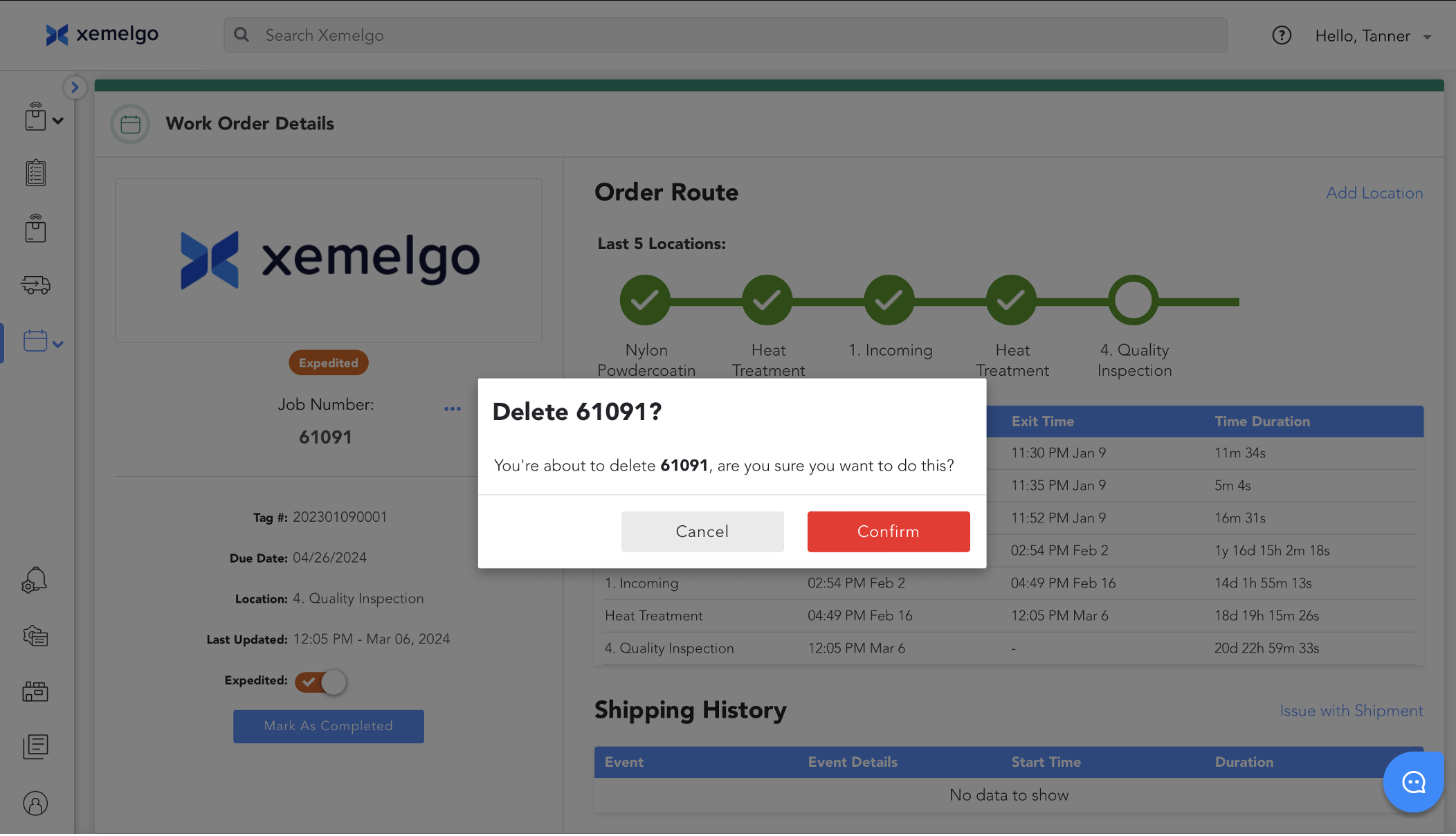
To finish removing the work order from the web application, click Delete work order.
Ensure that you are deleting the correct work order as it is being permanently removed from the system along with all its historical records. Then click Confirm.
Need further assistance?
The article above couldn't resolve your issue? Use the chat button in the bottom-right corner to contact the support team.