Bulk Update Work Orders
Bulk Update Work Orders
Overview
This article explains how users can perform bulk updates to work orders on the work order track page by uploading a CSV file containing job details for updating in the Xemelgo system.
Instructions
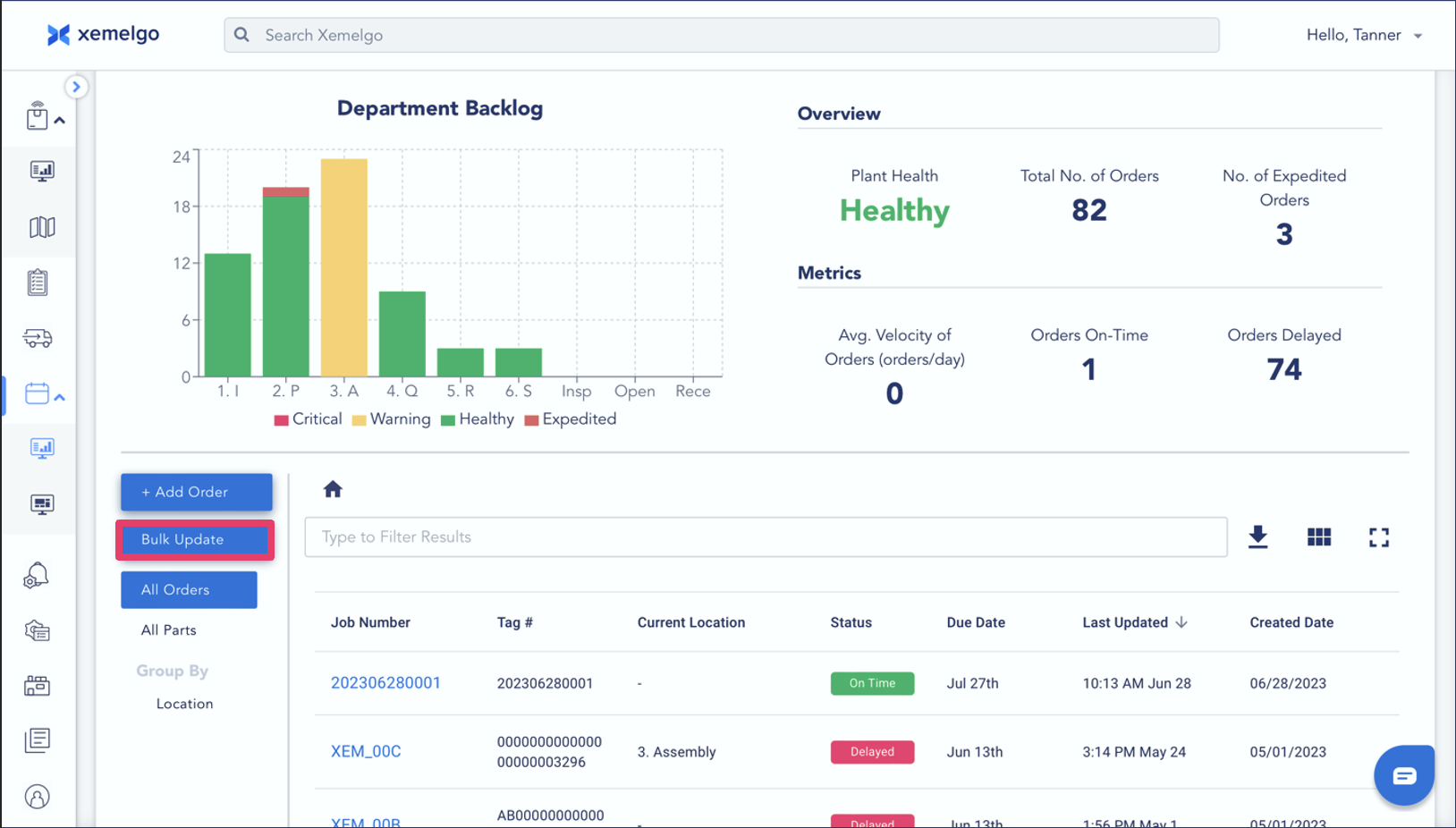
Users can bulk update work orders by clicking on the Bulk Update button on the dashboard.
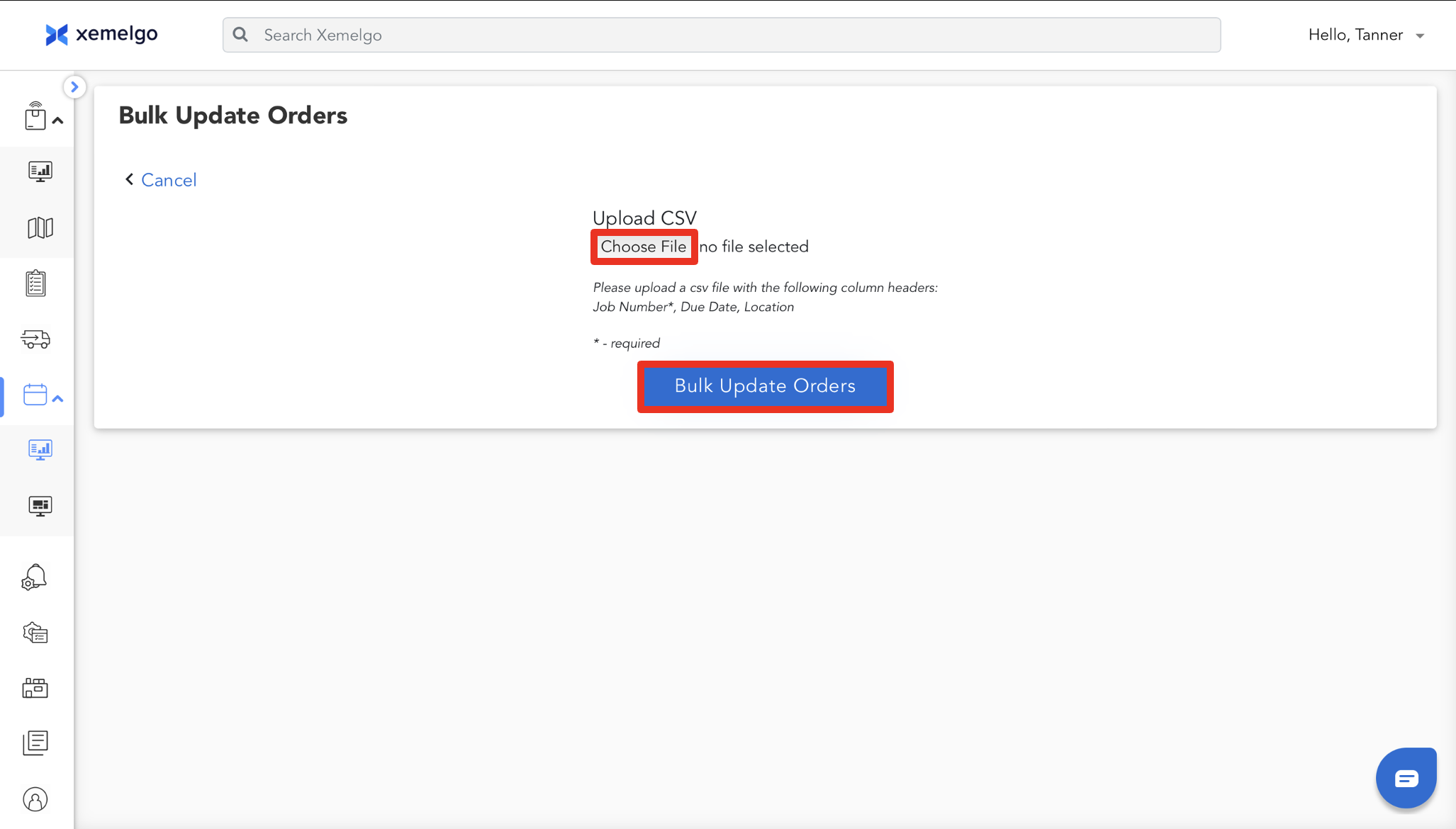
If you have a CSV file of your work orders and it contains the required column headers, you can upload it and click Bulk Update Orders to update all of your work orders in the Xemelgo system.
Need further assistance?
The article above couldn't resolve your issue? Use the chat button in the bottom-right corner to contact the support team.
Was this article helpful?