Restock Inventory
Restock Inventory
Overview
This article provides instructions for restocking inventory, including manual entry and CSV upload in the Xemelgo system.
Instructions
This solution is only applicable to customers who track each item as a **SKU.
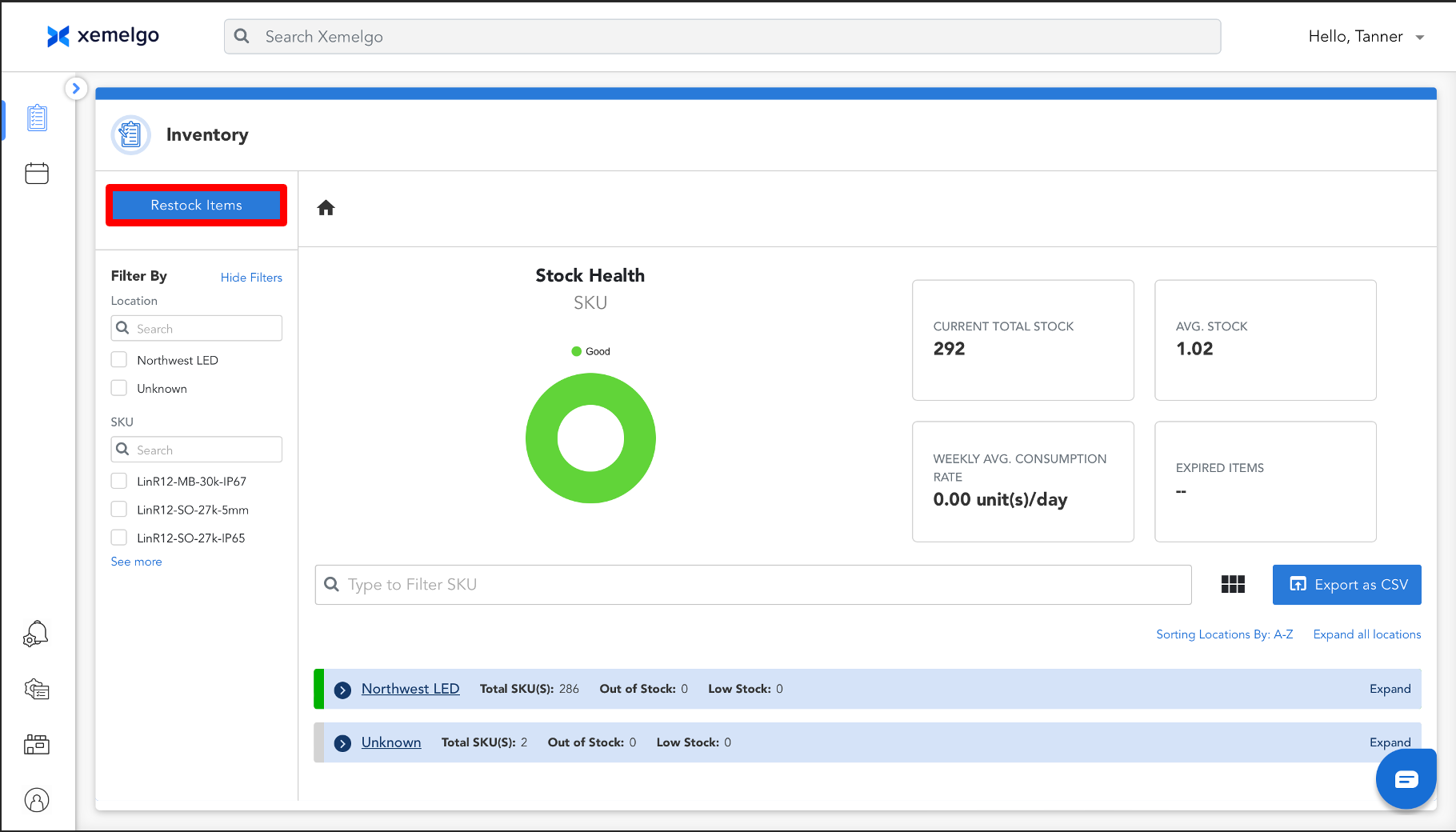
To begin restocking your inventory, click Restock Items.
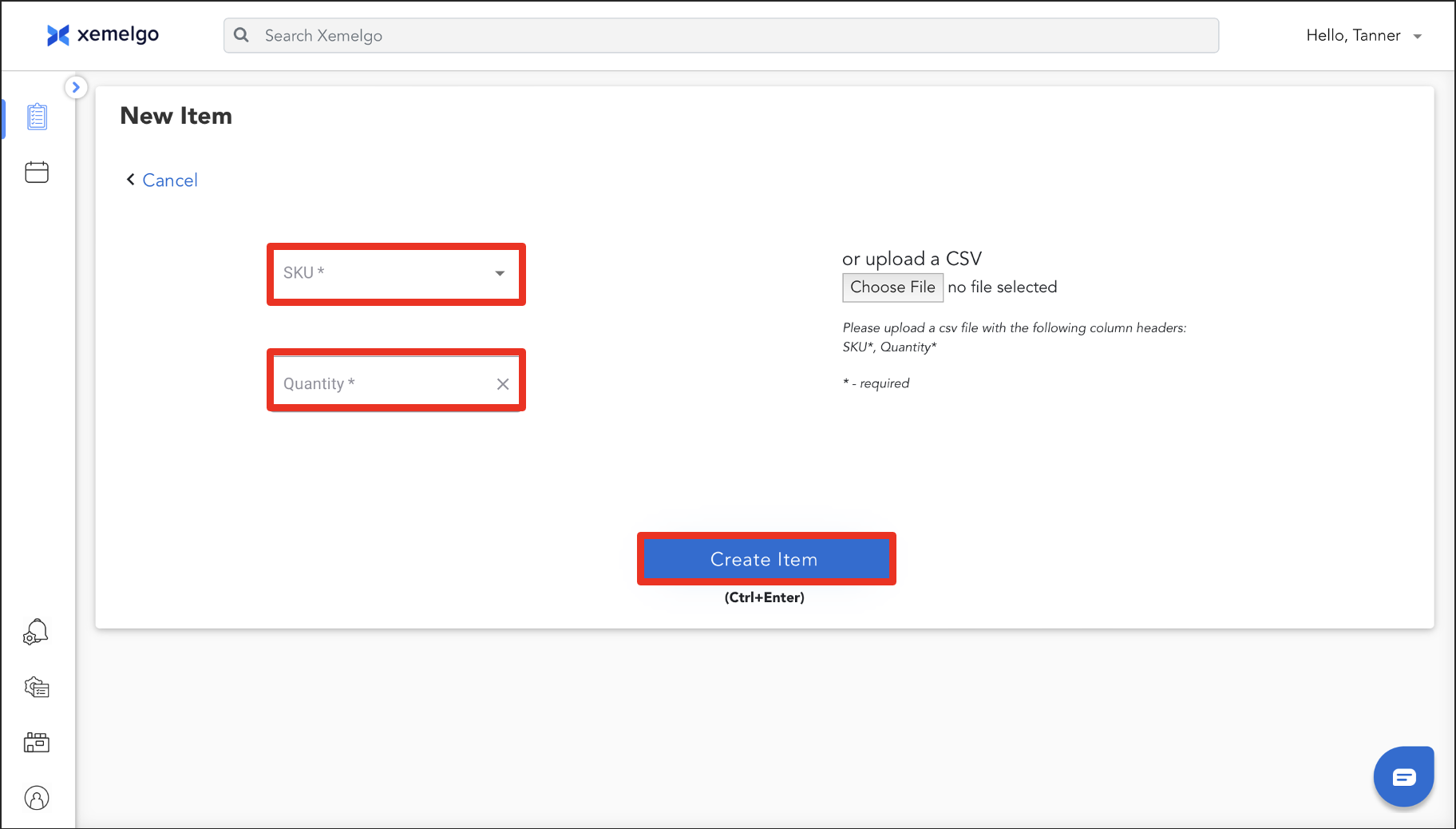
Next, select a SKU from the Dropdown and enter a Quantity.
Once the information has been entered, click Create Item.
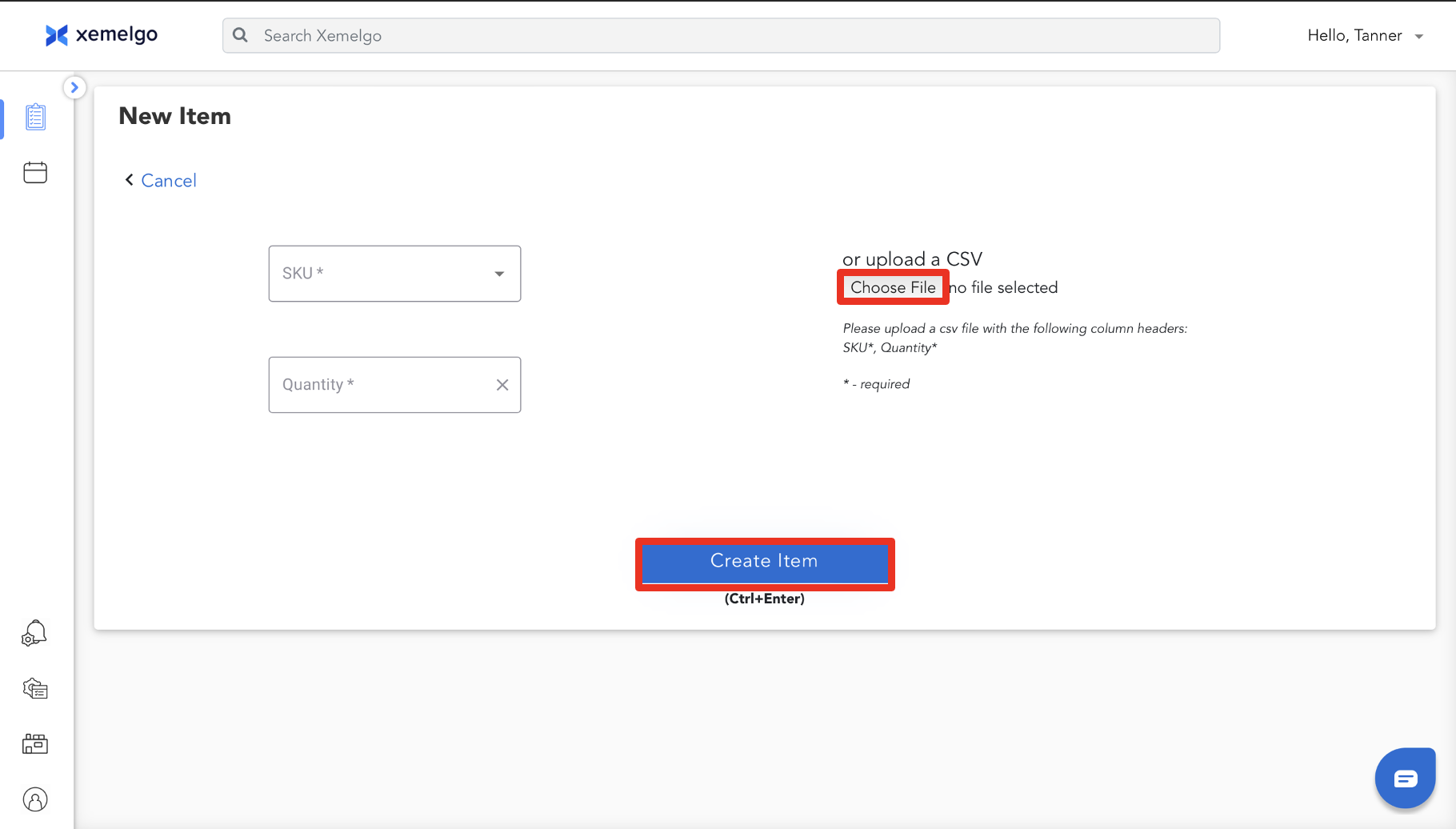
Alternatively, if you have a CSV with the Column Headers of SKU and Quantity, you can upload it to the Xemelgo system by clicking Choose File.
Once the file has been uploaded, click Create Item.
If the SKU provided was already in the Xemelgo system, it will be updated with the given quantity.
Need further assistance?
The article above couldn't resolve your issue? Use the chat button in the bottom-right corner to contact the support team.