Product Lookup
Product Lookup
Overview
This article covers searching for SKUs and viewing item counts in different locations using Product Lookup.
Instructions
Tap on Product Lookup to search for a SKU.
Next, type any three letters from the SKU to search for the SKU.
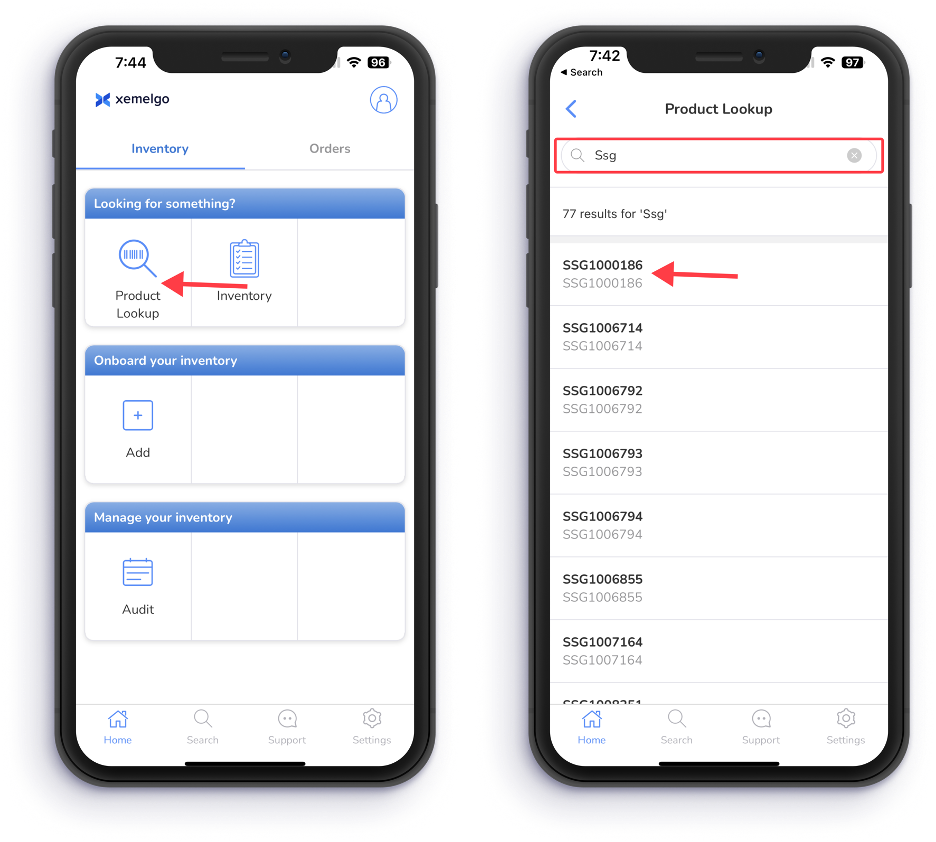
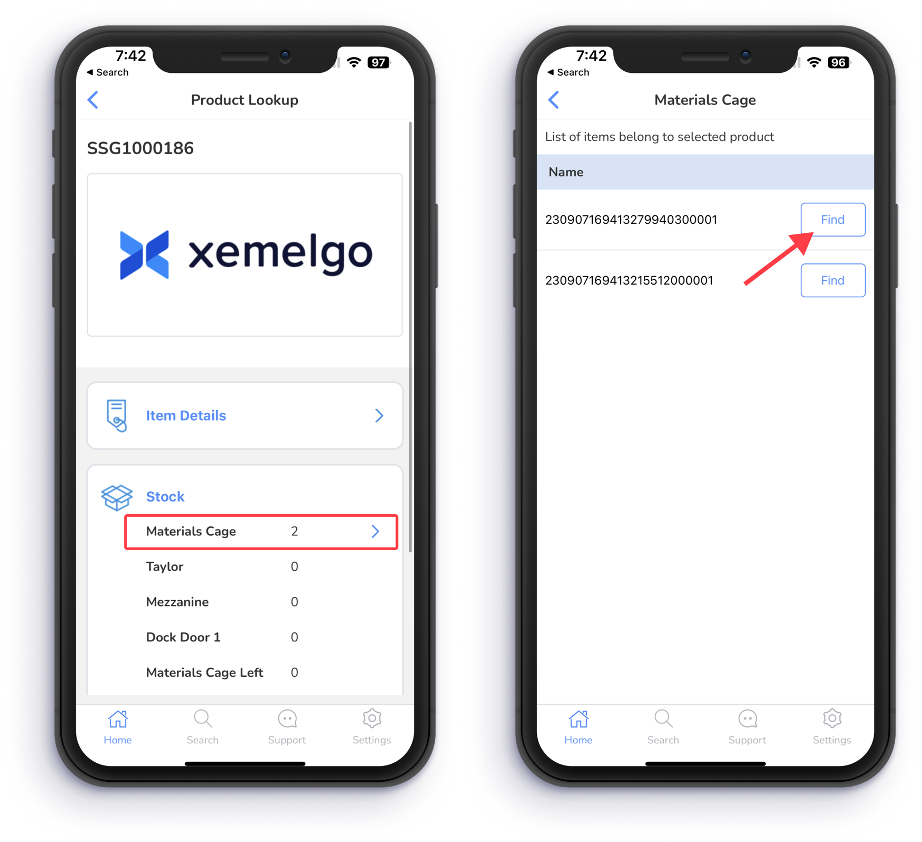
Then, the Count of the SKU in each location will be displayed.
Users can tap on a specific location that they are looking to search for the item.
Pick any of the EPCs to search for it and launch into Geiger mode.
Need further assistance?
The article above couldn't resolve your issue? Use the chat button in the bottom-right corner to contact the support team.
Was this article helpful?