Restart Zebra Mounted Reader Remotely
Restart Zebra Mounted Reader Remotely
Overview
This article explains how to restart a zebra reader remotely.
Instructions
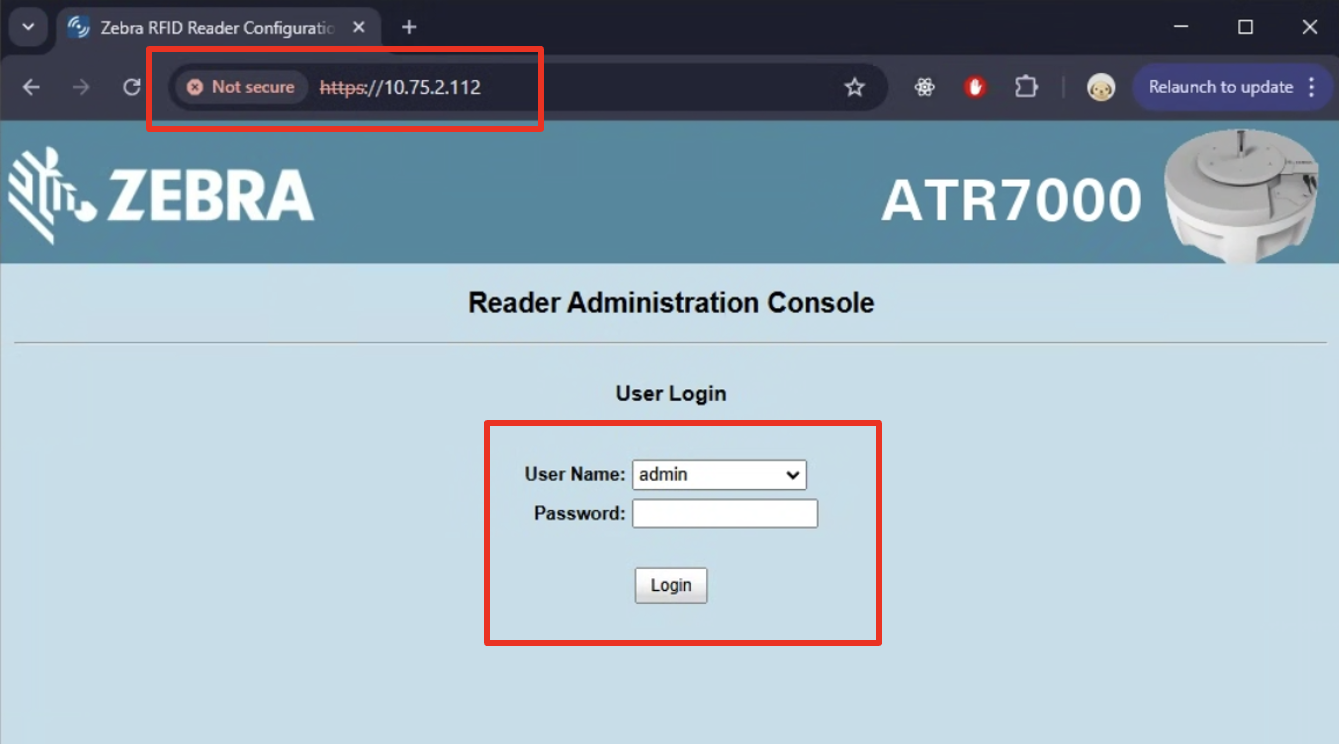
To restart a zebra mounted reader remotely, log in to the IP through your browser. (ex. https://192.168.1.10/)
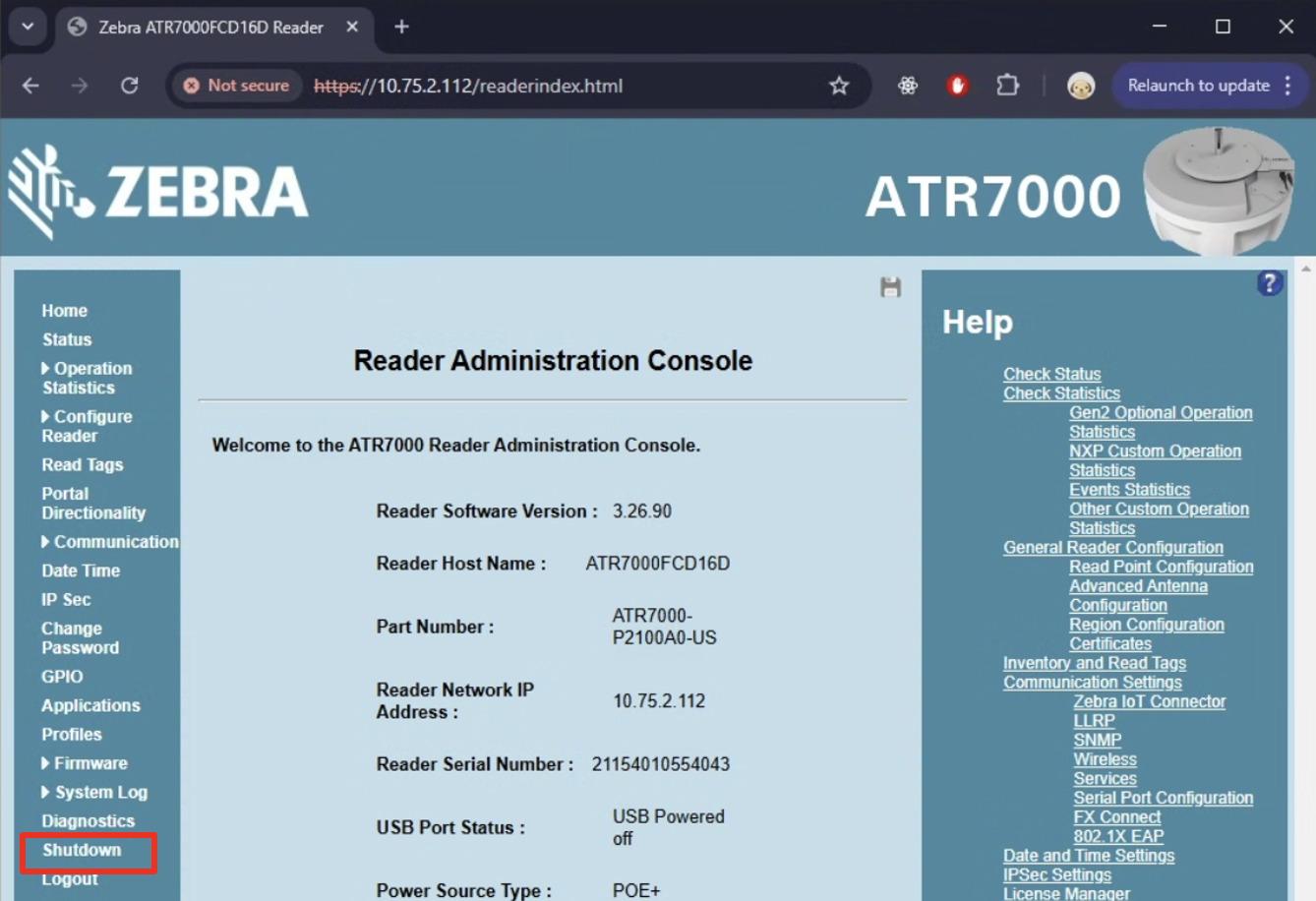
On the left of the screen, click Shutdown.
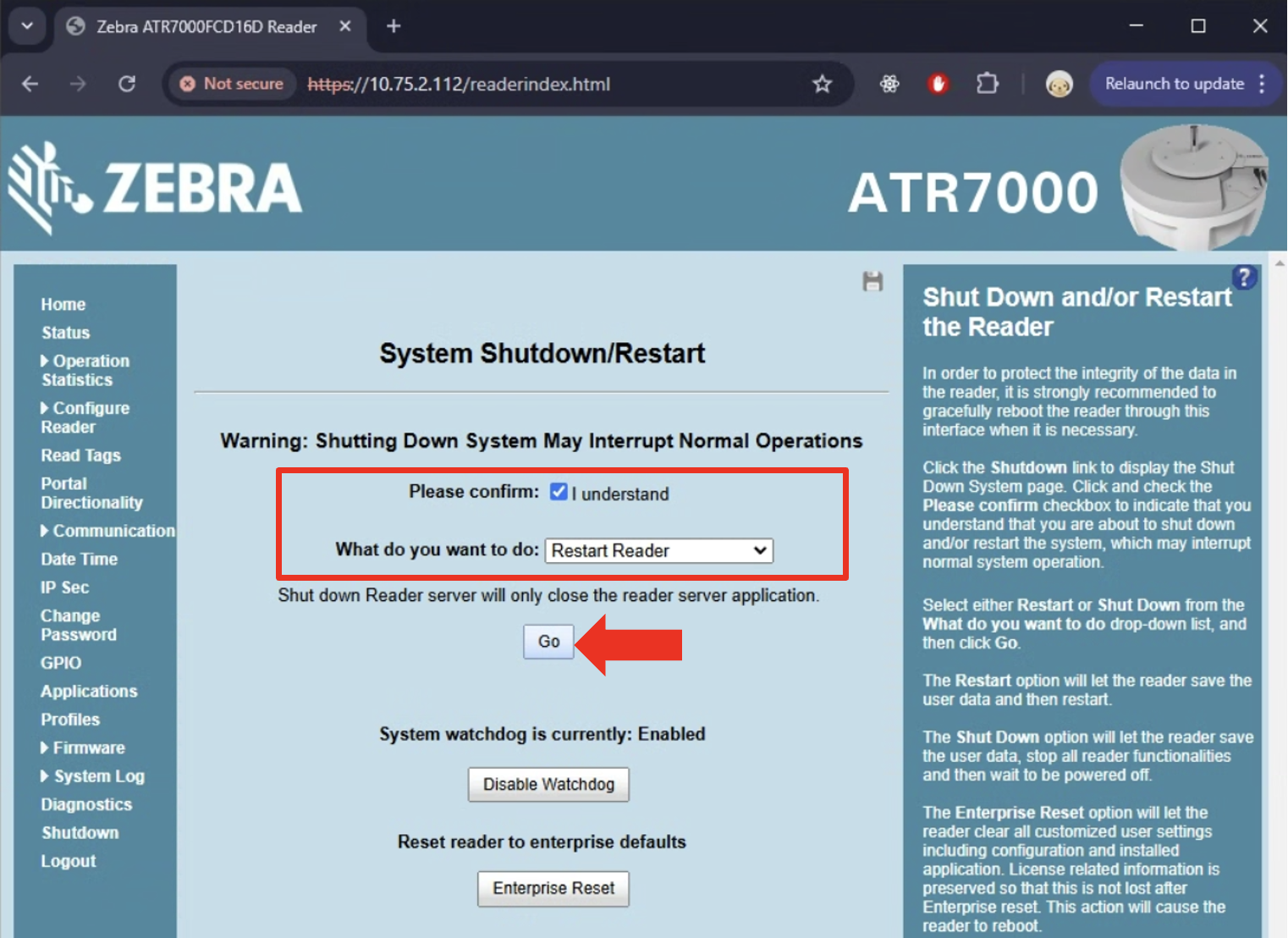
Then, check Please Confirm and ensure What do you want to do is set to Restart Reader.
To finish this process, click Go.
Need further assistance?
The article above couldn't resolve your issue? Use the chat button in the bottom-right corner to contact the support team.
Was this article helpful?