Onboarding a Zebra TC53e
Onboarding a Zebra TC53e
Overview
This article explains how to onboard a Zebra TC53e device.
Instructions
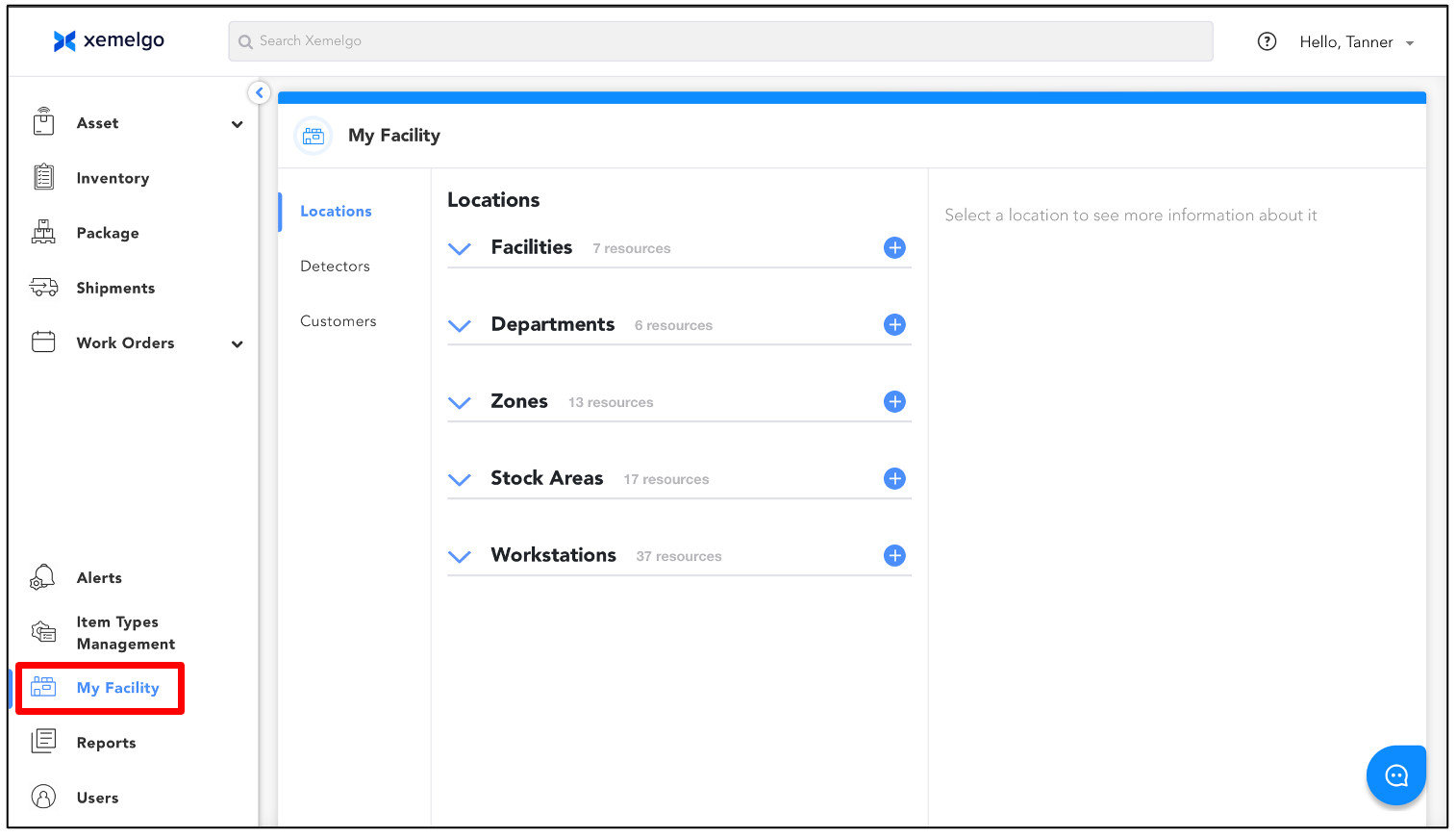
To begin the process of onboarding a Zebra TC53e device, click My Facility from the Sidebar.
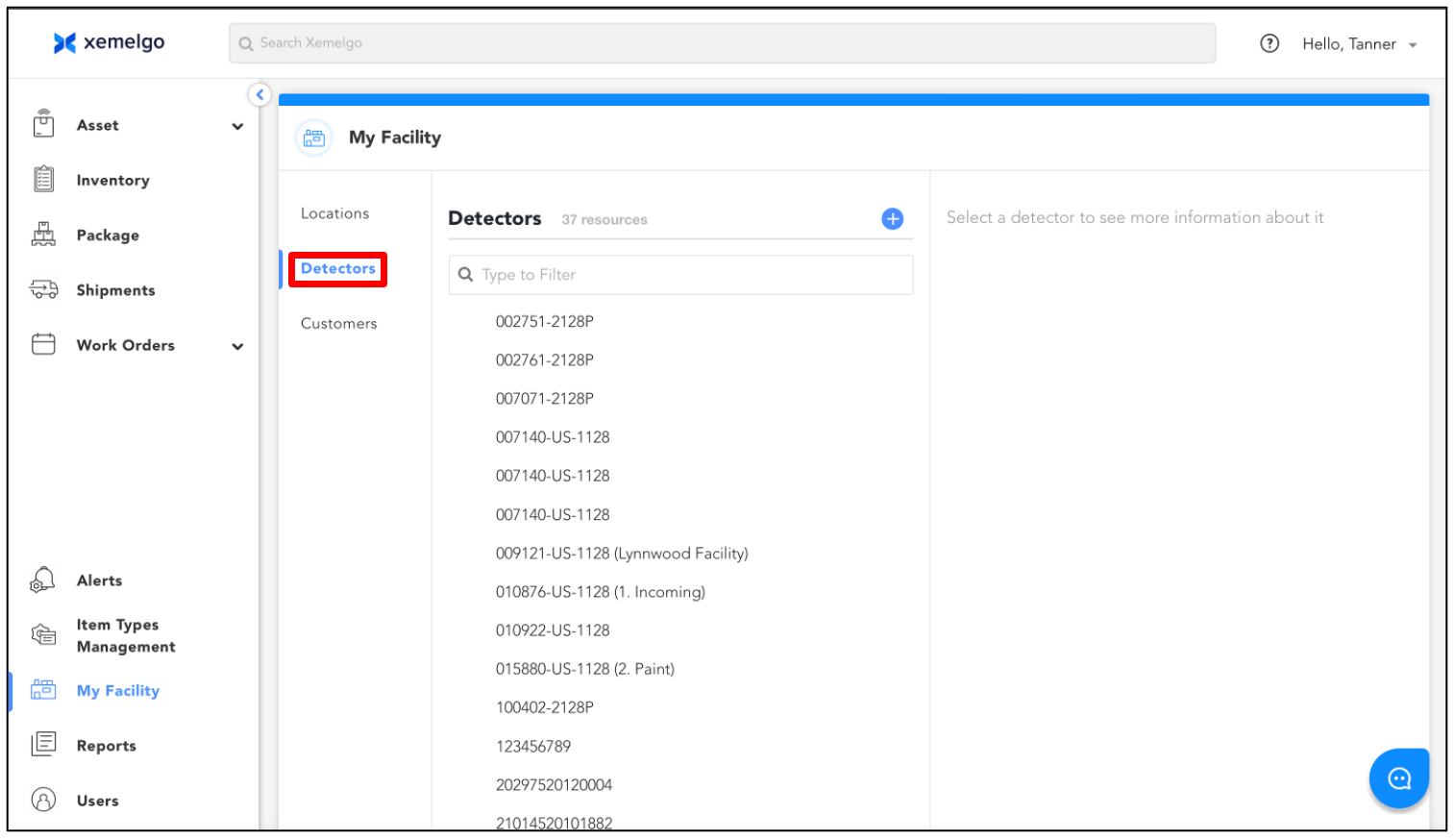
Next, click Detectors.
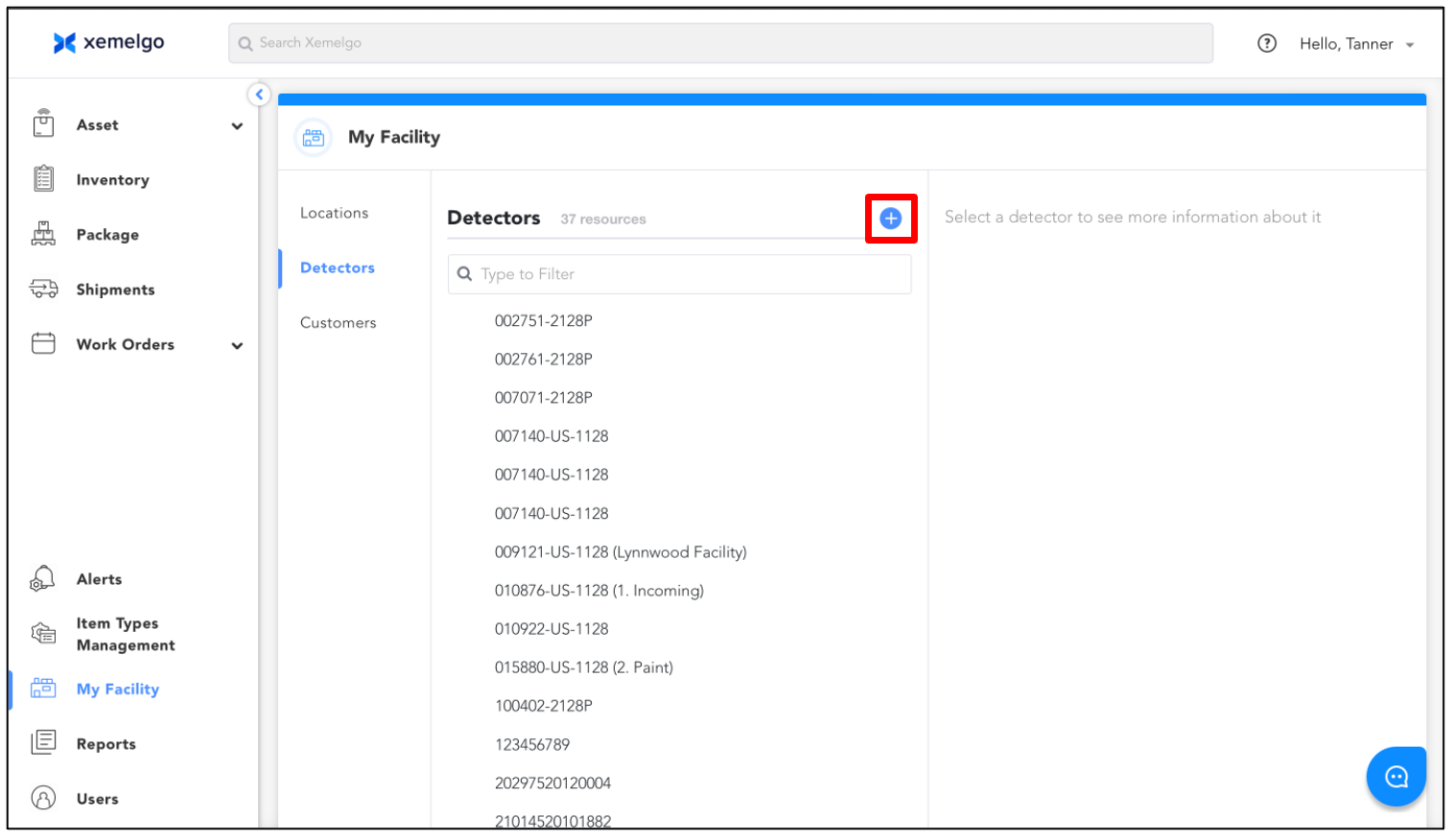
Then, click the Plus Sign.
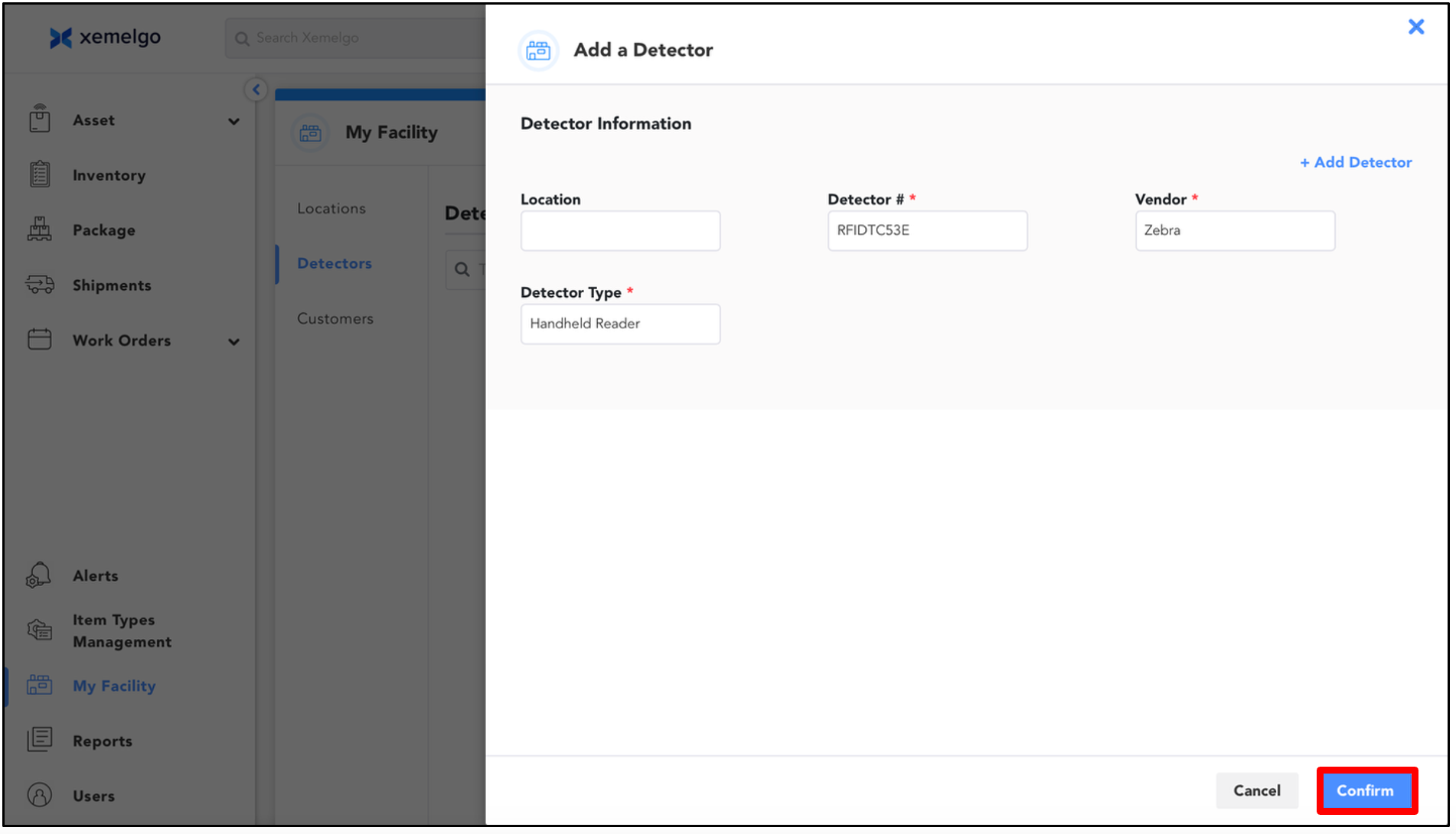
Under Detector Information, enter the following in the required fields:
- Detector #: RFIDTC53E
- Vendor: Zebra
- Detector Type: Handheld Reader
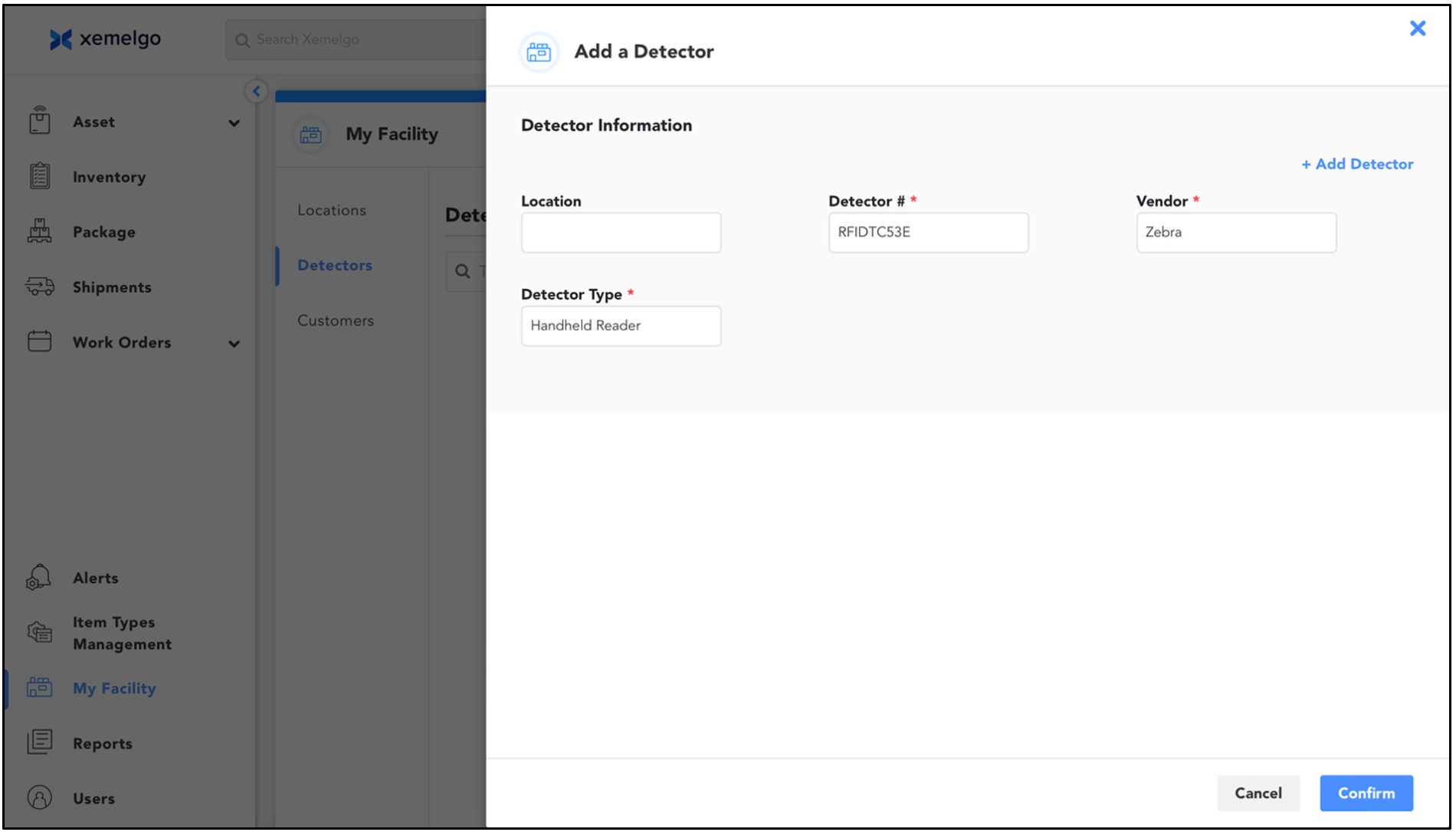
To finish onboarding the Zebra TC53e device, click Confirm.
Need further assistance?
The article above couldn't resolve your issue? Use the chat button in the bottom-right corner to contact the support team.
Was this article helpful?