Archive Assets
Archive Assets
Overview
This article explains how to stop tracking a specific asset with Xemelgo.
Instructions
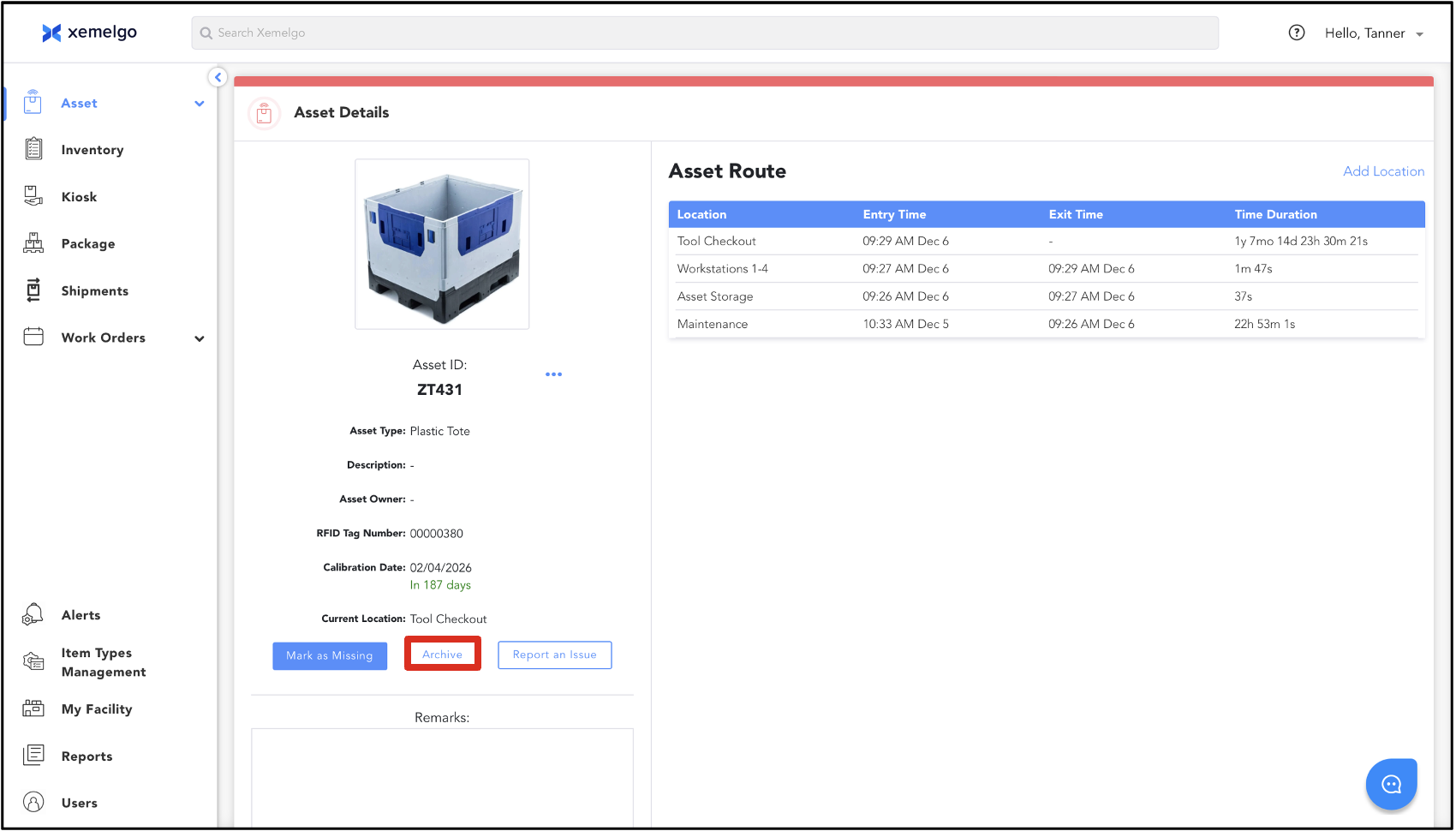
Navigate to the Asset Details page of the asset you want to stop tracking.
Next, click Archive.
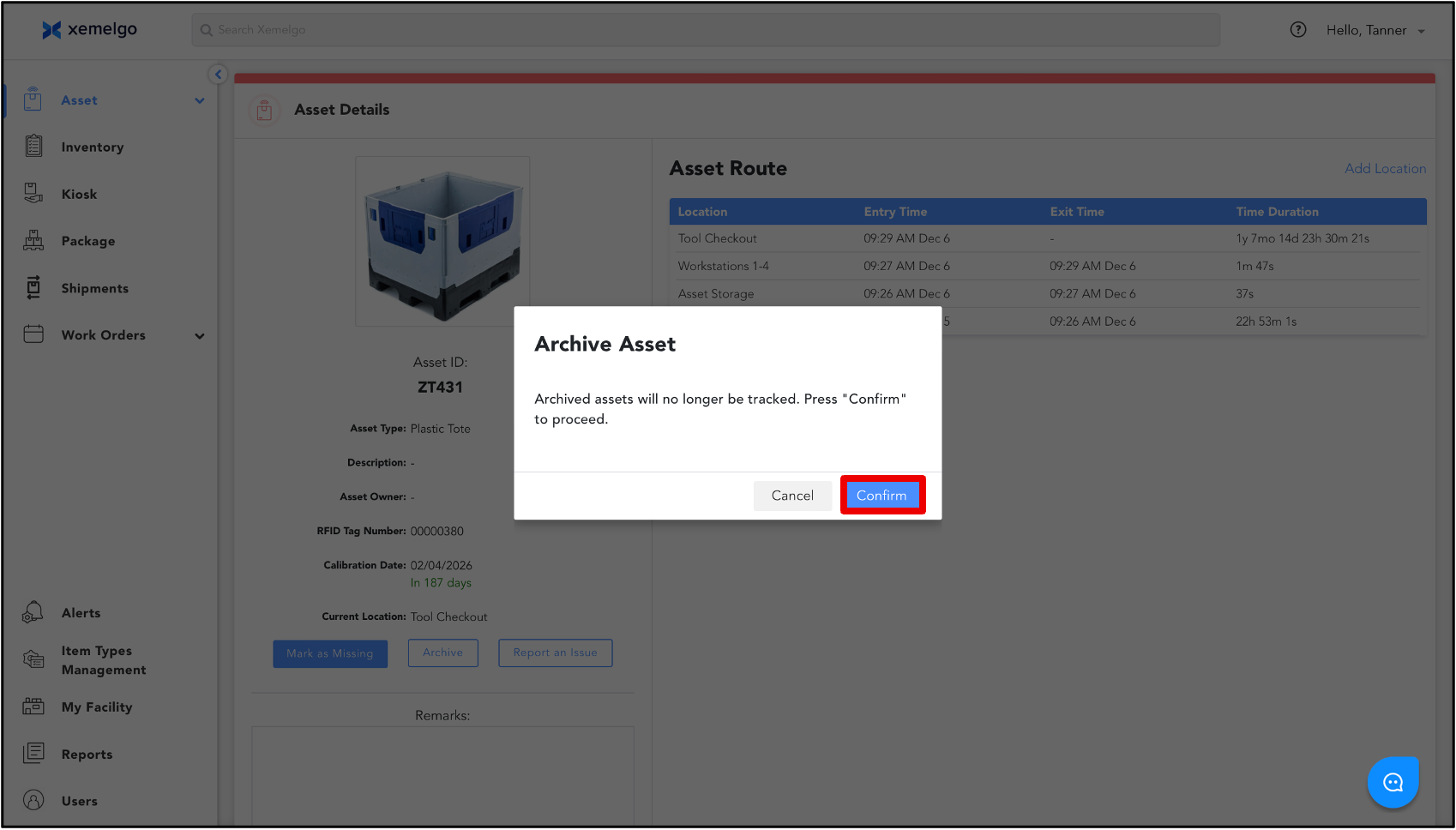
Then, click Confirm to archive the asset and stop tracking it.
Multi-Select Archive
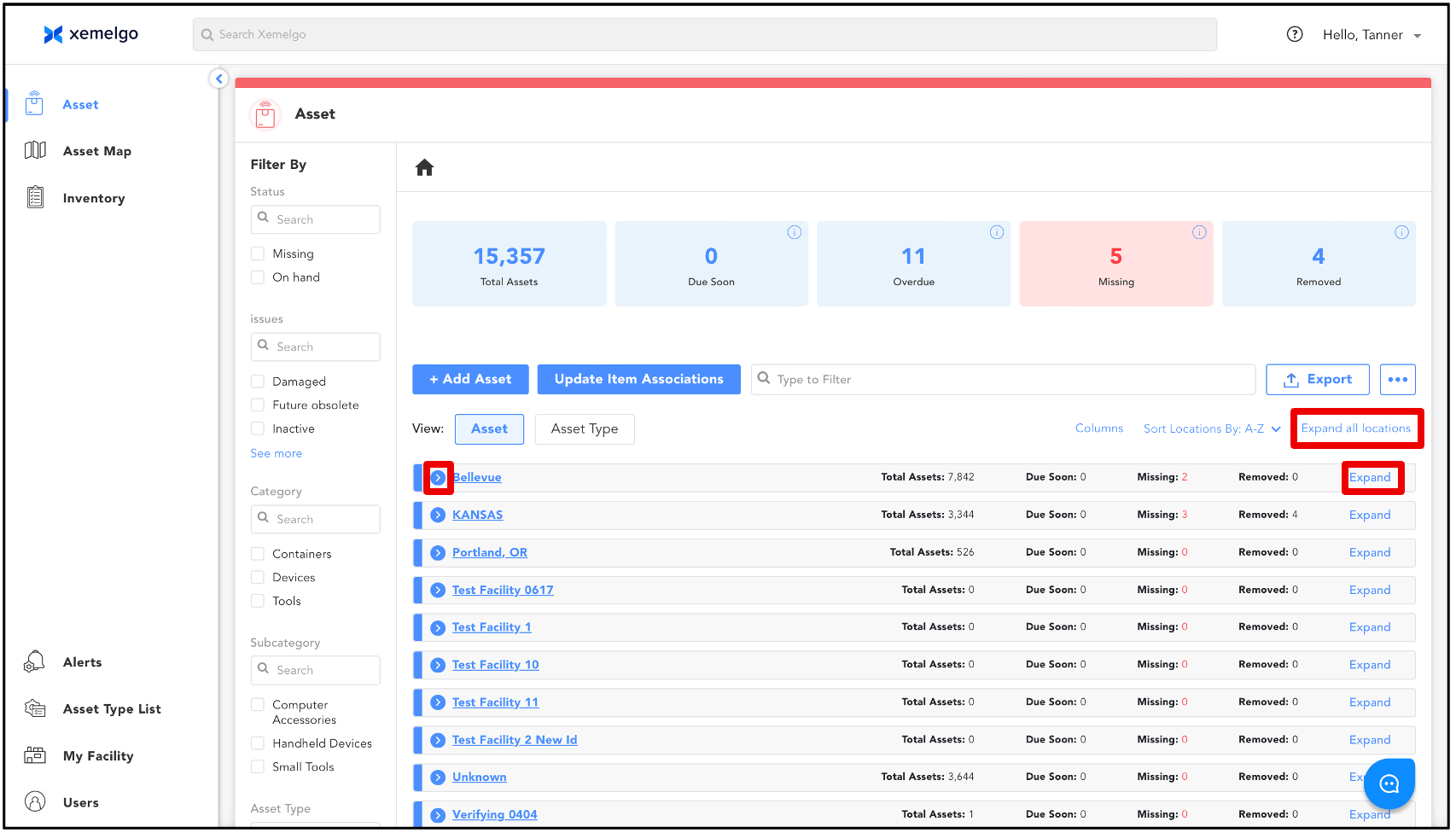
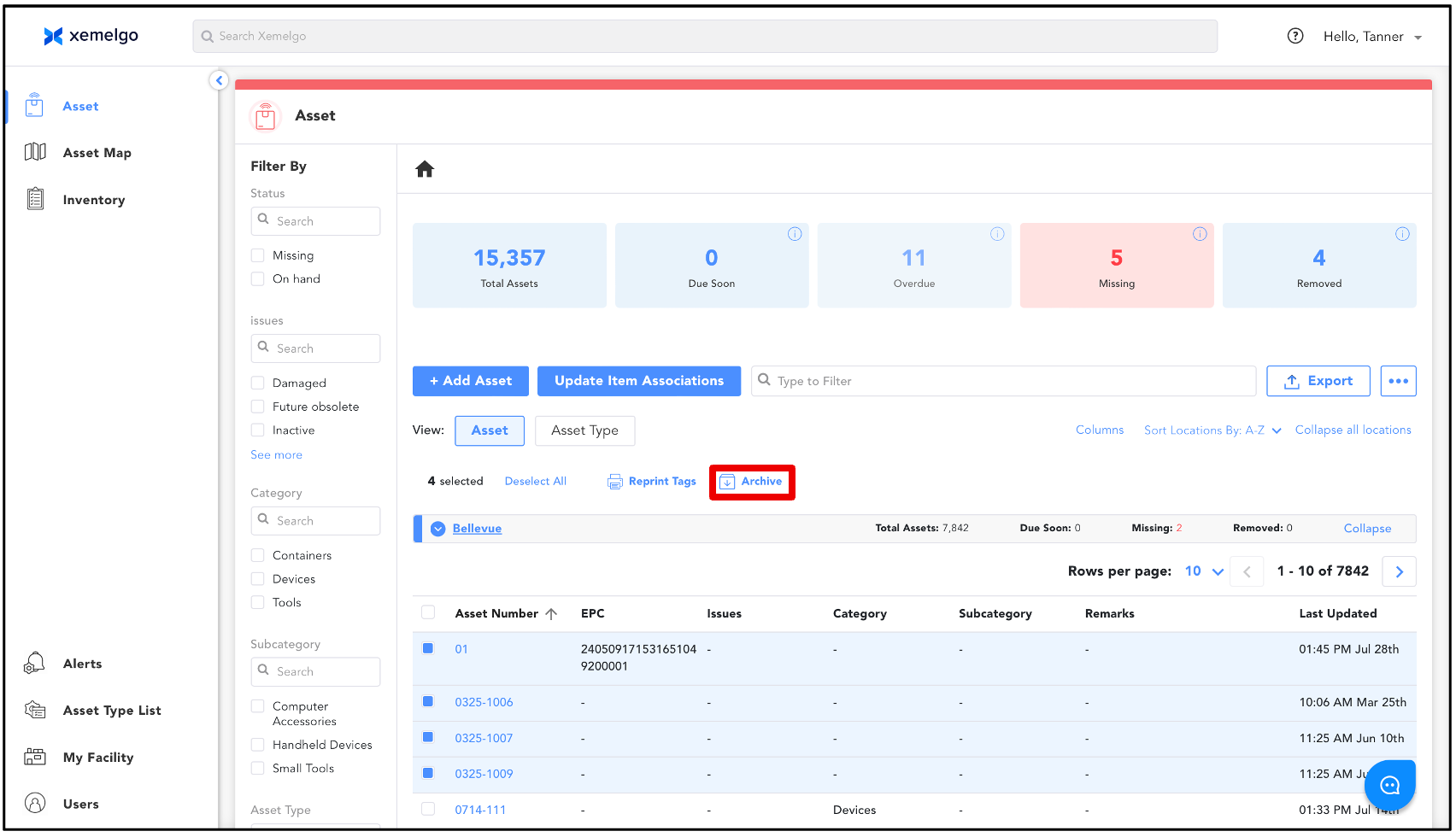
To stop tracking multiple assets at once, navigate to the Assets Trackpage.
Expand the desired location to view its assets.
Select the assets you want to archive.
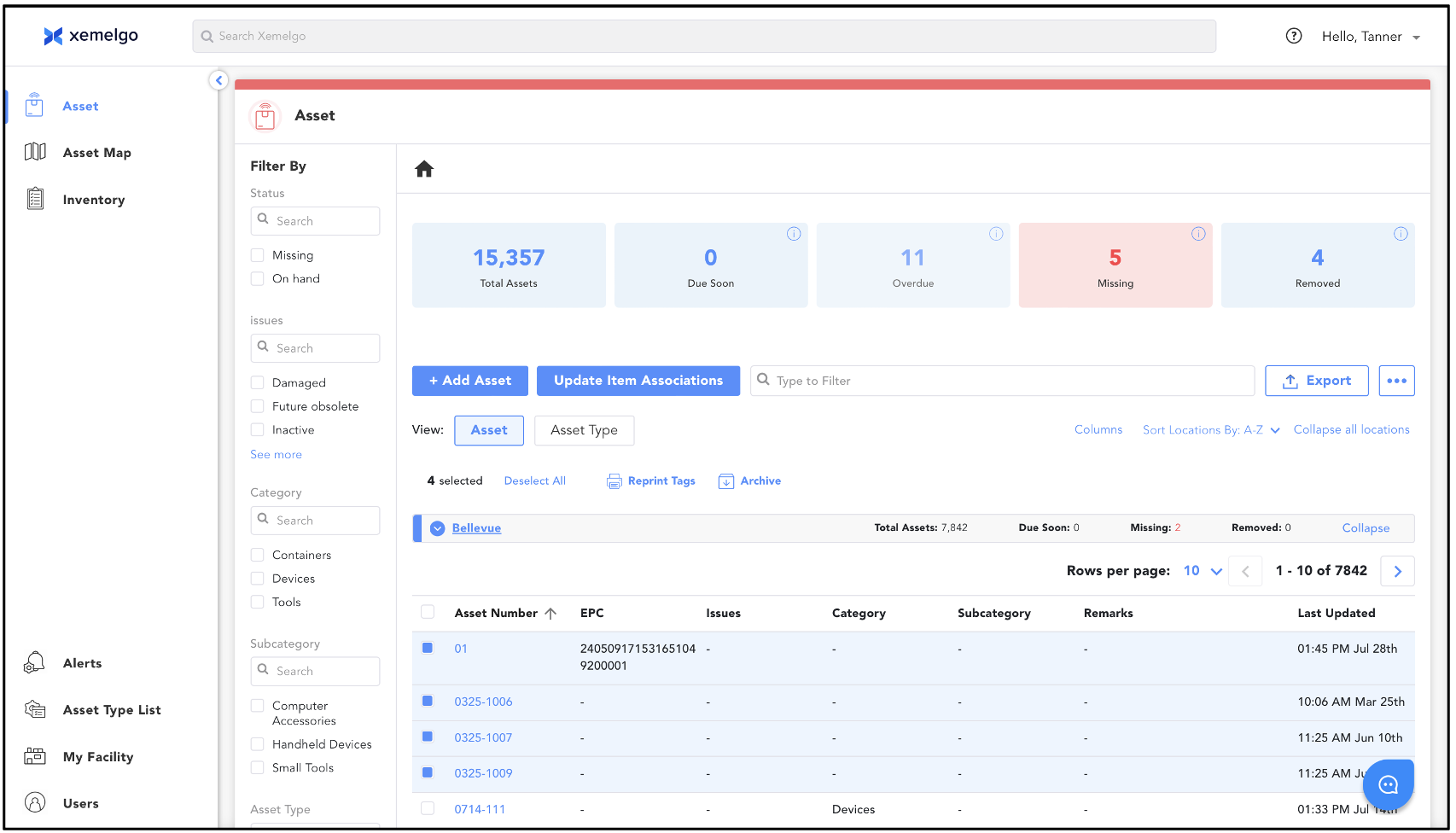
Click Archive.
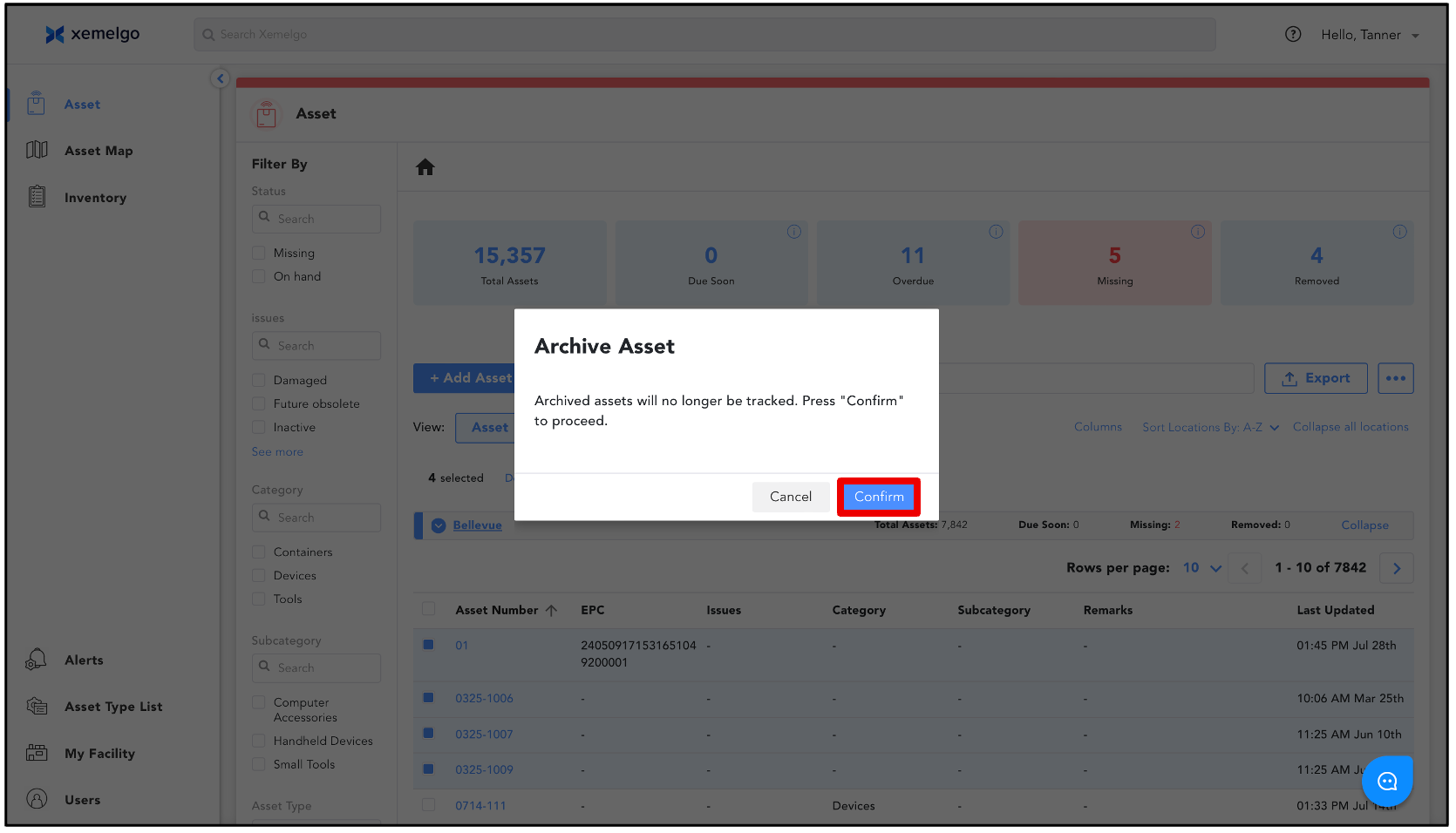
Click Confirm to archive the asset and stop tracking it.
Need further assistance?
The article above couldn't resolve your issue? Use the chat button in the bottom-right corner to contact the support team.
Was this article helpful?